Συνοπτική Περίληψη: Η Canva προσφέρει τέσσερις κύριες βαθμίδες τιμολόγησης το 2026: Δωρεάν (0€), Pro (15€/μήνα με μηνιαία χρέωση, ή 120€/έτος με ετήσια χρέωση), Business (20€ ανά χρήστη μηνιαίως ή 200€/έτος με ετήσια χρέωση) και Enterprise (προσαρμοσμένη τιμολόγηση που ξεκινά από περίπου 2.000€-30.000€ ετησίως). Το πακέτο Pro ξεκλειδώνει πάνω από 100 εκατομμύρια premium στοιχεία, 100GB αποθηκευτικού χώρου και λειτουργίες Magic Studio που υποστηρίζονται από AI, ενώ το Business προσθέτει εργαλεία συνεργασίας και ελέγχους επωνυμίας.
Η Canva προχώρησε σε σημαντική προσαρμογή τιμών για τις αναπτυσσόμενες ομάδες στα τέλη του 2024, και αυτές οι αλλαγές συνεχίστηκαν και το 2026. Η αιτία; Οι νέες λειτουργίες AI Magic Studio αύξησαν την πρόταση αξίας, αλλά έκαναν επίσης την αφήγηση "προσιτό εργαλείο σχεδιασμού" λίγο πιο περίπλοκη.
Πόσο κοστίζει λοιπόν πραγματικά η Canva τώρα; Και, το πιο σημαντικό, ποιο πακέτο είναι κατάλληλο για διαφορετικές περιπτώσεις χρήσης;
Το θέμα είναι ότι οι περισσότεροι οδηγοί τιμολόγησης παραβλέπουν τις λεπτομέρειες. Σας λένε την αναγραφόμενη τιμή, αλλά παραλείπουν τις λεπτομέρειες σχετικά με το κόστος βάσει χρήσης, τις ελάχιστες απαιτήσεις για ομάδες και πόσο γρήγορα τα όρια αποθήκευσης γίνονται εμπόδιο.
Αυτός ο οδηγός αναλύει κάθε βαθμίδα, συγκρίνει ό,τι έχει σημασία και διαπερνά τη γλώσσα μάρκετινγκ για να βοηθήσει τους υπεύθυνους λήψης αποφάσεων να κατανοήσουν την πραγματική δομή κόστους.
Κατανόηση της Δομής Τιμολόγησης της Canva
Η Canva λειτουργεί με ένα συνδρομητικό μοντέλο σε βαθμίδες με τέσσερα διακριτά πακέτα: Δωρεάν, Pro, Business και Enterprise. Κάθε βαθμίδα ξεκλειδώνει προοδευτικά περισσότερες λειτουργίες, αποθηκευτικό χώρο και δυνατότητες συνεργασίας.
Η τιμολόγηση δεν είναι περίπλοκη στην επιφάνεια, αλλά ο διάβολος κρύβεται στις λεπτομέρειες. Στοιχεία βάσει χρήσης, ελάχιστες απαιτήσεις χρηστών για τα πακέτα Business και η ταχεία κατανάλωση αποθηκευτικού χώρου με σχέδια υψηλής ανάλυσης επηρεάζουν όλοι το πραγματικό κόστος.
Σύμφωνα με επαληθευμένο υλικό πηγών, η τιμολόγηση της Canva τοποθετεί το Pro στα 120€ ανά έτος ανά χρήστη, ενώ το Business είναι 200€ ανά έτος ανά χρήστη. Η τιμολόγηση Enterprise ποικίλλει σημαντικά ανάλογα με το μέγεθος και τις ανάγκες της εταιρείας, κυμαινόμενη περίπου από 2.000€ έως 30.000€ ετησίως.
Canva Free: Το Σημείο Εκκίνησης Μηδενικού Κόστους
Το δωρεάν πακέτο παρέχει στους μεμονωμένους χρήστες πρόσβαση στις βασικές λειτουργίες σχεδιασμού της Canva χωρίς να ξοδέψουν ούτε ένα ευρώ. Είναι σχεδιασμένο για προσωπικά έργα, δοκιμή της πλατφόρμας ή περιστασιακή εργασία σχεδιασμού.
Τι περιλαμβάνεται:
- Πάνω από 250.000 δωρεάν πρότυπα σε δεκάδες κατηγορίες
- 5GB αποθηκευτικού χώρου στο cloud
- Βασικά εργαλεία σχεδιασμού και λειτουργίες επεξεργασίας
- Περιορισμένη πρόσβαση σε φωτογραφίες και γραφικά αποθεμάτων
- Εξαγωγή σχεδίων σε τυπικές μορφές
Ωστόσο, αυτά τα 5GB αποθηκευτικού χώρου γεμίζουν γρήγορα με σχέδια υψηλής ανάλυσης, ειδικά με βίντεο. Και η βιβλιοθήκη προτύπων, αν και εκτεταμένη, κλειδώνει premium στοιχεία πίσω από το paywall του Pro.
Η δωρεάν βαθμίδα λειτουργεί καλά για φοιτητές, χομπίστες και οποιονδήποτε εξερευνά αν η Canva ταιριάζει στη ροή εργασίας του. Δεν είναι βιώσιμη για επαγγελματίες δημιουργούς περιεχομένου ή ομάδες που παράγουν όγκο.
Canva Pro: Όπου Ξεκινούν οι Επαγγελματικές Λειτουργίες
Το Pro μετατρέπει την Canva από ένα βασικό εργαλείο σχεδιασμού σε μια επαγγελματική πλατφόρμα δημιουργίας περιεχομένου. Η τιμολόγηση είναι 15€/μήνα με μηνιαία χρέωση, ή 120€/έτος με ετήσια χρέωση—εξοικονόμηση 33%.
Η αναβάθμιση ξεκλειδώνει:
- Πάνω από 100 εκατομμύρια premium φωτογραφίες, βίντεο και αρχεία ήχου
- 100GB αποθηκευτικού χώρου (20 φορές την παραχώρηση του δωρεάν πακέτου)
- Εργαλείο αφαίρεσης φόντου
- Magic Resize για άμεση προσαρμογή μορφής
- Brand Kit με προσαρμοσμένες γραμματοσειρές, χρώματα και λογότυπα
- Content Planner για προγραμματισμό κοινωνικών δικτύων
- Λειτουργίες Magic Studio AI, συμπεριλαμβανομένων των Magic Edit, Magic Eraser και δημιουργία εικόνων AI
Η αύξηση του αποθηκευτικού χώρου από μόνη της δικαιολογεί το κόστος για σχεδιαστές που εργάζονται με βίντεο ή εικόνες υψηλής ανάλυσης. Είκοσι φορές περισσότερος χώρος σημαίνει λιγότερες διακοπές "ο αποθηκευτικός χώρος είναι γεμάτος" και λιγότερο χρόνο διαχείρισης καθαρισμού αρχείων.
Το Magic Studio αντιπροσωπεύει τον πραγματικό διαφοροποιητή αξίας τώρα. Αυτά τα εργαλεία που υποστηρίζονται από AI χειρίζονται την αφαίρεση φόντου, τη διαγραφή αντικειμένων, τις γεννητικές πληρώσεις, ακόμη και τη δημιουργία πλήρων εικόνων από προτροπές κειμένου. Δεν είναι προσθήκες—είναι ενσωματωμένα στη συνδρομή Pro.
Για ελεύθερους επαγγελματίες, solopreneurs και ιδιοκτήτες μικρών επιχειρήσεων που παράγουν το δικό τους περιεχόμενο, το Pro προσφέρει ισχυρή απόδοση επένδυσης. Ο χρόνος που εξοικονομείται στην χειροκίνητη επεξεργασία και η πρόσβαση σε premium στοιχεία κοστίζουν συνήθως περισσότερο όταν προέρχονται ξεχωριστά.
Canva Business: Συνεργασία Συναντά τον Έλεγχο της Επωνυμίας
Η τιμολόγηση Business άλλαξε αισθητά στην προσαρμογή του 2024. Από το 2026, οι Ομάδες κοστίζουν 20€ ανά χρήστη μηνιαίως και 200€ ανά χρήστη ετησίως με ετήσια χρέωση.
Η μηνιαία χρέωση αυξάνει το κόστος ανά χρήστη, αν και οι συγκεκριμένες μηνιαίες τιμές δεν τεκμηριώνονταν σταθερά μεταξύ των πηγών.
Οι Ομάδες κληρονομούν τα πάντα από το Pro, και στη συνέχεια προσθέτουν:
- Λειτουργίες συνεργασίας ομάδας και κοινόχρηστοι φάκελοι
- Brand Kit με προηγμένους ελέγχους και πολλαπλά προφίλ επωνυμίας
- Βιβλιοθήκη προτύπων ομάδας
- Απλοποιημένη διαχείριση χρηστών και δικαιωμάτων
- Εγκρίσεις προηγμένων ροών εργασίας
- Προτεραιότητα υποστήριξης
Τα εργαλεία συνεργασίας έχουν μεγαλύτερη σημασία από ό,τι ακούγεται στα χαρτιά. Πολλά μέλη της ομάδας μπορούν να εργάζονται στο ίδιο σχέδιο ταυτόχρονα, να σχολιάζουν συγκεκριμένα στοιχεία και να διατηρούν έλεγχο εκδόσεων χωρίς αλυσίδες email ή σύγχυση αρχείων.
Οι έλεγχοι του Brand Kit διασφαλίζουν τη συνέπεια σε όλες τις εξόδους της ομάδας—ιδιαίτερα πολύτιμο για ομάδες μάρκετινγκ, πρακτορεία ή οποιονδήποτε οργανισμό όπου το περιεχόμενο εκτός επωνυμίας δημιουργεί προβλήματα.
Αλλά εδώ είναι που το Business γίνεται ακριβό: η κλιμάκωση πέρα από το ελάχιστο. Μια ομάδα 10 ατόμων πληρώνει 2.000€ ετησίως. Ένα τμήμα μάρκετινγκ 25 ατόμων φτάνει τα 5.000€. Η ανάπτυξη συσσωρεύεται γρήγορα.
Canva Enterprise: Προσαρμοσμένη Τιμολόγηση για Μεγάλους Οργανισμούς
Τα πακέτα Enterprise δεν διαφημίζουν δημόσια τιμολόγηση, επειδή διαπραγματεύονται με βάση το μέγεθος του οργανισμού, τον αριθμό των χρηστών και τις συγκεκριμένες απαιτήσεις. Βάσει των διαθέσιμων δεδομένων, το Enterprise κυμαίνεται συνήθως από 2.000€ έως 30.000€ ετησίως (ωστόσο, εξαρτάται από την περίπτωση).
Τι οδηγεί σε αυτό το ευρύ φάσμα; Η κλίμακα της εταιρείας, οι ζητούμενες ενσωματώσεις, οι απαιτήσεις ασφαλείας και οι συμφωνίες επιπέδου υπηρεσιών επηρεάζουν όλες τις προσαρμοσμένες προσφορές.
Το Enterprise περιλαμβάνει τα πάντα από το Business, συν:
- Ενσωμάτωση Single sign-on (SSO)
- Προηγμένοι έλεγχοι ασφαλείας και συμμόρφωσης
- Αφιερωμένος διαχειριστής επιτυχίας πελατών
- Προσαρμοσμένη εισαγωγή και εκπαίδευση
- Προτεραιότητα τηλεφωνικής και ηλεκτρονικής υποστήριξης
- Προηγμένες αναλύσεις και αναφορές
- Απεριόριστος αποθηκευτικός χώρος (στις περισσότερες διαμορφώσεις)
Για επιχειρήσεις με εκατοντάδες ή χιλιάδες υπαλλήλους, ο κεντρικός έλεγχος πρόσβασης γίνεται κρίσιμος. Η ενσωμάτωση SSO από μόνη της δικαιολογεί την αναβάθμιση για τμήματα IT που διαχειρίζονται την πρόσβαση ταυτότητας σε δεκάδες εργαλεία SaaS.
Οι οργανισμοί που δίνουν προτεραιότητα στην ασφάλεια επωφελούνται από κοκκώδεις άδειες, αρχεία καταγραφής ελέγχου και πλαίσια συμμόρφωσης που δεν παρέχουν τα μικρότερα πακέτα. Αυτές οι λειτουργίες έχουν σημαντική σημασία σε ρυθμιζόμενους κλάδους ή εταιρείες που χειρίζονται ευαίσθητα στοιχεία επωνυμίας.
Κρυφά Κόστη και Στοιχεία Βάσει Χρήσης
Η τιμή της συνδρομής λέει μόνο ένα μέρος της ιστορίας. Αρκετά στοιχεία βάσει χρήσης μπορούν να αυξήσουν τα πραγματικά κόστη πέρα από το βασικό πακέτο.
Όλα τα premium στοιχεία στη βιβλιοθήκη της Canva περιλαμβάνονται χωρίς επιπλέον κόστος σε συνδρομές Pro και Business.
Οι υπηρεσίες εκτύπωσης λειτουργούν με μοντέλο πληρωμής ανά παραγγελία. Η παραγγελία φυσικών εκτυπώσεων σχεδίων—επαγγελματικών καρτών, αφισών, ρούχων—προσθέτει ξεχωριστά κόστη βάσει ποσότητας, υλικών και αποστολής. Αυτά δεν περιλαμβάνονται σε καμία βαθμίδα συνδρομής.
Οι ενσωματώσεις εφαρμογών τρίτων μερικές φορές φέρουν τα δικά τους τέλη. Ενώ οι εγγενείς ενσωματώσεις της Canva λειτουργούν εντός της συνδρομής, η σύνδεση ορισμένων εξωτερικών εργαλείων ή υπηρεσιών μπορεί να προκαλέσει επιπλέον χρεώσεις από αυτούς τους παρόχους.
Οι υπερβάσεις αποθηκευτικού χώρου τεχνικά δεν υπάρχουν με τον ίδιο τρόπο όπως στις πλατφόρμες AWS ή cloud storage, αλλά η επίτευξη ορίων αποθήκευσης αναγκάζει είτε σε χειροκίνητο καθαρισμό αρχείων είτε σε αναβάθμιση σε υψηλότερη βαθμίδα—ένα έμμεσο κόστος.
Σύγκριση Αξίας Μεταξύ Πακέτων
Ποιο πακέτο προσφέρει την καλύτερη αξία εξαρτάται εξ ολοκλήρου από την περίπτωση χρήσης. Δεν υπάρχει καθολική "καλύτερη" επιλογή, αλλά εμφανίζονται σαφή μοτίβα για διαφορετικούς τύπους χρηστών.
| Τύπος Χρήστη | Καλύτερο Πακέτο | Ετήσιο Κόστος | Γιατί Ταιριάζει |
|---|---|---|---|
| Απλοί χρήστες, φοιτητές, χομπίστες | Δωρεάν | 0€ | Επαρκή πρότυπα και εργαλεία για περιστασιακά προσωπικά έργα χωρίς οικονομική δέσμευση |
| Ελεύθερος επαγγελματίας, δημιουργός περιεχομένου | Pro | 120€ | Τα premium στοιχεία και τα εργαλεία AI αποδίδουν την αξία τους στον εξοικονομημένο χρόνο και το μειωμένο κόστος εξωτερικής ανάθεσης |
| Μικρή ομάδα μάρκετινγκ (3-5) | Business | 600€-1.000€ | Οι λειτουργίες συνεργασίας και η συνέπεια της επωνυμίας δικαιολογούν το κόστος έναντι πολλαπλών αδειών Pro |
| Αναπτυσσόμενη εταιρεία (10-25 χρήστες) | Business | 2.000€-5.000€ | Η κεντρική διαχείριση και τα εργαλεία ροής εργασίας γίνονται απαραίτητα σε αυτήν την κλίμακα |
| Enterprise (100+ χρήστες) | Enterprise | 2.000€-30.000€+ | SSO, έλεγχοι ασφαλείας και αφιερωμένη υποστήριξη απαιτούνται για τη συμμόρφωση και τη διαχείριση IT |
Το Pro έχει νόημα όταν το premium περιεχόμενο και οι λειτουργίες AI που εξοικονομούν χρόνο αντισταθμίζουν το κόστος. Ένας ελεύθερος επαγγελματίας που χρεώνει 50€/ώρα εξοικονομεί χρήματα εάν τα εργαλεία Magic Studio εξαλείψουν ακόμη και τρεις ώρες χειροκίνητης επεξεργασίας μηνιαίως.
Το Teams γίνεται οικονομικά αποδοτικό όταν το λειτουργικό κόστος συνεργασίας—προβλήματα ελέγχου εκδόσεων, ασυνέπεια επωνυμίας, διπλή εργασία—υπερβαίνει το premium ανά θέση έναντι του Pro. Για μια ομάδα πέντε ατόμων, αυτό είναι μόλις 100€ περισσότερο ετησίως από μεμονωμένες άδειες Pro, με σημαντικά καλύτερη ροή εργασίας.
Το Enterprise δικαιολογεί το premium του όταν οι απαιτήσεις ασφαλείας, η κλίμακα ή οι ανάγκες υποστήριξης καθιστούν τις αυτοδιαχειριζόμενες ομάδες μη πρακτικές. Ο αφιερωμένος διαχειριστής επιτυχίας παρέχει από μόνος του αξία για οργανισμούς που διαθέτουν την Canva σε εκατοντάδες υπαλλήλους.
Τιμολόγηση Εκπαίδευσης και Μη Κερδοσκοπικών Οργανισμών
Η Canva προσφέρει εξειδικευμένη τιμολόγηση για εξουσιοδοτημένα εκπαιδευτικά ιδρύματα και μη κερδοσκοπικούς οργανισμούς, παρέχοντας premium πρόσβαση χωρίς κόστος σε πολλές περιπτώσεις.
Εκπαιδευτικοί, φοιτητές και προσωπικό εκπαίδευσης σε επαληθευμένα σχολεία K-12 και ιδρύματα τριτοβάθμιας εκπαίδευσης μπορούν να έχουν δωρεάν πρόσβαση στις λειτουργίες Canva Pro μέσω του Canva for Education. Αυτό περιλαμβάνει το πλήρες σετ λειτουργιών Pro, καθώς και εργαλεία συνεργασίας ειδικά για την τάξη.
Εγγεγραμμένοι μη κερδοσκοπικοί οργανισμοί μπορούν να υποβάλουν αίτηση για το Canva for Nonprofits, το οποίο παρέχει λειτουργίες επιπέδου Teams χωρίς κόστος. Οι οργανισμοί πρέπει να επαληθεύσουν την μη κερδοσκοπική τους ιδιότητα μέσω ελέγχων επιλεξιμότητας, αλλά οι επιλέξιμες ομάδες αποκτούν πλήρη πρόσβαση σε premium πρότυπα, ελέγχους επωνυμίας και δυνατότητες συνεργασίας.
Αυτά τα προγράμματα μειώνουν σημαντικά τα εμπόδια για οργανισμούς με περιορισμένους πόρους. Ένας μικρός μη κερδοσκοπικός οργανισμός που δεν θα μπορούσε να δικαιολογήσει 600€-1.000€ ετησίως για Business, μπορεί να αποκτήσει την ίδια λειτουργικότητα δωρεάν, επιτρέποντας επαγγελματικής ποιότητας επικοινωνίες χωρίς οικονομική πίεση.
Αξίζει η Αναβάθμιση σε Canva Pro;
Η αναβάθμιση σε Pro έχει οικονομική λογική όταν ισχύει οποιαδήποτε από τις ακόλουθες συνθήκες:
Οι ανάγκες για premium στοιχεία υπερβαίνουν τις δωρεάν επιλογές. Ο σχεδιασμός με φωτογραφίες, εικονογραφήσεις και γραφικά αποθεμάτων συχνά προσκρούει σε paywalls στο Δωρεάν πακέτο. Το Pro ξεκλειδώνει πάνω από 100 εκατομμύρια στοιχεία που περιλαμβάνονται στη συνδρομή.
Ο αποθηκευτικός χώρος γίνεται εμπόδιο. Πέντε gigabytes εξαφανίζονται γρήγορα με βίντεο ή εικόνες υψηλής ανάλυσης. Η συνεχής διαγραφή παλιών έργων για να δημιουργηθεί χώρος διακόπτει τη ροή εργασίας.
Τα εργαλεία AI εξοικονομούν σημαντικό χρόνο. Οι λειτουργίες Magic Studio χειρίζονται χρονοβόρες εργασίες επεξεργασίας—αφαίρεση φόντου, διαγραφή αντικειμένων, γεννητικές πληρώσεις—σε δευτερόλεπτα αντί για λεπτά. Η εξοικονόμηση χρόνου συσσωρεύεται σε δεκάδες μηνιαία έργα.
Η συνέπεια της επωνυμίας έχει σημασία. Ακόμα και οι solopreneurs επωφελούνται από τη λειτουργικότητα του Brand Kit για τη διατήρηση μιας αναγνωρίσιμης οπτικής ταυτότητας σε όλες τις πλατφόρμες. Η μεταφόρτωση προσαρμοσμένων γραμματοσειρών και η αποθήκευση χρωμάτων επωνυμίας απλοποιούν κάθε έργο.
Τα μαθηματικά λειτουργούν διαφορετικά για τον καθένα. Ένας χομπίστας που αναρτά περιστασιακά στα κοινωνικά δίκτυα δεν χρειάζεται Pro. Ένας δημιουργός περιεχομένου που δημοσιεύει καθημερινά σε πολλαπλά κανάλια πιθανότατα θα εξοικονομήσει το ετήσιο κόστος των 120€ τον πρώτο μήνα μόνο από την εξοικονόμηση χρόνου.

Στρατηγικές Βελτιστοποίησης Κόστους
Αρκετές προσεγγίσεις μειώνουν το πραγματικό κόστος της Canva χωρίς να θυσιάζουν τις απαραίτητες λειτουργίες.
Η ετήσια χρέωση εξοικονομεί έως και 33% σε σύγκριση με τη μηνιαία. Το Pro στα 15€/μήνα ανέρχεται σε 180€ ετησίως, ενώ η ετήσια χρέωση είναι 120€. Αυτό είναι 60€ που εξοικονομούνται με τη δέσμευση για ετήσια χρέωση.
Η σωστή προσαρμογή του μεγέθους της ομάδας έχει σημασία. Οι Ομάδες απαιτούν τουλάχιστον τρεις χρήστες, αλλά οι οργανισμοί μερικές φορές προσθέτουν θέσεις εργασίας περιττά. Ελέγξτε την πραγματική χρήση—εάν μόνο τρία άτομα χρησιμοποιούν την Canva τακτικά, μην πληρώνετε για πέντε θέσεις.
Οι δωρεάν εναλλακτικές λύσεις μπορεί να επαρκούν για συγκεκριμένες εργασίες. Εάν το 80% της εργασίας σχεδιασμού απαιτεί μόνο λειτουργίες δωρεάν βαθμίδας, ο διαχωρισμός εργασίας μεταξύ δωρεάν και επί πληρωμή λογαριασμών θα μπορούσε να μειώσει τον συνολικό αριθμό θέσεων εργασίας που χρειάζονται σε επί πληρωμή πακέτα.
Τα προγράμματα εκπαίδευσης και μη κερδοσκοπικών οργανισμών εξαλείφουν εντελώς το κόστος για επιλέξιμους οργανισμούς. Η διαδικασία αίτησης απαιτεί ελάχιστο χρόνο σε σύγκριση με εκατοντάδες ή χιλιάδες ετήσιες εξοικονομήσεις.
Η διαπραγμάτευση συμφωνιών Enterprise παρέχει ευελιξία. Οι μεγάλες αναπτύξεις έχουν χώρο για διαπραγμάτευση στο κόστος ανά θέση, τους όρους πληρωμής και τις περιλαμβανόμενες λειτουργίες. Η τυπική τιμολόγηση αντιπροσωπεύει σημεία εκκίνησης, όχι σταθερές τιμές.

Διεκδικήστε Διαθέσιμα Πιστώματα Canva Πριν Πληρώσετε για Pro
Η Canva είναι συχνά το πρώτο εργαλείο σχεδιασμού που υιοθετούν οι startups για γραφικά κοινωνικών δικτύων, παρουσιάσεις, διαφημίσεις και απλά στοιχεία επωνυμίας. Αλλά μόλις οι ομάδες αρχίσουν να βασίζονται σε λειτουργίες Pro, όπως premium πρότυπα, brand kits, αφαίρεση φόντου και εργαλεία συνεργασίας, η συνδρομή γίνεται γρήγορα μέρος του τακτικού προϋπολογισμού λογισμικού.
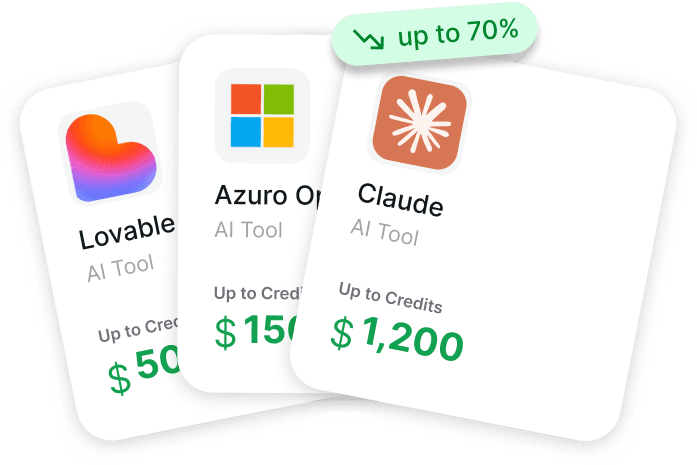
Το Get AI Perks συγκεντρώνει πιστώσεις και εκπτώσεις για startups σε πάνω από 200 εργαλεία AI και SaaS σε ένα μέρος, συμπεριλαμβανομένων προσφορών όπως πιστώσεις Canva αξίας περίπου 200€ για επιλέξιμες startups σε πρώιμο στάδιο. Η πλατφόρμα παραθέτει τα διαθέσιμα προνόμια, εξηγεί τις προϋποθέσεις και δείχνει την πιθανότητα έγκρισης, ώστε οι ομάδες να μπορούν να δουν γρήγορα ποια προγράμματα αξίζει να υποβάλουν αίτηση.
Ελέγξτε το Get AI Perks πριν αναβαθμίσετε σε Canva Pro και διεκδικήστε τυχόν διαθέσιμες πιστώσεις πρώτα.
Εναλλακτικές Λύσεις προς Εξέταση
Η Canva κυριαρχεί στον χώρο των προσιτών εργαλείων σχεδιασμού, αλλά υπάρχουν εναλλακτικές λύσεις για διαφορετικές ανάγκες και προϋπολογισμούς.
Το Adobe Express (πρώην Adobe Spark) ανταγωνίζεται άμεσα την Canva, προσφέροντας παρόμοιο σχεδιασμό βασισμένο σε πρότυπα με τη βιβλιοθήκη premium στοιχείων της Adobe. Οι δομές τιμολόγησης διαφέρουν, και οι υπάρχοντες συνδρομητές Adobe Creative Cloud ενδέχεται να βρουν καλύτερη αξία σε πακέτο.
Το Figma είναι ένα επαγγελματικό εργαλείο UI/UX, ενώ η Canva είναι μια πλατφόρμα γραφιστικής βασισμένη σε πρότυπα.
Το Affinity Designer απευθύνεται σε χρήστες που θέλουν επαγγελματικό λογισμικό σχεδιασμού χωρίς κόστος συνδρομής. Είναι εφάπαξ αγορά παρά επαναλαμβανόμενη συνδρομή, αν και στερείται της βιβλιοθήκης προτύπων και της cloud συνεργασίας της Canva.
Ανοιχτές λύσεις όπως το GIMP παρέχουν δωρεάν εναλλακτικές για χρήστες που είναι άνετοι με πιο απότομες καμπύλες εκμάθησης και λιγότερο εξευγενισμένες διεπαφές.
Κάθε εναλλακτική βελτιστοποιείται για διαφορετικές περιπτώσεις χρήσης. Η δύναμη της Canva έγκειται στην προσβασιμότητα—ελάχιστη καμπύλη εκμάθησης σε συνδυασμό με επαγγελματικό αποτέλεσμα. Οι εναλλακτικές τυπικά ανταλλάσσουν την ευκολία χρήσης για εξειδικευμένες δυνατότητες ή δομές κόστους.
Διαχείριση Κόστους Canva σε Κλίμακα
Οι οργανισμοί που αναπτύσσουν την Canva σε πολλαπλές ομάδες αντιμετωπίζουν συγκεκριμένες προκλήσεις διαχείρισης κόστους.
Το Shadow IT αντιπροσωπεύει ένα πραγματικό πρόβλημα. Μεμονωμένοι εργαζόμενοι ή τμήματα αγοράζουν μερικές φορές συνδρομές Canva ανεξάρτητα, δημιουργώντας διπλά κόστη και διάσπαρτους λογαριασμούς εκτός της ορατότητας του IT. Η συγκεντρωτική προμήθεια εξαλείφει τις επαναλαμβανόμενες συνδρομές.
Η διακυβέρνηση πρόσβασης αποτρέπει την αλόγιστη ανάπτυξη συνδρομών. Χωρίς σαφείς πολιτικές, οι ομάδες μπορεί να αναβαθμιστούν σε επί πληρωμή πακέτα άσκοπα ή να διατηρήσουν λογαριασμούς για αποχωρήσαντες εργαζομένους. Οι τακτικοί έλεγχοι πρόσβασης εντοπίζουν ευκαιρίες βελτιστοποίησης.
Η παρακολούθηση χρήσης ενημερώνει τις αποφάσεις σωστής προσαρμογής. Τα πακέτα Enterprise συχνά περιλαμβάνουν αναλύσεις που δείχνουν την πραγματική συμμετοχή των χρηστών. Οι πλατφόρμες διαχείρισης προμηθευτών βοηθούν στην παρακολούθηση δαπανών SaaS σε οργανισμούς. Εργαλεία ειδικά σχεδιασμένα για την προμήθεια SaaS παρέχουν ορατότητα στα πρότυπα χρήσης της Canva, τις ημερομηνίες ανανέωσης και τις τάσεις δαπανών.
Για CIOs και CISOs, το αποκεντρωμένο μοντέλο αγοράς της Canva δημιουργεί τόσο προκλήσεις κόστους όσο και ασφάλειας. Οι μεμονωμένες ομάδες μπορούν να εγγραφούν χωρίς κεντρική έγκριση, καθιστώντας δύσκολη την παρακολούθηση των συνολικών δαπανών και δημιουργώντας πιθανά ζητήματα διακυβέρνησης δεδομένων.
Οι Λειτουργίες AI που Οδηγούν στις Πρόσφατες Αλλαγές Τιμών
Η εισαγωγή του Magic Studio οδήγησε στις προσαρμογές τιμών της Canva στα τέλη του 2024, επηρεάζοντας ιδιαίτερα την τιμολόγηση Business. Αυτές οι λειτουργίες που υποστηρίζονται από AI αντιπροσωπεύουν σημαντική πρόσθετη αξία, αλλά άλλαξαν επίσης τη δομή κόστους της Canva.
Οι δυνατότητες AI περιλαμβάνουν:
- Magic Edit για χειρισμό αντικειμένων και γεννητικές πληρώσεις
- Magic Eraser για αφαίρεση ανεπιθύμητων στοιχείων
- Magic Expand για επέκταση των ορίων εικόνων
- Text to Image για δημιουργία γραφικών από AI
- Magic Write για βοήθεια στη δημιουργία κειμένων από AI
Αυτές οι λειτουργίες εκτελούνται σε δαπανηρές υποδομές υπολογιστικής ισχύος. Τα γεννητικά μοντέλα AI απαιτούν σημαντική επεξεργαστική ισχύ ανά αίτημα, δημιουργώντας μεταβλητά κόστη για την Canva που τα παραδοσιακά εργαλεία σχεδιασμού δεν αντιμετωπίζουν.
Η αύξηση των τιμών αντικατοπτρίζει αυτές τις υποκείμενες πραγματικότητες κόστους. Το Business είδε τις πιο σημαντικές προσαρμογές επειδή οι συνεργαζόμενοι χρήστες τείνουν να παράγουν υψηλότερη χρήση λειτουργιών AI από τους μεμονωμένους συνδρομητές Pro.
Για οργανισμούς που αξιολογούν εάν η τρέχουσα τιμολόγηση δικαιολογεί την αξία, η χρήση λειτουργιών AI θα πρέπει να λαμβάνεται σοβαρά υπόψη στον υπολογισμό. Ομάδες που χρησιμοποιούν εκτενώς το Magic Studio πιθανότατα βρίσκουν την τιμολόγηση λογική. Ομάδες που σπάνια χρησιμοποιούν λειτουργίες AI μπορεί να αισθάνονται ότι επιδοτούν δυνατότητες που δεν χρειάζονται.
Συχνές Ερωτήσεις
Ποια είναι η διαφορά μεταξύ Canva Pro και Canva Business;
Το Teams περιλαμβάνει όλες τις λειτουργίες Pro, καθώς και εργαλεία συνεργασίας όπως κοινόχρηστοι φάκελοι, πρότυπα ομάδας και προηγμένοι έλεγχοι Brand Kit με πολλαπλά προφίλ επωνυμίας. Το Business κοστίζει 200€ ανά χρήστη ετησίως σε σύγκριση με τα 120€ ανά χρήστη του Pro, καθιστώντας το πιο εκτεταμένο για μεγαλύτερες ομάδες.
Μπορώ να αλλάξω από μηνιαία σε ετήσια χρέωση για να εξοικονομήσω χρήματα;
Ναι. Η αλλαγή σε ετήσια χρέωση συνήθως εξοικονομεί περίπου 33% σε σύγκριση με την μηνιαία πληρωμή. Το Pro κοστίζει 15€ μηνιαίως (180€ ετησίως) αλλά μόνο 120€ με ετήσια χρέωση. Επικοινωνήστε με την υποστήριξη της Canva ή προσαρμόστε τις ρυθμίσεις χρέωσης στις προτιμήσεις του λογαριασμού για να κάνετε την αλλαγή κατά την ανανέωση.
Προσφέρει η Canva επιστροφές χρημάτων εάν δεν μου αρέσει το επί πληρωμή πακέτο;
Η πολιτική επιστροφών χρημάτων της Canva ποικίλλει ανάλογα με την περιοχή και τη μέθοδο αγοράς. Γενικά, δεν προσφέρουν επιστροφές χρημάτων για αλλαγή γνώμης, αλλά υπάρχουν εξαιρέσεις για τεχνικά προβλήματα ή σφάλματα χρέωσης. Το Δωρεάν πακέτο παρέχει πλήρη δοκιμή πριν από τη δέσμευση σε επί πληρωμή συνδρομές, ελαχιστοποιώντας τον κίνδυνο αγοράς.
Πώς λειτουργεί η τιμολόγηση Canva Enterprise;
Η τιμολόγηση Enterprise είναι προσαρμοσμένη με βάση το μέγεθος του οργανισμού, τον αριθμό των χρηστών, τις απαιτήσεις ασφαλείας και τις ζητούμενες λειτουργίες. Το κόστος κυμαίνεται συνήθως από 2.000€ έως 30.000€ ετησίως σύμφωνα με τα διαθέσιμα δεδομένα. Οι οργανισμοί που ενδιαφέρονται για πακέτα Enterprise πρέπει να επικοινωνήσουν με την ομάδα πωλήσεων της Canva για μια προσαρμοσμένη προσφορά, αντί να αγοράσουν απευθείας online.
Υπάρχουν εκπτώσεις για φοιτητές ή μη κερδοσκοπικούς οργανισμούς για την Canva;
Ναι. Το Canva for Education παρέχει δωρεάν πρόσβαση σε επίπεδο Pro σε επαληθευμένους εκπαιδευτικούς K-12, φοιτητές και χρήστες τριτοβάθμιας εκπαίδευσης. Το Canva for Nonprofits προσφέρει δωρεάν πρόσβαση σε επιλέξιμους εγγεγραμμένους μη κερδοσκοπικούς οργανισμούς. Και τα δύο προγράμματα απαιτούν επαλήθευση, αλλά παρέχουν πλήρεις premium λειτουργίες χωρίς κόστος.
Τι συμβαίνει με τα σχέδιά μου αν κάνω υποβάθμιση από Pro σε Free;
Τα υπάρχοντα σχέδια παραμένουν προσβάσιμα, αλλά τα στοιχεία που απαιτούν λειτουργίες Pro (premium γραφικά, φωτογραφίες, ορισμένες γραμματοσειρές) κλειδώνονται για επεξεργασία. Τα σχέδια μπορούν ακόμα να προβληθούν και να ληφθούν στην τρέχουσα κατάστασή τους, αλλά η τροποποίηση κλειδωμένων στοιχείων απαιτεί αναβάθμιση πίσω σε Pro ή την αντικατάστασή τους με εναλλακτικές δωρεάν βαθμίδας.
Μπορώ να μοιραστώ το Canva Pro με μέλη της ομάδας;
Η κοινή χρήση ενός μόνο λογαριασμού Pro παραβιάζει τους όρους χρήσης της Canva. Για νόμιμη πρόσβαση ομάδας, χρησιμοποιήστε το Canva Business, το οποίο έχει σχεδιαστεί για πολλούς χρήστες. Το Business παρέχει κατάλληλες δυνατότητες συνεργασίας και διαχείριση χρηστών που η κοινή χρήση λογαριασμού δεν μπορεί να αναπαράγει.
Κάνοντας τη Σωστή Επιλογή για την Περίπτωσή σας
Η τιμολόγηση της Canva για το 2026 αντικατοπτρίζει την εξέλιξή της από ένα απλό εργαλείο σχεδιασμού σε μια ολοκληρωμένη πλατφόρμα δημιουργίας περιεχομένου. Οι λειτουργίες που υποστηρίζονται από AI, οι οποίες οδήγησαν στις πρόσφατες αυξήσεις τιμών, προσφέρουν πραγματική αξία, αλλά έχουν επίσης περιπλέξει την τοποθέτηση "φθηνό εργαλείο σχεδιασμού".
Το Δωρεάν είναι κατάλληλο για απλούς χρήστες και δοκιμές. Το Pro έχει νόημα για μεμονωμένους δημιουργούς και επαγγελματίες που παράγουν όγκο. Το Business δικαιολογεί το κόστος του όταν το λειτουργικό κόστος συνεργασίας υπερβαίνει το premium ανά θέση. Το Enterprise γίνεται απαραίτητο σε μεγάλη κλίμακα όταν οι απαιτήσεις ασφάλειας και υποστήριξης υπερβαίνουν τις αυτοδιαχειριζόμενες δυνατότητες.
Ο υπολογισμός δεν αφορά μόνο το κόστος συνδρομής—είναι το συνολικό κόστος, συμπεριλαμβανομένης της εξοικονόμησης χρόνου, της αποφυγής εξωτερικής ανάθεσης και της μειωμένης τριβής. Ένα εργαλείο που κοστίζει 120€ ετησίως αλλά εξοικονομεί τρεις ώρες μηνιαίως με χρέωση 50€/ώρα, προσφέρει αξία 1.680€. Η συνδρομή αποδίδει δεκατέσσερις φορές την αξία της.
Για οργανισμούς που διαχειρίζονται πολλαπλές συνδρομές, ο έλεγχος κόστους απαιτεί ενεργή διακυβέρνηση. Το Shadow IT, οι αχρησιμοποίητες θέσεις εργασίας και οι αναποτελεσματικές επιλογές πακέτων αυξάνουν τις δαπάνες άσκοπα. Τακτικοί έλεγχοι και συγκεντρωτική προμήθεια μειώνουν τη σπατάλη.
Πριν δεσμευτείτε σε οποιοδήποτε επί πληρωμή πακέτο, καθορίστε συγκεκριμένες περιπτώσεις χρήσης. Τι λειτουργίες χρειάζεται πραγματικά η ομάδα; Πόσο συχνά θα το χρησιμοποιούν; Καλύπτουν οι δωρεάν λειτουργίες το 80% των αναγκών, καθιστώντας τις περιστασιακές αγορές επί πληρωμή στοιχείων πιο οικονομικές από μια πλήρη συνδρομή;
Η σωστή απάντηση ποικίλλει δραματικά ανάλογα με το πλαίσιο. Αλλά με διαφανή δεδομένα κόστους και σαφείς συγκρίσεις λειτουργιών, η απόφαση γίνεται απλή αντί για συντριπτική.
Ελέγξτε την επίσημη σελίδα τιμολόγησης της Canva για τις πιο τρέχουσες τιμές και λειτουργίες, καθώς οι υπηρεσίες συνδρομής προσαρμόζουν τακτικά τις προσφορές τους. Και εάν διαχειρίζεστε πολλαπλά εργαλεία SaaS σε έναν οργανισμό, εξετάστε πλατφόρμες προμήθειας που έχουν σχεδιαστεί ειδικά για την παρακολούθηση και τη βελτιστοποίηση των δαπανών λογισμικού.