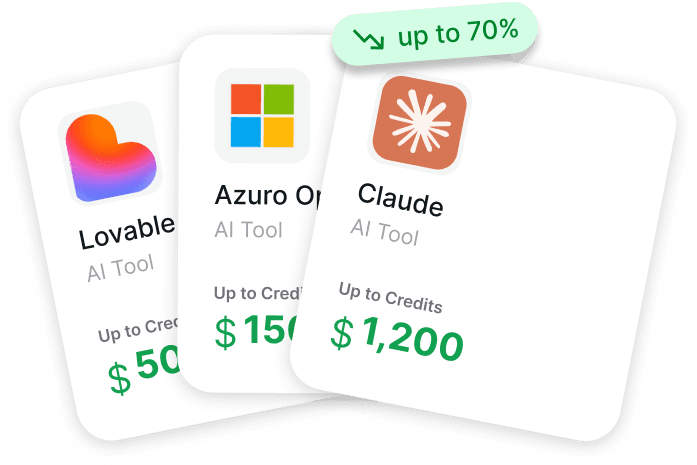
The distance between “interesting idea” and “growing product” has shrunk dramatically – mostly because modern AI tools now handle most of what used to burn entire engineering weeks. Coding assistants transform vague prompts into functional features in minutes; the strongest models solve complex reasoning problems that previously blocked progress for weeks. Synthetic voices and video avatars replace expensive shoots, and meeting bots turn every call into searchable, actionable knowledge. Teams that pick the right stack simply move much faster than those still doing everything manually. The downside is cost. Many of the best tools start with enterprise-level pricing right away – and when you’re pre-revenue or living off seed money, those bills add up extremely fast. The good part: the strongest players quietly offer very generous credits, long free periods, and serious discounts specifically to early-stage founders, accelerators, and builders who show traction. The only challenging part is determining which offers actually exist, what the actual approval criteria are, and how to activate them without submitting dozens of pointless applications that never receive a response.

Reducing Costs for Startups with Get AI Perks
Get AI Perks helps startups access essential AI tools and cloud resources without draining their early-stage budgets. Many founders don’t realize that companies often waste significant money and time just trying to find and compare the right tools. This hidden search cost can delay projects before they even reach the market.
Our platform solves this by consolidating credits, discounts, and partner perks into one simple catalog, so you don’t have to navigate dozens of different vendor programs. We provide clear eligibility rules and approval odds for every deal, ensuring your team doesn’t waste hours on applications that might get rejected. By streamlining the entire process, Get AI Perks optimizes your expenses and saves you time, allowing you to stay lean and focus your resources on building great AI products.
AI Tools Without Which It’s Hard to Scale Fast in 2026

1. ChatGPT
ChatGPT serves as a conversational AI interface where users type prompts to get responses, generate text, analyze content or handle various tasks. The free version lets anyone sign up and use it right away with some restrictions on how much you can do in a given time window, while paid options open up higher message allowances, priority during busy periods and access to certain advanced modes or features that aren’t in the basic plan. Many people start on free and later upgrade if they hit limits often or need longer sessions without interruptions.
Paid tiers exist in a few levels – one cheaper option focuses mostly on standard fast responses with decent volume, while the main mid-tier adds deeper reasoning tools, file handling and extras like image or video generation in some cases. The highest tier targets heavy daily users who want almost no restrictions and first look at experimental stuff. Switching plans happens in account settings, and the whole thing runs through web or mobile apps.
Key Highlights:
- Conversational text generation and analysis
- Multiple usage tiers from free to high-limit
- Web, iOS, and Android access
- File upload and processing in paid plans
- Priority access during peak times on higher tiers
Pros:
- Easy to start using immediately
- Covers a wide range of everyday prompts
- Mobile apps feel smooth
- Frequent model updates trickle down eventually
- Free tier still handles basic tasks decently
Cons:
- Free version runs into message caps pretty quickly
- Advanced features stay locked behind paid plans
- Can feel slower during high-traffic moments on free
- Some newer capabilities arrive later for lower tiers
- Ads appear in testing on the cheapest paid option
Contact Information:
- Website: chatgpt.com
- App Store: apps.apple.com/en/app/chatgpt/id6448311069
- Google Play: play.google.com/store/apps/details?id=com.openai.chatgpt

2. Claude
Claude works as an AI assistant focused on safe and accurate responses for writing, editing, coding, and general thinking tasks. Users chat with it on the web or through mobile apps, and it handles text analysis, code generation, data visualization, and even pulls in web search results when needed. Free access gives a solid starting point for occasional use, but it comes with noticeable usage caps that kick in after a while.
Paid plans step up the amount you can do in a session and unlock extras like organizing chats into projects, connecting to Google Workspace services, or using deeper research modes. There’s also a higher tier aimed at people who rely on it constantly and want much more capacity plus early peeks at new additions. Signing up is straightforward with email, Google, or SSO, and everything stays ad-free across the board.
Key Highlights:
- Emphasis on safe and accurate outputs
- Artifacts for creating and editing content side-by-side
- Web search built into chats
- Projects to organize conversations and files
- Mobile apps for iOS and Android
Pros:
- Feels straightforward for focused work
- No ads anywhere
- Good at following instructions precisely
- Projects help keep things organized
- Integrations with email and docs in paid versions
Cons:
- Free tier hits usage walls faster than some expect
- Higher plans needed for serious daily volume
- Some features only appear in specific paid levels
- Can be picky about very open-ended prompts
- Not as flashy with multimedia as certain competitors
Contact Information:
- Website: claude.ai
- LinkedIn: linkedin.com/showcase/claude
- Twitter: x.com/claudeai
- Instagram: instagram.com/claudeai
- App Store: apps.apple.com/en/app/claude-by-anthropic/id6473753684
- Google Play: play.google.com/store/apps/details?id=com.anthropic.claude

3. Perplexity
Perplexity functions as a search-focused AI where you ask questions and get answers backed by sources right in the response. Instead of just chatting freely, it leans heavily into finding and summarizing information from the web with clear citations for each point. The interface stays simple – type your query, use shortcuts for specific actions, or tag sources directly.
Basic access is open after signing in, though some advanced query types or higher volume might push toward a paid upgrade. It’s built for people who want quick, referenced answers rather than long creative brainstorming sessions. The whole experience prioritizes transparency about where information comes from.
Key Highlights:
- Answers include direct source citations
- Shortcuts and source tagging built in
- Web-based search with AI summarization
- Clean, no-nonsense interface
Pros:
- Sources shown clearly so you can check them
- Cuts through vague or outdated info reasonably well
- Quick for fact-checking or research questions
- Doesn’t try to do everything at once
Cons:
- Less suited for open-ended creative tasks
- Can feel rigid compared to pure chat tools
- Some depth requires paid tier
- Not ideal if you just want to brainstorm ideas freely
Contact Information:
- Website: perplexity.ai
- App Store: apps.apple.com/en/app/perplexity-ai-search-chat/id1668000334
- Google Play: play.google.com/store/apps/details?id=ai.perplexity.app.android

4. Grammarly
Grammarly acts as a writing assistant that checks text for grammar, spelling, clarity, and tone while suggesting improvements in real time. It works across browsers, apps, and various writing surfaces so corrections appear as you type or paste content. The free version covers basic mistake-catching and some tone feedback, making it usable right away without paying.
Paid options bring in more detailed suggestions, full-sentence rewrites, audience-aware adjustments, and a larger set of AI prompts for generating or polishing text. Enterprise setups exist for bigger organizations wanting admin controls and extra security layers, but those require direct contact rather than self-signup. Privacy rules state that user content isn’t sold or used to train outside models.
Key Highlights:
- Real-time grammar and spelling checks
- Tone detection and adjustments
- AI prompts for text generation
- Works in browsers and multiple apps
- Audience perspective suggestions
Pros:
- Catches small errors you usually miss
- Tone suggestions feel practical
- Free version already handles everyday writing
- Integrates into places you already write
- Privacy stance is straightforward
Cons:
- Can over-suggest changes that change your voice
- Full generative features stay behind paywall
- Sometimes flags correct informal writing
- Enterprise tier needs sales outreach
Contact Information:
- Website: grammarly.com
- LinkedIn: linkedin.com/company/grammarly
- Facebook: facebook.com/grammarly
- Twitter: x.com/grammarly
- Instagram: instagram.com/grammarly
- App Store: apps.apple.com/en/app/grammarly-ai-writing-keyboard/id1158877342
- Google Play: play.google.com/store/apps/details?id=com.grammarly.android.keyboard

5. Jasper
Jasper functions as a workspace where marketers can set up and run AI agents that handle different parts of content creation and campaign execution. The platform connects data sources, planning steps, and output delivery into automated pipelines so things move from idea to finished asset without constant manual handoffs. Users build custom workflows in one area called Studio, keep brand consistency through a context system called Jasper IQ, and use a collaborative editor named Canvas for planning and tweaking content together.
It leans heavily toward structured marketing work rather than free-form experimentation. People who deal with recurring campaigns or need to keep voice consistent across lots of channels tend to find the agent setup useful, though it does feel a bit rigid if you’re just brainstorming loosely. The whole thing stays focused on turning strategy documents into publishable material with less back-and-forth.
Key Highlights:
- Specialized AI agents for marketing tasks
- Automated content pipelines from plan to publish
- Canvas for collaborative planning and creation
- Jasper IQ for brand voice and quality control
- Studio for building custom agent workflows
Pros:
- Cuts down on repetitive manual steps
- Keeps brand tone fairly consistent
- Handles end-to-end workflows in one place
- Collaboration feels built-in rather than bolted on
- Useful for scaling repetitive campaign formats
Cons:
- Can feel overly structured for casual or creative one-offs
- Requires some setup before it starts saving time
- Less flexible if your process changes often
- Interface leans toward marketing operations rather than pure creativity
Contact Information:
- Website: jasper.ai
- Email: hey@jasper.ai
- LinkedIn: linkedin.com/company/heyjasperai
- Facebook: facebook.com/heyjasperai
- Twitter: x.com/heyjasperai
- Instagram: instagram.com/heyjasperai

6. Runway
Runway develops AI models focused on video generation and world simulation. Their current flagship is Gen-4.5, a video model that produces clips with realistic motion and detail from text prompts or other inputs. They also work on General World Models – systems designed to understand and simulate physical environments, robotic actions, interactive explorable scenes, and real-time conversational video agents.
The research side pushes toward building AI that can perceive, generate, and interact with realistic worlds rather than only creating short clips. Gen-4.5 gets attention for its visual quality and control, but the broader General World Models effort feels more experimental and long-term. It’s clearly aimed at industries like media production, robotics, and interactive experiences rather than casual everyday use.
Key Highlights:
- Gen-4.5 video generation model
- General World Models research direction
- GWM Robotics for physical simulation
- GWM Worlds for interactive environments
- GWM Avatars for real-time video agents
Pros:
- Video outputs look surprisingly realistic in motion
- Control over generation feels quite precise
- Research direction is ambitious and interesting
- Covers both creative video and simulation use cases
- Models keep improving noticeably over time
Cons:
- Still mostly focused on generation rather than full editing
- Some features feel more research-oriented than production-ready
- Requires clear prompts to get usable results
- Not really built for quick social media clips
Contact Information:
- Website: runwayml.com
- Email: recruiting@runwayml.com
- Twitter: x.com/runwayml
- Instagram: instagram.com/runwayapp

7. ElevenLabs
ElevenLabs provides tools for turning text into very realistic synthetic speech across a large number of languages. Users can pick from thousands of pre-made voices that vary in tone and style, or clone a voice from their own recordings. The platform also includes features for generating music, sound effects, and setting up conversational agents that handle customer interactions.
Two main sides exist: one focused on creative audio and video content production, and another built around deploying and monitoring voice-based agents. The interface lets you input text, choose language and voice, then preview or export the result. It’s straightforward for voiceovers, audiobooks, or localized content, though the agent side requires more configuration.
Key Highlights:
- Text-to-speech in many languages
- Voice cloning from samples
- Pre-made voices with different personalities
- Music and sound effects generation
- Agents platform for conversational deployment
Pros:
- Voices sound surprisingly natural for synthetic speech
- Language coverage is genuinely wide
- Cloning works well with decent input audio
- Creative platform combines multiple audio tools
- Easy to preview before committing
Cons:
- Agent setup takes more effort than basic text-to-speech
- Some voices still have subtle robotic tells in long-form
- Music generation can feel hit-or-miss
- Requires good source material for clean cloning
Contact Information:
- Website: elevenlabs.io
- LinkedIn: linkedin.com/company/elevenlabsio
- Facebook: facebook.com/elevenlabsio
- Twitter: x.com/elevenlabsio
- Instagram: instagram.com/elevenlabsio
- App Store: apps.apple.com/en/app/elevenlabs-ai-voice-generator/id6743162587
- Google Play: play.google.com/store/apps/details?id=io.elevenlabs.coreapp

8. HeyGen
HeyGen creates videos using AI avatars that speak from text scripts, images, or audio inputs. Users can select stock avatars, turn a photo into a talking avatar, or generate one from a short video clip of themselves. The platform handles voice synthesis, lip-sync, translations into many languages, and basic scene assembly so the final output looks like a complete video without manual editing.
A text-based editor lets you write scripts, apply branding elements, and tweak avatar movements or expressions. It supports turning static images into animated clips and translating existing videos while trying to preserve the original voice and timing. The workflow feels designed for marketing, training, or explainer content rather than cinematic storytelling.
Key Highlights:
- AI avatars from photos, videos, or stock
- Text-to-video generation
- Image-to-video animation
- Video translation with lip-sync
- Built-in studio editor for adjustments
Pros:
- Avatars look quite lifelike in short clips
- Translation feature saves re-recording time
- Simple enough for people without video skills
- Branding options keep things consistent
- Generates fairly quickly for simple projects
Cons:
- Longer or complex videos can lose polish
- Avatar movements sometimes feel slightly off
- Relies heavily on good script input
- Free plan is limited for serious use
Contact Information:
- Website: heygen.com
- LinkedIn: linkedin.com/company/heygen
- Twitter: x.com/HeyGen
- Instagram: instagram.com/heygen_official

9. Zapier
Zapier lets users build automations that connect different apps and services without writing code. The platform includes AI features that handle more complex workflows, create simple agents, build chatbots, manage data in tables, design forms, and work inside a visual canvas. Everything ties into a large number of existing app integrations so actions in one place can trigger steps in others automatically.
The focus sits on making repetitive tasks disappear while keeping things relatively straightforward to set up. People who already juggle multiple tools tend to like how it quietly handles the boring parts, though very custom or edge-case logic can still require some trial and error. Free access exists to try things out, with paid plans unlocking higher usage and certain advanced options.
Key Highlights:
- No-code automation builder
- AI workflows and agents
- Chatbots and data tables
- Forms and visual canvas
- Large number of app integrations
Pros:
- Connects almost anything you already use
- Templates make starting easier
- Handles both simple and multi-step flows
- Runs quietly in the background once set
- Good for reducing manual copy-paste work
Cons:
- Complex setups can get messy fast
- Some AI features feel experimental
- Free tier hits limits quicker than expected
- Debugging failed runs takes patience
Contact Information:
- Website: zapier.com
- LinkedIn: linkedin.com/company/zapier
- Facebook: facebook.com/ZapierApp
- Twitter: x.com/zapier
- Google Play: play.google.com/store/apps/details?id=com.aiautomationapp.zapier
- App Store: apps.apple.com/by/developer/zapier-inc/id1616941830

10. Activepieces
Activepieces provides a no-code way to create automations, AI agents, data tables, and task management flows. Users build agents that can reason and take actions across different tools, then connect everything in a visual canvas. The platform stays open source so people can self-host or customize it if needed, and it includes guided training resources.
It tries to keep things simple enough that non-technical users can actually finish projects, which is refreshing compared to some heavier tools. The agent side aims to feel more like having helpful teammates than rigid scripts, though it still requires clear instructions to avoid surprises. Free access lets anyone start experimenting right away.
Key Highlights:
- No-code automation canvas
- AI agents with tool access
- Connected data tables
- Task and todo management
- Open source option
Pros:
- Interface stays clean and clickable
- Agents feel more flexible than basic if-this-then-that
- Tables integrate naturally with flows
- Self-hosting option adds privacy control
- Training materials actually help beginners
Cons:
- Still needs decent planning to get agents behaving
- Less polished than some commercial alternatives
- Community-driven parts vary in maturity
- Can feel overwhelming if you try everything at once
Contact Information:
- Website: activepieces.com

11. HubSpot Breeze
HubSpot Breeze bundles AI features directly inside the HubSpot platform for marketing, sales, and customer service work. Breeze Assistant acts as a personal helper that pulls context from your CRM and business data to assist with meeting prep, content drafts, and analysis. Breeze Agents handle specific repeatable tasks like answering customers, researching prospects, personalizing pages, or summarizing data.
The whole setup lives inside the existing HubSpot interface so there’s no separate tool to learn. Companies already using HubSpot find it convenient since everything stays in one place, though it does assume you’re comfortable inside their ecosystem. Free access exists for basic use, with deeper features tied to paid HubSpot plans.
Key Highlights:
- AI assistant using CRM context
- Pre-built agents for marketing, sales, service
- Customer and prospecting agents
- Personalization and data research agents
- Studio for customizing agents
Pros:
- Knows your actual customer data out of the box
- Agents cover practical daily tasks
- Stays inside tools you already open every day
- Reduces switching between apps
- Customization studio feels approachable
Cons:
- Mostly useful if you’re deep in HubSpot already
- Some agents still sit in beta
- Less flexible outside the HubSpot world
- Requires decent CRM hygiene to shine
Contact Information:
- Website: hubspot.com
- Phone: +1 888 482 7768
- Address: 2 Canal Park Cambridge, MA 02141 United States
- LinkedIn: linkedin.com/company/hubspot
- Facebook: facebook.com/hubspot
- Twitter: x.com/HubSpot
- Instagram: instagram.com/hubspot
- Google Play: play.google.com/store/apps/details?id=com.hubspot.android
- App Store: apps.apple.com/us/app/hubspot/id1107711722

12. GitHub Copilot
GitHub Copilot brings AI directly into coding environments to suggest, complete, explain, and edit code. It works inside popular editors, on the command line, and across GitHub itself. Users can choose different language models depending on priorities, assign issues to autonomous coding agents, or run natural language commands in the terminal.
The experience feels like having an extra pair of hands that understands your codebase and project context. Developers who spend long hours in editors often appreciate how it keeps momentum going, though it sometimes suggests patterns that don’t quite fit unusual projects. Access starts through GitHub accounts with different tiers available.
Key Highlights:
- Code completion and explanation in editors
- Autonomous coding agents for issues
- Terminal commands in natural language
- Support for multiple language models
- Works across GitHub and IDEs
Pros:
- Stays right in your normal workflow
- Handles repetitive code patterns quickly
- Agents can actually create pull requests
- Terminal integration feels surprisingly handy
- Context from your repo improves suggestions
Cons:
- Suggestions occasionally miss the mark on style
- Requires decent code structure to work well
- Agents still need human review
- Not free for heavy daily use
Contact Information:
- Website: github.com/features/copilot
- LinkedIn: linkedin.com/company/github
- Twitter: x.com/github
- Instagram: instagram.com/github
- App Store: apps.apple.com/en/app/github/id1477376905
- Google Play: play.google.com/store/apps/details/GitHub?id=com.github.android

13. Cursor
Cursor acts as an AI-powered code editor that helps developers write, edit, and navigate code faster. It offers context-aware autocomplete through a specialized model called Tab that tries to predict the next logical step, plus agent features that let you hand off entire tasks or ideas to AI so it generates code while you review and decide. The tool runs inside your regular coding setup but also extends to places like GitHub for pull request reviews, Slack for quick chats, and the terminal for command-line help.
It indexes your whole codebase to understand structure and context, which makes suggestions feel more relevant than generic ones. Developers who live in editors find the agent hand-off surprisingly useful for repetitive or boilerplate-heavy work, though it sometimes needs a nudge to stay on track with unusual patterns. Everything ties together so you don’t have to switch contexts much.
Key Highlights:
- Context-aware Tab autocomplete
- Agentic task hand-off for code generation
- Full codebase indexing
- Integration with GitHub PRs
- Presence in Slack and terminal
Pros:
- Suggestions often hit the mark quickly
- Agents save time on routine coding
- Stays inside familiar tools
- Codebase awareness improves relevance
- Terminal support feels handy for scripts
Cons:
- Agents can drift without clear guidance
- Requires decent project structure to perform well
- Not quite as seamless in very unconventional codebases
- Learning the right prompts takes a bit
Contact Information:
- Website: cursor.com
- LinkedIn: linkedin.com/company/cursorai
- Twitter: x.com/cursor_ai

14. Lovable
Lovable lets users build apps and websites by describing what they want in chat with AI. You can start from ready-made templates covering things like ecommerce stores, personal portfolios, blogs, event platforms, or landing pages, then refine through conversation. There’s also a section to browse apps others have created and shared, ranging from icon libraries to exam tools, event managers, and content platforms.
The approach feels more conversational than drag-and-drop builders, which suits people who think better in words than visuals. Templates give a solid head start for common project types, though fully custom ideas still require clear back-and-forth with the AI. It’s geared toward quick prototyping rather than deep production builds.
Key Highlights:
- Chat-based app and website creation
- Variety of starting templates
- Discover section for community-built apps
- Focus on simple project types like blogs and stores
- No-code style through natural language
Pros:
- Starting from templates speeds things up
- Chat feels natural for describing ideas
- Seeing other people’s apps gives inspiration
- Good for early prototypes or personal projects
- Less intimidating than traditional builders
Cons:
- Custom or complex apps need lots of iteration
- Relies heavily on how well you describe things
- Templates might not fit every niche perfectly
- Still emerging so some edges are rough
Contact Information:
- Website: lovable.dev
- LinkedIn: linkedin.com/company/lovable-dev
- Twitter: x.com/Lovable

15. Granola
Granola serves as an AI-enhanced notepad specifically for meetings. It records audio directly from your computer without adding any bots to the call, transcribes what was said, then combines that transcript with whatever rough notes you typed during the session to produce cleaner, more structured output afterward. The result aims to turn messy bullet points into something readable and useful.
It behaves like a souped-up version of a basic notes app with transcription baked in, which keeps things private and simple. Product people who hate post-meeting cleanup tend to appreciate how it quietly improves what they already write, though it works best when you jot at least a few key points live. No fancy dashboards – just better notes.
Key Highlights:
- Direct computer audio transcription
- No meeting bots required
- Enhances your raw notes with transcript
- Works across platforms
- Focus on meeting note improvement
Pros:
- Keeps everything local and bot-free
- Turns scribbles into decent summaries
- Feels like an upgraded note app
- No extra participants in calls
- Useful for staying present during discussions
Cons:
- Needs some live notes to shine
- Output quality depends on your initial input
- Limited to meeting-style use cases
- Transcription can miss subtle context
Contact Information:
- Website: granola.ai
- Email: hey@granola.so
- LinkedIn: linkedin.com/company/meetgranola
- Twitter: x.com/meetgranola

16. Fathom
Fathom functions as an AI meeting assistant that records, transcribes, and summarizes conversations automatically. It generates notes, action items, highlights, and insights during or after calls, plus features like real-time coaching cues and scorecards for certain types of meetings. You can share the output easily so others catch up without rewatching, and it pushes key points into connected tools.
The tool integrates with common video platforms and work apps so captured info flows where it’s needed. Sales or customer-facing people often find the action items and sentiment tracking practical, though it can feel a bit heavy if you just want basic transcription. It tries to handle the busywork of follow-ups so meetings don’t end in forgotten details.
Key Highlights:
- Automatic transcription and summaries
- AI-generated action items and insights
- Real-time coaching and scorecards
- Sharing notes for team catch-up
- Integrations with video and work tools
Pros:
- Captures everything without manual effort
- Action items help close loops
- Sharing makes absence less painful
- Insights surface useful patterns
- Fits nicely into existing meeting habits
Cons:
- Can generate more detail than needed sometimes
- Scorecards feel niche to certain roles
- Relies on clear audio for accuracy
- Setup ties you to its ecosystem a bit
Contact Information:
- Website: fathom.ai
Conclusion
The best AI tools for startups aren’t the ones with the most hype – they’re the ones that quietly kill the annoying, time-sucking parts of your day. Some click instantly and feel like free time you didn’t earn. Others need a week or two before you realize you can’t go back to the old way. The pattern is straightforward: keep what actually saves real hours or real money, ditch the rest fast. In 2026 the advantage isn’t having every new tool. It’s using a tiny, focused stack extremely well while others are still collecting free trials. Start with one or two problems you hate, test ruthlessly, and stay lean. Distraction kills more startups than bad code. Your tool choices should follow the same logic as your product: cut everything that doesn’t pull its weight. The AI landscape will keep moving fast, but deciding what deserves your attention is still the same game it’s always been.