Most startups do not start looking for a CRM because they love systems. It usually happens when leads get lost in spreadsheets, follow ups slip through the cracks, or nobody remembers who last spoke to a customer. A free CRM becomes less about software and more about keeping things from getting messy too early.
The good news is that there are solid free options that cover the basics without forcing a team into complicated setups or paid plans right away. In this article, we are going through a list of free CRM tools that startups commonly use in the early stages, looking at what they actually help with and where they make sense depending on how a team works.

Get AI Perks – Exploring Free Tools And Perks Around Startup Infrastructure
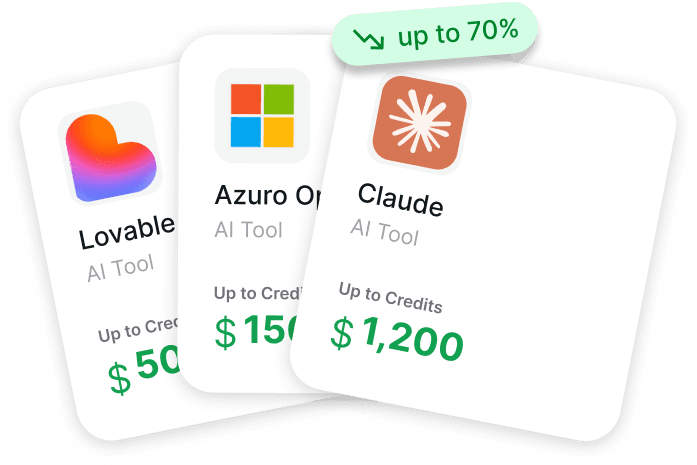
At Get AI Perks we built it as a catalogue of software perks and credits that startups can use while they are still shaping their early stack, including tools often connected to CRM workflows such as customer support platforms, AI services, collaboration tools, and automation software. Founders usually discover these tools at the same time, and the process can become scattered and expensive, so the goal is to make it easier to understand what benefits exist and how to access them without committing a budget too early.
Instead of acting as a CRM, we focus on collecting available startup perks and explaining how to apply for them in one place. Many software providers offer credits or extended trials because early adoption often turns into long-term usage, and these programs can significantly reduce early operating costs if founders know where to look. Get AI Perks works as a paid catalogue, available for $99, that gives access to more than 200 perks together with guidance on how to activate them, helping startups experiment with CRM ecosystems and supporting tools while keeping early spending under control.
Exploring the Best Free CRM for Startups

1. HubSpot CRM
HubSpot CRM focuses on helping startups organize contacts, track conversations, and manage sales activity inside a single system. The platform is structured around centralizing customer information so teams do not rely on spreadsheets or scattered notes once conversations start increasing. Contact timelines, deal stages, and task tracking sit together, which makes it easier for small teams to see what is happening without building complex workflows from the start.
Automation is introduced gradually, mostly around routine actions such as reminders, follow ups, or basic workflow steps. The system is often used by early teams that want structure without spending time on technical setup. As processes become clearer, additional tools for marketing or support can be connected, allowing the CRM to expand alongside the team rather than forcing a full setup from day one.
Key Highlights:
- Centralized contact and deal management
- Visual pipeline for tracking sales progress
- Basic automation for routine tasks
- Email and activity tracking inside contact records
- Designed for simple setup and early adoption
Who It’s Best For:
- Startups moving away from spreadsheets
- Small teams managing early sales conversations
- Founders who want visibility into deals without complex configuration
- Teams that plan to expand CRM usage gradually
Contact information:
- Website: hubspot.com
- Phone: +353 1 518 7500
- Address: 2 Canal Park Cambridge, MA 02141, United States
- Linkedin: linkedin.com/company/hubspot
- Instagram: instagram.com/hubspot
- Facebook: facebook.com/hubspot
- Twitter: x.com/HubSpot

2. Zoho CRM
Zoho CRM provides a free edition aimed at small teams that need a structured way to manage leads, contacts, and ongoing deals. The system combines sales tracking with basic marketing and communication tools, allowing startups to keep customer data organized while managing daily activities such as tasks, notes, and follow ups. The interface is built around modules that reflect common business processes, which helps teams move from manual tracking into a more consistent workflow.
Customization plays a noticeable role in how the platform is used. Fields, views, and layouts can be adjusted so the CRM reflects how a business actually works rather than forcing a fixed structure. Integration with other tools in the same ecosystem also allows startups to connect support, email, or campaign tools later, which can be useful for teams that prefer keeping operations within one environment.
Key Highlights:
- Lead, contact, and deal management in one system
- Workflow automation for repetitive activities
- Email and activity tracking
- Customizable data views and fields
- Cloud-based access with integrations available
Who It’s Best For:
- Small startup teams managing early customer relationships
- Businesses that want customization without technical setup
- Teams looking for a CRM connected to a broader tool ecosystem
- Founders who prefer structured workflows over manual tracking
Contact information:
- Website: zoho.com
- Phone: +1 877 834 4428
- Email: sales@eu.zohocorp.com
- Address: 979 Springdale Rd, Suite 123, Austin,TX 78702
- Linkedin: linkedin.com/showcase/zohocrm
- Instagram: instagram.com/zoho_crm
- Facebook: facebook.com/crmzoho
- Twitter: x.com/zohocrm
- App Store: apps.apple.com/ua/app/zoho-crm-sales-marketing/id444908810
- Google Play: play.google.com/store/apps/details?id=com.zoho.crm&pcampaignid=web_share

3. Bitrix24
Bitrix24 focuses on combining customer relationship management with internal communication and task coordination inside one workspace. The platform brings contacts, deals, messages, and activity history into a shared environment so startup teams can keep track of conversations without switching between multiple tools. Sales pipelines, notes, and communication records stay connected to each contact, which helps teams understand what has already happened before the next interaction.
Automation is built around routine sales and communication steps such as follow ups, scheduling, and task assignments. The system also includes collaboration features like chats, file sharing, and calendars, which makes it closer to a work hub than a standalone CRM. For startups still shaping their processes, this approach can reduce the need for separate tools early on while keeping customer information structured from the beginning.
Key Highlights:
- Contact and deal management inside a single workspace
- Sales pipeline tracking and basic automation
- Built-in communication and collaboration tools
- Customizable fields and workflows
- Cloud-based access with mobile availability
Who It’s Best For:
- Startups that want CRM and team communication together
- Small teams managing sales and internal coordination in one place
- Founders moving from spreadsheets to a structured workflow
- Teams that prefer an all-in-one environment early on
Contact information:
- Website: bitrix24.com
- Phone: +1-703-740-8301
- Email: info@bitrix24.com
- Address: 700 North Fairfax St., Suite 614-B, Alexandria, VA 22314, USA
- Linkedin: linkedin.com/company/bitrix24
- Instagram: instagram.com/bitrix24
- Facebook: facebook.com/bitrix24
- App Store: apps.apple.com/ua/app/bitrix24/id561683423
- Google Play: play.google.com/store/apps/details?id=com.bitrix24.android&pcampaignid=web_share

4. EngageBay
EngageBay focuses on combining CRM functionality with marketing and customer communication tools in a single system. Contact management, deal tracking, and activity history sit alongside email campaigns, forms, and workflow automation, which allows teams to manage customer interactions without moving data between separate platforms. The structure is built around keeping marketing and sales information connected so handovers between stages feel more consistent.
Automation plays a central role, especially around repetitive marketing and sales actions such as follow ups, task creation, and communication sequences. The platform also includes tools for managing conversations through chat and email, which helps startups keep communication tied directly to customer records. For early teams, this can simplify daily work by keeping outreach and relationship management in one place rather than spreading it across multiple tools.
Key Highlights:
- Contact, deal, and communication management in one system
- Marketing automation and workflow tools
- Visual pipeline for tracking deals
- Email campaigns and communication tracking
- Integration with common business tools
Who It’s Best For:
- Startups handling both marketing and sales with a small team
- Teams that want customer communication connected to CRM data
- Businesses looking to reduce tool switching early on
- Founders managing outreach and follow ups themselves
Contact information:
- Website: engagebay.com
- Phone: +1 (877).509.3570
- Email: support@engagebay.com
- Address: 1007 North Orange Street 4th Floor #180 Wilmington, DE 19801
- Linkedin: linkedin.com/company/engagebay
- Instagram: instagram.com/engagebay
- Facebook: facebook.com/engagebay
- Twitter: x.com/engagebay

5. Pipedrive
Pipedrive focuses on sales pipeline visibility and day to day deal management for growing teams. The platform organizes contacts, deals, and activities around a visual pipeline, allowing users to see where conversations stand and what actions need attention next. Customer communication, notes, and activity history are stored alongside each deal, which helps teams maintain context as opportunities move forward.
Automation is mainly used to reduce repetitive administrative work such as reminders, task creation, or follow up scheduling. Customization options allow pipelines and fields to reflect how a startup actually sells rather than forcing a fixed process. Reporting and dashboards provide an overview of ongoing activity, helping teams understand progress without building complex reports or workflows.
Key Highlights:
- Visual sales pipeline management
- Contact and communication tracking
- Automation for routine sales tasks
- Customizable deal stages and fields
- Reporting and activity overview tools
Who It’s Best For:
- Startups focused primarily on sales pipeline management
- Small sales teams needing clear deal visibility
- Founders who want a simple structure for tracking opportunities
- Teams transitioning from manual sales tracking
Contact information:
- Website: pipedrive.com
- Linkedin: linkedin.com/company/pipedrive
- Instagram: instagram.com/pipedrive
- Facebook: facebook.com/pipedrive
- Twitter: x.com/pipedrive

6. Capsule CRM
Capsule CRM focuses on helping startups keep relationships and sales activity organized without adding too much structure too early. Contacts, tasks, projects, and sales opportunities are connected inside one view, so teams can see the history of conversations and actions without searching across different tools. The platform is built around visibility, where each contact record holds notes, emails, and activity timelines that help teams understand what has already happened and what needs attention next.
The system also includes automation for routine actions such as recording activities and managing recurring tasks. Custom fields and tags allow teams to adapt the CRM as their process changes, which is common in early-stage companies still adjusting how they sell or manage relationships. Mobile access and integrations with common business tools make it possible to keep information updated even when work happens outside the office.
Key Highlights:
- Contact and relationship management with activity history
- Visual sales pipeline with customizable stages
- Task and project tracking linked to contacts
- Automation for routine administrative work
- Mobile access and integrations with common tools
Who It’s Best For:
- Startups that want a simple CRM structure from the beginning
- Small teams managing sales and relationships together
- Founders tracking customers and investors in one place
- Teams looking for flexibility as processes change
Contact information:
- Website: capsulecrm.com
- Email: support@capsulecrm.com
- Linkedin: linkedin.com/company/capsulecrm
- Instagram: instagram.com/capsulecrm
- Facebook: facebook.com/capsulecrm
- Twitter: x.com/CapsuleCRM

7. Insightly
Insightly focuses on centralizing customer information and connecting sales processes with marketing and service activities. Customer data, opportunities, and workflows are stored in one system so teams can manage interactions without moving between separate platforms. Customizable views and workflows allow startups to shape the CRM around how they operate rather than adapting to a fixed structure, which can be useful when processes are still evolving.
Integration plays an important role in how the platform works. Insightly connects with external tools so data can move between systems without manual copying, helping teams reduce repetitive work. Workflow automation supports routine processes such as lead management or task handling, while shared access to customer information helps teams stay aligned as responsibilities grow across sales, marketing, and support.
Key Highlights:
- Centralized customer and opportunity management
- Customizable workflows and data views
- Workflow automation for routine processes
- Integration with external business tools
- Shared access to customer data across teams
Who It’s Best For:
- Startups that want sales, marketing, and service connected
- Teams managing customer relationships across departments
- Businesses relying on multiple tools that need to stay connected
- Founders preparing processes for team growth
Contact information:
- Website: insightly.com
- Email: billing-insightly@unbounce.com
- Linkedin: linkedin.com/company/insightly
- Twitter: x.com/insightly
- Instagram: instagram.com/insightlyplatform
- Facebook: facebook.com/Insightly

8. Agile CRM
Agile CRM focuses on combining sales, marketing, and customer communication tools inside a single platform for small teams. Contact management sits at the center, with timelines that store communication history, emails, and activity records in one place. Leads can be organized, segmented, and followed through deal stages while keeping marketing activity connected to the same customer records.
Automation is mainly used for marketing workflows and repetitive communication tasks such as email campaigns or follow ups. The platform also includes tools for web engagement, forms, and social interactions, allowing startups to track how prospects move from initial contact to ongoing communication. Reporting and dashboard customization provide an overview of activity without requiring complex setup, which helps early teams keep processes visible while still staying flexible.
Key Highlights:
- Contact management with activity timelines
- Sales and marketing automation tools
- Deal and lead tracking inside one system
- Email campaigns and workflow automation
- Integrations and API access for extensions
Who It’s Best For:
- Startups combining sales and marketing in one workflow
- Small teams managing outreach and lead engagement
- Businesses that want communication linked to CRM records
- Founders looking for automation without complex setup
Contact information:
- Website: agilecrm.com
- Phone: +1-800-980-0729
- Email: sales@agilecrm.com
- Linkedin: linkedin.com/company/agile-crm
- Facebook: facebook.com/CRM.Agile
- Twitter: x.com/agilecrm

9. Flowlu
Flowlu focuses on combining customer management with task tracking and operational workflows inside one system. Contacts, leads, and sales activities are connected with tasks, events, and follow ups so teams can see both relationship history and ongoing work in the same place. The platform keeps client information, notes, and communication records organized while allowing teams to move leads through visual pipelines that reflect how their sales process actually works.
The system also includes automation for routine steps such as reminders, task creation, and follow up actions. Invoicing, reporting, and project-related activities sit alongside CRM functions, which makes it useful for startups managing both sales and delivery at the same time. The overall approach centers on keeping daily operations visible so teams do not lose track of deadlines, conversations, or next steps as activity grows.
Key Highlights:
- Lead and contact management with activity tracking
- Kanban-style sales pipelines
- Task and follow up reminders inside CRM workflows
- Built-in invoicing and reporting tools
- Email and communication tracking in one system
Who It’s Best For:
- Startups managing sales and project work together
- Small teams needing visibility over tasks and customer activity
- Businesses that want operations and CRM connected
- Founders coordinating follow ups and delivery timelines
Contact information:
- Website: flowlu.com
- Email: support@flowlu.com
- Address: Cloud22 L.L.C-FZ, Meydan Grandstand, 6th floor, Meydan Road, Nad Al Sheba, Dubai, United Arab Emirates, PO 95195
- Linkedin: linkedin.com/company/flowlu
- Instagram: instagram.com/flowluapp
- Facebook: facebook.com/flowlucom
- Twitter: x.com/flowlusoft
- App Store: apps.apple.com/ua/app/flowlu/id1308907286
- Google Play: play.google.com/store/apps/details?id=com.flowlu.flowlu&pcampaignid=web_share

10. Mailchimp
Mailchimp approaches CRM from a marketing and audience management perspective, focusing on organizing contacts and tracking interactions across communication channels. Customer data, engagement history, and segmentation tools help teams understand how contacts move through the customer journey while keeping communication records centralized. The CRM functionality is closely tied to marketing workflows, which makes it easier to manage campaigns and customer communication from the same environment.
Automation is used mainly for handling repetitive communication steps such as follow ups or campaign actions. Customization options allow businesses to group contacts and organize workflows based on how they communicate with their audience. The platform also connects with other tools, allowing customer information to stay consistent across marketing, sales, and communication activities without manual updates.
Key Highlights:
- Contact and audience management inside one system
- Marketing and communication workflows connected to CRM data
- Automation for repetitive communication tasks
- Segmentation and interaction tracking
- Integration with external tools and platforms
Who It’s Best For:
- Startups focused on marketing-led growth
- Teams managing campaigns and customer relationships together
- Small businesses organizing audience data and communication
- Founders prioritizing outreach and engagement tracking
Contact information:
- Website: mailchimp.com
- Phone: +1 (855) 984-5678
- Address: Intuit Mailchimp 405 N Angier Ave. NE Atlanta, GA 30308 USA
- Linkedin: linkedin.com/company/intuitmailchimp
- Instagram: instagram.com/mailchimp
- Facebook: facebook.com/mailchimp
- Twitter: x.com/Mailchimp
- App Store: apps.apple.com/ua/app/mailchimp-email-marketing/id366794783
- Google Play: play.google.com/store/apps/details?id=com.mailchimp.mailchimp&pcampaignid=web_share

11. Apptivo
Apptivo focuses on providing a unified CRM environment where sales activities, customer information, and business processes are managed together. Leads, contacts, opportunities, and invoices are connected within a single system, allowing teams to follow the full sales cycle without switching between tools. Dashboards and reporting views help teams understand ongoing activity while keeping workflows structured around daily operations.
Customization is a central part of how the platform works. Fields, layouts, and workflows can be adjusted without coding, which allows startups to shape the system around their existing processes. Integration with other business tools supports communication and data sharing across departments, helping teams maintain consistency as operations grow and responsibilities expand.
Key Highlights:
- Lead, contact, and opportunity management in one platform
- Workflow automation for routine sales processes
- Customizable dashboards and data views
- Integration with external business tools
- Mobile access for managing CRM activity
Who It’s Best For:
- Startups needing CRM connected to broader business processes
- Teams managing sales alongside invoicing or operations
- Businesses that want customization without technical setup
- Founders preparing systems for team expansion
Contact information:
- Website: apptivo.com
- Phone: + 1(855) 345-2777
- Email: support@apptivo.com
- Linkedin: linkedin.com/company/apptivo
- Instagram: instagram.com/apptivo_crm
- Facebook: facebook.com/Apptivohome
- Twitter: x.com/apptivo
- App Store: apps.apple.com/ua/app/apptivo-all-in-one/id1278180903
- Google Play: play.google.com/store/apps/details?id=com.apptivo.apptivobase&pcampaignid=web_share

12. Airtable
Airtable focuses on combining database-style organization with flexible workflow management, which allows teams to structure customer information in a way that fits their own process. Contacts, deals, and sales activities can be organized as connected records, giving teams a shared view of relationships, tasks, and ongoing opportunities. Instead of following a fixed CRM layout, the system allows startups to build their own structure around how they track leads and manage communication.
Automation and integrations are used to connect different parts of the workflow, reducing manual updates between tools. Sales activity, project work, and account information can live in the same environment, which helps teams keep context as conversations move forward. The platform is often used by startups that want CRM functionality but also need flexibility to adjust workflows as their sales process evolves.
Key Highlights:
- Flexible structure for managing contacts and deals
- Custom workflows and automation options
- Connected records for sales and operational data
- Integration with external tools and systems
- Shared workspace for team collaboration
Who It’s Best For:
- Startups that want a customizable CRM structure
- Teams managing sales alongside operational workflows
- Businesses that prefer flexible data organization
- Founders adapting processes as the company grows
Contact information:
- Website: airtable.com
- Linkedin: linkedin.com/company/airtable
- Instagram: instagram.com/airtable
- Facebook: facebook.com/airtableapp
- Twitter: x.com/airtable
- App Store: apps.apple.com/ua/app/airtable/id914172636
- Google Play: play.google.com/store/apps/details?id=com.formagrid.airtable&pcampaignid=web_share
Conclusion
Choosing a free CRM at the startup stage is rarely about finding a perfect system. It is usually about finding something that helps the team stay organized without slowing them down. Early on, the real problem is not missing features. It is scattered information, forgotten follow ups, and too many tools trying to do the same thing. A simple CRM helps bring structure before things become chaotic, and that alone can make a noticeable difference.
What becomes clear after looking through different free options is that each tool leans in a slightly different direction. Some focus more on sales pipelines, others on marketing or workflow management, and a few try to combine everything in one place. The right choice often depends less on features and more on how the team already works. A small sales-focused startup will use a CRM differently than a product-led or marketing-heavy one. The important part is starting early, keeping the setup simple, and letting the system grow alongside the business instead of rebuilding everything later.