New users decide whether they’ll stick around in roughly the first 3–7 minutes. That tiny window is where most startups quietly bleed to death – not because the product is bad, but because the first experience feels confusing, slow, or pointless.
The good news? A handful of modern onboarding tools have turned this problem into something almost mechanical. The best ones help teams create guided flows, show contextual tooltips, collect early feedback, trigger behavior-based emails or in-app messages, and – most importantly – actually move key activation metrics without requiring a full-time product person to babysit everything.

How Get AI Perks Turned Onboarding Costs Into Serious Savings
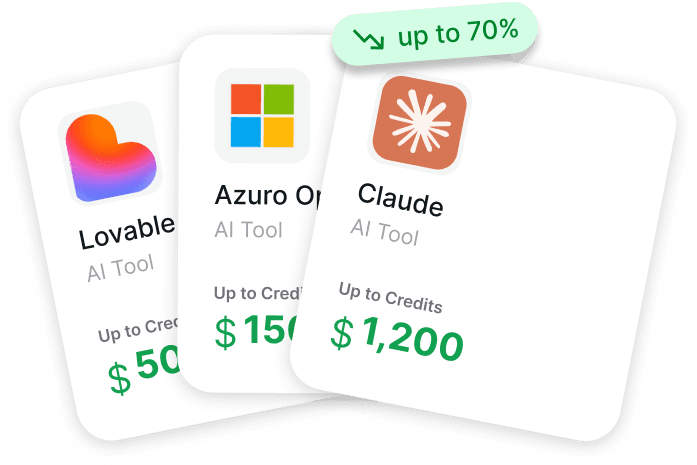
Get AI Perks solves a common problem: when bills for tools like OpenAI, Anthropic, or Notion suddenly start eating up your entire startup budget.
You need these tools for things like onboarding and analytics, but they get expensive fast. There are plenty of discounts and credits out there, but they’re usually buried behind endless forms and “contact sales” calls that founders just don’t have time for.
Our catalogue brings every working perk together in one place. We provide simple guides and show your actual chances of approval so you don’t waste effort on long shots. With access to over 200 deals worth millions in credits, our platform is the fastest way to claw back your software spend. We help you stop overpaying for your stack, so you can put that money toward building your product instead of just paying for servers.
Top Onboarding Tools Startups Actually Use

1. Appcues
Appcues focuses on turning live user behavior into automated in-app messages, behavioral emails, and push notifications to improve conversion, adoption, and expansion. The tool connects quickly to existing data stacks and lets users build on-brand experiences using a drag-and-drop editor. Flows can be targeted based on current behavior, lifecycle stage, or account information, and results are tracked through built-in metrics so the most effective plays can be scaled.
The approach tries to move away from manual one-off support toward repeatable, data-driven interventions that appear at moments considered important in the product journey. It puts emphasis on quick setup and visibility into what actually drives changes in user behavior.
Key Highlights:
- In-app messaging
- Behavioral email triggers
- Push notifications
- Mobile support
- Drag-and-drop experience builder
- Live behavior targeting
Pros:
- Connects fast to common data and CRM tools
- Flexible no-code builder for on-brand flows
- Clear metrics tied to revenue-related outcomes
- Can target very specific user states and moments
- Supports both web and mobile channels
Cons:
- Heavy focus on automation means less emphasis on deep qualitative feedback collection
- Requires decent event tracking already in place to unlock full targeting
- Some advanced segmentation depends on external data sources
Contact Information:
- Website: appcues.com
- Email: support@appcues.com
- LinkedIn: linkedin.com/company/appcues

2. Userpilot
Userpilot combines product analytics, in-app engagement, user feedback, and session replay in one tool. It aims to shorten time-to-value for new users through guided onboarding flows and to help existing users discover features at relevant moments. The tool also captures sentiment via contextual microsurveys and records user sessions (with privacy considerations) to spot confusing parts of the interface.
A newer addition is an AI agent that analyzes user patterns, suggests opportunities, and helps launch personalized campaigns. Mobile support is built in, using patterns suited to native apps for onboarding, surveys, and tracking.
Key Highlights:
- In-app onboarding flows
- Product analytics with custom reports
- Contextual microsurveys
- Privacy-first session replay
- Mobile-first UI patterns
- AI growth agent
Pros:
- All-in-one setup covering analytics, engagement, and feedback
- Microsurveys appear exactly where context exists
- Session replay helps diagnose real UI pain points
- Mobile experience feels considered, not bolted on
- AI agent can surface ideas without manual digging
Cons:
- Having many features in one place can feel overwhelming at first
- Session replay quality depends heavily on implementation
- AI agent is still marked as coming soon on some pages
Contact Information:
- Website: userpilot.com
- Phone: (702) 830-7422
- Email: support@userpilot.com
- Address: 7200 N Mopac Expy Suite 300, Austin, TX 78731, USA
- LinkedIn: linkedin.com/company/teamuserpilot
- Facebook: facebook.com/userpilot
- Twitter: x.com/teamuserpilot

3. Chameleon
Chameleon builds in-app nudges, checklists, tooltips, and walkthroughs that aim to feel native rather than intrusive. The tool uses AI to generate or refine content and to create full campaigns through chat or voice input. Experiences are triggered by real user behavior, with options for smart timing, rate limiting, and recurrence control so users aren’t bombarded.
It includes A/B testing, performance analytics, accessibility features, localization support, and a long list of smaller quality-of-life tools like custom CSS, templates, and debug scripts. The focus is on fast iteration with guardrails that prevent poor user experience.
Key Highlights:
- Behavior-triggered nudges and checklists
- AI content generation and personalization
- Native-feeling in-app experiences
- A/B testing for tours and surveys
- Rate limiting and smart delay
- Accessibility and localization support
Pros:
- Very granular control over when and how often things appear
- Templates and custom CSS help match existing design language
- Debug tools and activity feed make troubleshooting bearable
- Supports shadow DOMs and single-page apps reasonably well
- Lots of small but useful safety features (alerts, recurrence, etc.)
- Mobile display can be controlled with simple filters
Cons:
- Long feature list means some depth is hidden behind clicks
- Heavy reliance on correct element selection for reliable targeting
- Can feel complex if someone just wants basic tooltips
Contact Information:
- Website: chameleon.io
- LinkedIn: linkedin.com/company/chameleon-io
- Facebook: facebook.com/chameleon.io
- Twitter: x.com/trychameleon

4. Pendo
Pendo combines product analytics, in-app guidance, session replay, voice-of-user collection, churn prediction, and sentiment analysis in a single infrastructure. It tracks what users do, replays their sessions, listens to feedback, predicts who might leave, and orchestrates in-app and cross-channel guidance. The tool also offers tools specifically for measuring AI agent adoption and connecting those interactions to business results.
Natural language queries and an agent mode allow quick answers to product questions. Data can sync bidirectionally and integrate with many existing tools to reduce silos.
Key Highlights:
- Detailed product and agent analytics
- In-app guides and orchestration
- Session replay
- Feedback listening and sentiment tools
- Churn and opportunity prediction
- Natural language data querying
Pros:
- Connects user behavior directly to retention and revenue signals
- Good coverage of both quantitative tracking and qualitative voice
- Predictive features can highlight risks early
- Session replay gives concrete context to analytics numbers
- AI-related analytics feel forward-looking
Cons:
- Scope is broad, so initial setup and learning curve can be steep
- Predictive accuracy depends heavily on data quality and volume
- Some features (especially AI ones) are positioned as premium
Contact Information:
- Website: pendo.io
- Phone: 877.320.8484
- LinkedIn: linkedin.com/company/pendo-io
- Facebook: facebook.com/Pendoio
- Twitter: x.com/pendoio

5. WalkMe
WalkMe creates in-app guidance that overlays directly on top of existing software interfaces. The tool builds step-by-step walkthroughs, tooltips, pop-ups, and smart workflows that help users complete tasks without leaving the application. It supports both web and desktop applications and can trigger guidance based on user actions, page context, or specific conditions inside the software.
The approach leans toward enterprise environments where many different systems are used side by side. WalkMe also includes analytics that show how people interact with the guidance and where users still get stuck even after seeing the overlays.
Key Highlights:
- In-app walkthroughs and tooltips
- Contextual smart-walks
- Desktop and web application support
- Behavior-based triggering
- Completion and struggle analytics
Pros:
- Works on top of almost any existing interface without code changes
- Guidance can be very task-specific
- Handles complex multi-app environments reasonably well
- Analytics focus on where users actually drop off
- Can scale to very large user bases once set up
Cons:
- Setup feels heavier compared with lighter no-code tools
- Visual style of overlays sometimes looks a bit dated
- Learning curve for building conditional logic is noticeable
- Tends to be positioned toward bigger organizations
Contact Information:
- Website: walkme.com
- Phone: 0-800-088-5101
- Email: sales@walkme.com
- Address: 350 Mission St, 26th Floor, San Francisco, CA 94105, USA
- LinkedIn: linkedin.com/company/walkme
- Facebook: facebook.com/WalkMe
- Twitter: x.com/WalkMeInc

6. Userflow
Userflow lets people build onboarding flows, checklists, tooltips, and surveys using a no-code visual editor. Flows can be triggered by user events, page views, or custom conditions, and they support branching logic so different users see slightly different paths. The tool also includes basic product analytics and lets you collect qualitative feedback right inside the interface.
Designs aim to blend into the host application with custom styling options. Userflow puts some emphasis on making the builder feel fast and visual, so changes can be previewed and published quickly.
Key Highlights:
- No-code flow builder
- Checklists and multi-step onboarding
- Branching logic
- In-app surveys
- Basic event analytics
- Custom CSS styling
Pros:
- Interface of the builder feels clean and modern
- Preview mode is quick and reliable
- Branching is straightforward to set up
- Pricing page looks transparent and startup-friendly
- Styling options let you get pretty close to native look
Cons:
- Analytics part is quite basic compared with dedicated tools
- Advanced segmentation options are limited
- No native mobile support mentioned on the main page
- Some more complex use cases may require workarounds
Contact Information:
- Website: userflow.com
- LinkedIn: linkedin.com/in/poulos

7. Intercom
Intercom combines live chat, in-app messaging, automated onboarding flows, and email sequences inside one product. It allows creation of product tours, checklists, and contextual messages that appear based on what the user is doing or which page they are on. The tool also handles outbound emails and supports rules that connect in-app behavior to follow-up messages outside the product.
Feedback collection happens through short surveys and conversation tagging. Intercom keeps everything tied to individual user profiles so messages can become more relevant over time.
Key Highlights:
- Live chat widget
- In-app messages and tours
- Checklists and onboarding flows
- Automated email sequences
- User profiles and segmentation
- Feedback surveys
Pros:
- One place for chat, in-app guidance, and email follow-ups
- Conversation history connects in-app and email interactions
- Rules engine is quite flexible for simple-to-medium complexity
- Mobile SDK exists for basic in-app messaging
- Interface is familiar to many people already
Cons:
- Product tours feel less polished than dedicated onboarding-first tools
- Can become expensive quickly if usage grows
- Feature set is broad so it sometimes feels spread thin
- Customization of tour visuals has some limitations
Contact Information:
- Website: intercom.com
- Linkedin: linkedin.com/company/intercom
- Twitter: x.com/intercom
- Instagram: instagram.com/intercom

8. Product Fruits
Product Fruits provides a lightweight way to add tooltips, checklists, announcements, and guided tours on top of web applications. Everything is built through a visual editor with no coding required. Guidance can be targeted by user role, page URL, or simple events, and the tool includes basic feedback widgets and changelog announcements.
The tool puts noticeable attention on keeping the price accessible while still offering most common onboarding patterns. Styling is customizable so overlays don’t look too foreign inside the host app.
Key Highlights:
- Tooltips and beacons
- Interactive checklists
- Product tours
- In-app announcements
- Feedback widgets
- Changelog module
Pros:
- Pricing feels very reasonable for what’s included
- Editor is simple and fast to learn
- Lightweight script that doesn’t slow down the app much
- Good selection of ready-to-use templates
- Easy to hide or show elements for different user segments
Cons:
- Analytics capabilities stay quite surface-level
- Branching inside flows is limited or absent
- No built-in session replay or deep behavior tracking
- Mobile web support exists but isn’t a major focus
Contact Information:
- Website: productfruits.com
- Email: info@productfruits.com
- Address: Scott & Weber offices, 1st floor, Karla Englise 5, Prague 5, 150 00
- LinkedIn: linkedin.com/company/product-fruits

9. UserGuiding
UserGuiding lets people build interactive product tours, onboarding checklists, tooltips, hotspots, and modals straight inside a web app using a Chrome extension. The setup involves adding a small container script once, after which content can be created, previewed, and published in minutes without developers touching anything. Changes are live almost instantly with one-click publishing.
Beyond onboarding flows the tool offers in-app surveys, NPS collection, banners, a resource center, a knowledge base, and an AI assistant that answers user questions inside the product. Analytics track how users interact with the guides and surveys, while segmentation allows showing different content to different user groups. The whole thing tries to keep implementation fast and the interface manageable for non-technical people.
Key Highlights:
- Product tours and onboarding checklists
- Tooltips and hotspots
- In-app surveys and NPS
- Resource center and knowledge base
- AI assistant for in-app support
- Segmentation and personalization
- Analytics for guide performance
Pros:
- Chrome extension makes building feel quick and visual
- Very short time from install to first live guide
- Covers both onboarding and ongoing self-service help
- Styling can be adjusted to look close to native
- Resource center keeps help content organized in one spot
- Surveys appear exactly where context exists
Cons:
- Analytics stay fairly high-level
- Some advanced logic still needs basic events set up
- AI assistant quality depends on how well the knowledge base is written
- Can feel like a long list of features if you only need tours
Contact Information:
- Website: userguiding.com
- LinkedIn: linkedin.com/company/userguiding

10. Hopscotch
Hopscotch focuses on creating interactive product tours and in-app messages that guide users toward important actions or outcomes. Everything is built no-code so product or marketing people can create and change flows without involving developers. Tours support buttons, branching paths, and conditional logic based on what the user has already done.
The tool is mostly used for new user onboarding, resurfacing ignored features, sharing product announcements, or showing one-off tips on login. It includes a demo tour on a mock SaaS app so people can try the experience themselves before signing up.
Key Highlights:
- Interactive product tours
- Conditional segmentation
- In-app messages and tips
- No-code builder
- Feature adoption nudges
- Announcement flows
Pros:
- Tours feel clickable and conversational
- Conditional logic is simple enough to set up fast
- Demo tour gives a realistic sense of the end result
- Changes don’t require waiting for engineering
- Interface stays out of the way once built
Cons:
- Scope is narrower than full analytics + engagement suites
- No built-in surveys or feedback collection mentioned
- Analytics are not a major focus on the main page
- Less emphasis on styling customization
Contact Information:
- Website: hopscotch.club
- Email: hey@hopscotch.club
Conclusion
Picking the right onboarding tool as a startup usually comes down to one simple question: what actually hurts most right now?
Some teams bleed users because the product feels confusing in the first five minutes – those folks need fast, no-code in-app flows with checklists, tooltips, and behavior-based nudges. Others lose people because the first week is a paperwork nightmare and nobody knows what to do next – there the answer lives in structured employee portals, e-signatures, and automated checklists. And then there are the startups already hiring across borders or scaling payroll fast – for them the priority shifts to compliant, all-in-one HR + IT flows that handle contracts, benefits, and access provisioning without legal panic every time a new country pops up.
The trap a lot of founders fall into is chasing the shiniest “all-in-one” tool before they’ve even figured out which part of onboarding is quietly killing their activation or retention numbers. Start small. Nail the one leak that’s costing you the most time, money or users. Get something live in days, not months. Measure whether sign-ups turn into active people faster, whether support tickets drop, whether new hires actually show up prepared on day one. If the answer is yes – keep it. If not – swap without guilt.
There’s no universal “best” tool here. There’s only the one that solves your current biggest onboarding pain without creating three new ones. Test ruthlessly, move fast, and don’t be afraid to ditch something that looked perfect on paper but feels clunky in real life. The startup that gets new users (and new hires) to value quickly usually wins – everything else is noise.