Picking an AI tool isn’t just about which one is “smarter.” It’s about what actually works for the job you need done. Claude and Perplexity come up a lot in those conversations, and they’re built for totally different kinds of thinking. One is like a thoughtful coworker who can help you write, plan, or debug. The other feels more like a lightning-fast researcher with receipts.
In this article, we’re skipping the hype and giving you the real story. You’ll get a clear view of how each one works in real life, not just in theory. Whether you’re handling dense docs, chasing fresh data, or just want to stop switching tabs all day, this breakdown will help you figure out which one actually fits.

Trying Claude or Perplexity? Here’s How to Spend Less with Get AI Perks
If you’re experimenting with Claude or Perplexity, especially on paid tiers, you’ve probably run into the question: how do we keep exploring these tools without blowing the budget? That’s the exact problem we solve at Get AI Perks.
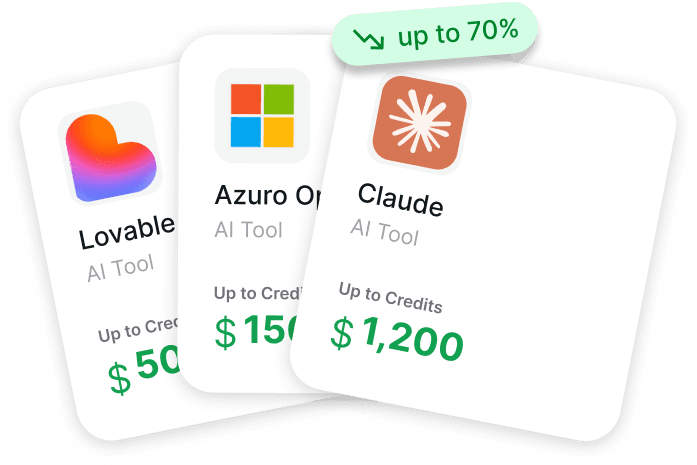
We work with founders and early-stage teams who are constantly testing different AI models, often on tight timelines and even tighter budgets. Tools like Claude and Perplexity aren’t just cool to try – they’re part of real workflows now. But stacking up subscriptions can get expensive fast. So instead of asking teams to cut corners, we help them unlock serious discounts. We’re talking about $25,000 in Claude credits and $5,000 for Perplexity if your startup is under five years old.
Our platform was built with that in mind: one place to find and activate these perks without playing guessing games. You don’t need a warm intro or months of back-and-forth. We provide clear conditions, approval signals, and step-by-step guides so you can move quickly and stay focused on building. If you’re trying to scale responsibly while testing tools like Claude or Perplexity in the mix, this is one of the easiest ways to stretch your resources without slowing down.
The Core Mindset Behind Each Tool
Before we talk about features or pricing, it helps to understand how these tools were designed to think. That part often gets skipped, but it’s the most important when deciding how they’ll fit into your workflow.

Claude: The Thoughtful Collaborator
Claude, developed by Anthropic, behaves more like a long-form thinker. It doesn’t just spit out a quick answer and move on. It’s built to hold context, ask better follow-up questions, and handle nuance across multiple steps. If you’ve ever wished you had someone who could “think with you” while drafting a report or debugging a mess of code, Claude leans in that direction.
It’s especially good when you’re working with long content. Think 100-page PDFs, strategy docs, product specs, even codebases. Claude can handle those without dropping the thread mid-way.

Perplexity: The Real-Time Research Engine
Perplexity calls itself an “answer engine,” and that’s exactly what it is. It grabs up-to-date information from the web, attaches sources, and gives you clean, cited responses. It doesn’t try to be poetic or creative. It’s more like a turbo-charged search assistant that speaks in full sentences.
The beauty of Perplexity is speed. You ask, it delivers. If you’re looking for a quick summary of a recent event, market comparison, or documentation for a new framework, this is where it shines.
What It’s Like to Actually Work with Claude and Perplexity
Plenty of tools promise to save you time, but the real test is how they behave once you start using them every day. Do they keep up when a task gets messy? Can they jump between steps without losing context? Do they help you ship faster or just add another step?
Below is a hands-on look at how Claude and Perplexity each perform across real-world tasks. From memory and research to writing, coding, and pricing, this is where the differences start to matter.
How They Handle Information: Context vs. Currency
Here’s where the real divergence begins. Claude and Perplexity don’t just find information differently – they think about it differently.
Claude: Long-Term Memory within a Session
Claude has a huge context window, meaning it can remember what you said earlier in the conversation and build on it. That makes it ideal for step-by-step tasks like writing multi-part content, solving a coding bug over several iterations, or refining a draft through feedback loops.
Claude can retrieve up-to-date information through web search when enabled in supported plans, and it references source sites by name. You’ll get great answers from Claude when working with static or user-provided documents, but it may not be the right tool if you’re chasing breaking news.

Perplexity: Always Fresh, Always Sourced
Perplexity connects to the live web by default. That means it’s great for:
- Market research.
- News summaries.
- Competitor analysis.
- Recent academic papers.
It shows exactly where it got each piece of info, which is reassuring if you’re building something that needs to be defensible or cited. But keep in mind: it doesn’t build much memory across messages. Perplexity treats most queries independently, but it retains short-term context in follow-up questions within a session.
Writing and Creativity: One of Them Really Gets It
This was the easiest test for me: I asked both tools to write something a little unusual. A short story about a quantum debugging engineer. Claude came back with a beginning, middle, and end. There was character development, some light humor, and a weird but coherent theme. Perplexity gave me a textbook definition of quantum debugging and a bullet-point list.
Not every task is a creative one, but if you’re drafting:
- Blog posts.
- Strategy decks.
- Customer-facing content.
- Documentation with tone.
Claude gets the tone and flow right more often than not. Perplexity is better for summarizing the state of the world, not for adding voice.
Coding and Technical Help
This one’s a split decision, depending on your needs.
Claude: For Learners and Systems Thinkers
If you want to understand why something works, Claude is the better partner. It explains algorithms, walks through logic, and offers conceptual help. It’s like having a teacher who doesn’t get tired.
Perplexity: For Syntax and Current Best Practices
If you just want to look up how to do something in the latest version of a framework, Perplexity is faster. It’ll pull current examples from up-to-date docs and forums. Perfect when you’re looking for the latest API changes, how-tos, and tech stack comparisons.
If you’re trying to learn, Claude helps more. If you’re trying to ship, Perplexity is faster.
Interface and Workflow Fit
Let’s talk about the day-to-day experience. It matters more than people admit.
Claude
Claude’s interface is calm, minimal, and chat-based. It’s designed for extended back-and-forth work. You’ll find yourself writing longer prompts and having more open-ended exchanges.
It’s great for deep work, but there’s no built-in sourcing, and it doesn’t “feel” real-time even when search is enabled. Also, there’s no direct integration with your workspace apps unless you wire something custom via API.
Perplexity
Perplexity feels like a mix between a chatbot and a search engine. You get responses with footnotes, source links, and sometimes even related questions. It’s a tighter loop.
In Pro or Enterprise plans, you can also upload files, search across Dropbox, Google Drive, and more. That makes it easier to blend private and public info during research-heavy workflows.

Pricing Breakdown: Not Just About the Numbers
Here’s where things get more interesting. Pricing isn’t just about cost. It’s about how you plan to use the tool.
Claude Pricing (Individual plans):
- Free: Basic access, Sonnet model, capped usage.
- Pro ($20/month): More daily usage, access to Opus.
- Max 5x ($100/month): Higher usage for frequent users.
- Max 20x ($200/month): Designed for daily, intensive users.
If you’re a writer, researcher, or developer using Claude every day, the higher tiers make sense.
Perplexity Pricing (Personal and Team):
- Pro ($20/month): Unlimited Pro searches, 200 Pro queries/week.
- Enterprise Pro ($40/user/month): Adds file support, private spaces, user management.
- Enterprise Max ($325/user/month): Larger file limits, advanced models, video generation.
Perplexity scales better for teams. You can collaborate, search shared files, and manage roles. Claude feels more individual-focused unless you’re ready to go full enterprise.
The Real-World Tradeoffs
Let’s stop pretending either tool is perfect. Here’s where they both trip up:
Claude’s limitations are that source citations are not automatic in every response (unlike Perplexity), web search must be manually enabled and is not the default experience, and it is less optimized for instant quick facts compared to dedicated answer engines.
Perplexity’s limitations are weak long-term memory, answers can feel formulaic, and it still requires human judgment when sources contradict.
Both tools also struggle with internal company knowledge. Neither of them can just “look into” your CRM or helpdesk unless you upload something or build a custom integration. So if you’re trying to automate workflows based on proprietary data, that’s a whole separate challenge.
Quick Comparison: Claude vs Perplexity
| Feature / Use Case | Claude | Perplexity |
| Best For | Long-form writing, problem-solving, strategy | Real-time research, fact-checking, citations |
| Context Handling | Strong memory within sessions | Minimal memory, each query stands alone |
| Information Source | Trained data + optional web search | Live web search with sources by default |
| Writing & Creativity | Natural, structured, creative | Functional and factual |
| Coding Help | Explains concepts, walks through logic | Fetches up-to-date syntax, best practices |
| File Support | Great at reading and summarizing large docs | File uploads + Drive/Dropbox integration |
| Pricing (Individual) | Free, $20, $100, or $200/month | Free or $20/month |
| Team/Enterprise Options | Enterprise plans available | Full team plans starting at $40/seat/month |
| Citation Transparency | Not automatic | Clear sources shown in every response |
| Multimodal Support | Yes (text, images, code) | Yes (text, files, models) |
When Each One Makes More Sense
Here are a few words to make a decision.
Use Claude if:
- You’re writing long-form content.
- You want help thinking through problems.
- You need structure and creativity at once.
Use Perplexity if:
- You want fast, cited answers from the web.
- You’re doing research, comparison, or tracking trends.
- You’re looking up something new or time-sensitive.
And if you’re like most people, you’ll probably end up using both. I do.
Final Thoughts
This isn’t a showdown. Claude and Perplexity aren’t trying to do the same thing, and that’s kind of the point. One is a patient thinker. The other is a sharp researcher. Which one you reach for depends on the job in front of you.
The smartest thing you can do is stop asking “Which is better?” and start asking “Which one helps me waste less time doing the thing I do most?”
That’s the real win.
FAQ
1. Which one is better for long-form writing?
Claude, hands down. If you’re drafting blog posts, product docs, or anything that needs flow and tone, Claude feels more like a writing partner. It understands structure, carries context, and doesn’t lose the plot halfway through. Perplexity can summarize and explain, but it’s not going to write like a human storyteller.
2. Can Perplexity handle multi-step conversations like Claude?
Not really. Perplexity is great at giving you fast, cited answers, but it treats most prompts like isolated questions. Claude, on the other hand, builds on previous messages and keeps context better. If your work requires back-and-forth refinement, Claude handles that much more naturally.
3. Are either of them good for up-to-date research?
Perplexity wins here. It pulls from live sources and shows exactly where the info came from, which makes it perfect for market research or anything tied to current events. Claude has web search in some plans, but it’s slower and not the default experience.
4. What if I want both creativity and fresh info?
Honestly, you might end up using both. That’s not a cop-out. Claude’s great for generating content and deep reasoning, while Perplexity is the go-to for fast facts and reliable citations. A lot of people bounce between the two depending on the task.
5. Do they both work with files?
Yes, but with limits. Claude can handle long text inputs and large documents well in chat. Perplexity, especially on the Pro or Enterprise plans, supports file uploads and even integrates with Google Drive or Dropbox. It’s more geared toward research workflows, while Claude is better at digging through the content of a single big doc.
6. Are the paid plans worth it?
If you’re using them often, yes. Claude’s free tier is fine for light use, but the Pro and Max plans unlock stronger models and longer sessions. Perplexity’s feature set varies by plan. While the Pro tier includes basic model selection and extended search, advanced Labs tools, multi-model research, and video generation are only available in Enterprise Max. If you’re testing both and watching your budget, this is where something like Get AI Perks can save you a good chunk of money upfront.