Claude is making waves as a writing, coding, and productivity assistant, but picking the right plan isn’t always obvious. The free version is a solid starting point, no doubt. But once you’re deep in projects or juggling complex tasks, those soft usage limits start to show. That’s when the paid tiers come into focus.
In this article, we’ll walk through what you really get with each version – free, Pro, and Max – without the marketing gloss. Just real differences, so you can decide what’s worth paying for and what isn’t.

Where Claude Meets Value: How We at Get AI Perks Help You Save on Paid Plans
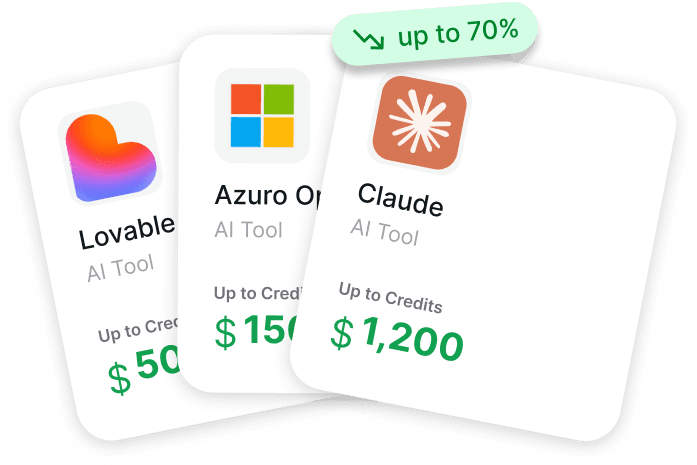
If you’re thinking about upgrading from Claude’s free tier to Pro or Max, you don’t always have to pay full price out of pocket. That’s exactly where we come in. At Get AI Perks, we help founders and teams unlock exclusive discounts on different tools, including Claude. For startups building with Claude, our current perks can unlock up to $25,000 in credits depending on eligibility.
We’re not reselling anything. Instead, we aggregate official perks directly from top providers and AI platforms. Our system is designed to help you skip the paperwork, cut through unclear terms, and get access to the credits you’re actually eligible for. Whether you’re considering Claude Pro for consistent work or Max for heavier technical output, we give you a chance to test those tiers without immediately increasing your burn rate.
Every subscription to AI Perks+ gives you access to all available perks, updated weekly, with step-by-step activation guides. It’s built for startups that want to explore tools like Claude at scale while keeping their budget flexible. If you’re serious about AI but not ready to commit to high software costs, we help you stretch that decision a little further.

What Is Claude?
Claude is an AI assistant created by Anthropic, designed to help with a wide range of tasks like writing, coding, analyzing documents, summarizing information, and even visualizing data. Unlike some tools that feel experimental or unpredictable, Claude is built with a focus on safety, stability, and usefulness.
You interact with Claude in a chat-like interface, but it’s more than just conversation. It can read uploaded files, respond to questions about long documents, generate content from scratch, and even help debug code. Whether you’re drafting emails, reviewing contracts, or working on a product spec, Claude is there to reduce friction and save time.

Comparing Claude’s Free, Pro, and Max Plans
Before you decide which Claude plan is right for you, it helps to know how each one actually behaves in real use. On paper, the differences seem straightforward: Free gets you started, Pro expands your reach, and Max is designed for full-time, no-compromise work.
But in practice, the differences aren’t just about usage limits – they shape how you work, how often you get interrupted, and how flexible the tool really feels. Here’s how each plan plays out when you’re actually using it.
Free Plan: A Surprisingly Generous Starting Point
Claude’s free tier doesn’t feel like a useless demo. It’s actually pretty functional, especially if your needs are light or sporadic. You can chat, code, generate content, upload files, and even tap into web search when needed.
What Are the Features?
The key word here is session-based. Usage caps aren’t based on total hours or messages per month. They reset every 5 hours, and there’s also a weekly limit quietly running in the background. If your messages are short and simple, you might not hit those walls. But the moment you start uploading large files, working with longform content, or using it for detailed research, those limits kick in.
Included in the Free Plan:
- Access on web, iOS, and Android.
- Text generation, editing, and analysis.
- Image uploads and file analysis.
- Code generation and data visualization (Artifacts)
- Web search integration.
If all you’re doing is light drafting or occasional AI help, Free is more than enough. But if you want deeper sessions or more control over how Claude works, Free starts to feel cramped.
Pro Plan: Built for Regular Use
The Pro Plan is where Claude stops feeling like a casual tool and starts acting more like a work companion. You still get the same interface and core tools, but the limits stretch a lot further. Technically, it’s at least five times the usage per session compared to the free tier. You also get weekly caps, but they’re higher across the board.
What Benefits Can You Count on?
More importantly, Pro gives you access to different Claude models. The model selector lets you pick from Opus, Sonnet, and Haiku depending on the task at hand. If you’re switching between coding, content, and quick responses, this matters.
Another small-but-useful feature: access to Projects and Knowledge Bases. These help you organize longer threads or store useful context for future chats. Not groundbreaking, but helpful when you’re working on anything ongoing.
What You Exactly Get with Pro:
- All features from the free plan.
- At least 5x usage per session.
- Model selection (Opus, Sonnet, Haiku).
- Projects and Knowledge Base tools.
- Claude Code access.
- Priority access during high-traffic periods.
- Early feature access.
- Access to Cowork (macOS desktop app, research preview).
The cost is $20/month (or $17/month with annual billing).
If you use Claude most days or for anything that requires consistency, Pro is likely worth it. The real difference shows up when you’re in the middle of a long session and don’t want to get cut off. That’s where Pro quietly earns its price.
Max Plan: For Power Users and Heavy Workloads
If Pro is good for steady use, Max is built for scale. There are two Max tiers: 5x and 20x. These aren’t just random numbers. They refer to how much more usage you get per session compared to Pro.
What Is Max Plan?
Max is aimed at users who rely on Claude for real work: multiple hours a day, large files, long chats, frequent coding sessions. If you’re bouncing in and out of Claude all day, Max reduces the friction. You stop worrying about limits entirely and just work.
There’s also a new desktop-only feature in the research preview called Cowork. It’s available on macOS and allows Claude to coordinate tasks, access local files, and generate things like spreadsheets or presentations on the fly. If you’re deep into multi-step projects, that kind of built-in support can actually save time.
With Max, You Get Everything in Pro, Plus:
- Choose between 5x or 20x more usage than Pro.
- Even higher output limits for tasks.
- Full access to Cowork + much higher usage limits.
- Priority access to the newest models and tools.
Cost:
- Max 5x: $100/month
- Max 20x: $200/month
Max is a subscription you get when you’ve already tested your limits with Pro. It’s not for experimenting. It’s for serious output, whether that’s content creation, research workflows, or continuous technical work.

What Doesn’t Change Between Free, Pro, and Max?
Some things stay consistent across plans, and that’s worth knowing up front. Upgrading doesn’t change Claude’s core interface, tone, or how it responds. You’re still getting the same assistant in terms of design and interaction.
Here’s what doesn’t change:
- Web, mobile, and desktop access.
- General writing, coding, and analysis capabilities.
- Commitment to not training on your data (applies even on free).
So if you’re looking for a completely different experience, switching plans won’t give you that. What you’re really buying is more room to think and work without friction.
When Does the Free Plan Start to Feel Too Small?
Most people don’t upgrade from Claude’s free plan because of pricing. They upgrade because the limits start getting in the way. At first, Free feels flexible enough, especially if you’re only opening Claude once in a while. But as your sessions get longer or your work gets more involved, the friction becomes noticeable.
You might find yourself running into message caps halfway through a long conversation or while working through a detailed task. Uploading larger files like PDFs or transcripts can also eat through your available usage faster than expected, sometimes forcing you to stop and wait. If you start caring about which Claude model you’re using, or want better performance for specific types of work, the free plan simply doesn’t give you that control. The same goes for organization. Once you want your projects saved, structured, and easy to return to, Free starts to feel limiting.
There’s also the session reset itself. When you hit the cap, there’s no way around it. You have to wait for the five-hour reset before you can continue. For anyone using Claude daily, that pause alone is often enough to justify moving to Pro or even Max.
A Quick Snapshot: Free vs Pro vs Max
| Feature | Free | Pro ($20/mo) | Max (from $100/mo) |
| Usage per session | Low | 5x Free | 5x or 20x Pro |
| Model selection | No | Yes | Yes |
| Projects and knowledge bases | No | Yes | Yes |
| Claude Code | No | Yes | Yes |
| Priority access | No | Yes | Yes (higher priority) |
| Early feature access | No | Yes | Yes (first in line) |
| Cowork | No | Yes | Yes |
No API? No Problem (Or Maybe It Is)
It’s worth calling out that Pro and Max plans don’t include API access. If you’re hoping to use Claude’s models programmatically, you’ll need to go through the Claude Console and pay separately for usage there. The subscriptions above are strictly for the chat experience, not backend integrations.
So, Is It Worth Paying?
If you’re just dabbling, Free is enough. It’s not stripped down, and it gives you a real sense of what Claude can do.
But the moment you start using Claude to get work done – writing, coding, summarizing, planning, analyzing – the Pro plan becomes less of an upgrade and more of a necessity. It’s where the tool starts feeling seamless.
Max is a different beast. It’s for people who already know they’re outgrowing Pro and don’t want to be limited by anything. It’s expensive, but you’re paying to never hit walls.
Final Thoughts
Claude doesn’t force you into a paid plan to see what it’s capable of. That’s rare and appreciated. But once you rely on it, the usage caps on Free become noticeable. Pro gives you the breathing room to actually get things done without feeling throttled. And if you’re pushing Claude to its limits, Max is the closest thing to an unchained assistant.
Before upgrading, the simplest test is this: open a Free account, use Claude like you actually would in your day-to-day, and wait. If you feel boxed in within a week, Pro is probably a better fit. If you never hit the ceiling, enjoy the free ride.
FAQ
1. Is Claude Free actually usable for real work?
Yes, up to a point. The free version isn’t a locked-down demo, it includes writing, coding, image analysis, and even web search. But you’ll hit session caps if you’re doing anything long-form or repetitive. It’s fine for short tasks or testing things out, but not great for daily work.
2. What’s the main reason people switch from Free to Pro?
The short answer: friction. Once you’ve run into the “you’ve hit your limit” message a few times during something important, Pro starts to look less like a luxury and more like a necessity. Especially if you use Claude for writing, coding, or document-heavy tasks that stretch across hours or days.
3. Is there any way to try Pro or Max without paying upfront?
Yes, and no. There’s no free trial built into Claude itself, but if you’re a startup founder, services like Get AI Perks may offer different AI platform credits. In some cases, you can get up to $25,000 in perks for Claude depending on your company’s setup.
4. Do usage limits reset every day on Free and Pro plans?
Not exactly. Claude uses session-based limits that reset every five hours, not on a daily clock. On top of that, there are weekly caps too. If you use a lot of long messages or upload files, you might burn through a session pretty quickly. And no, you can’t manually reset it.
5. What’s the difference between Pro and Max, really?
It’s mostly about scale. Pro gives you a solid boost in usage and unlocks features like model switching and project organization. Max is for people who’ve already outgrown Pro and want to remove all the usage headaches. Think of Max as Claude with the brakes off.
6. Do any of these plans include Claude API access?
Nope. All of these subscriptions – Free, Pro, and Max – are just for using Claude through the chat interface. If you want to use Claude via API, you’ll need to sign up for access through Anthropic’s Console separately and pay based on usage. They’re two different tracks.