Productivity advice for startups is everywhere – and most of it is noise. You don’t need another “hack,” a 12-step morning routine, or a tool that looks great in screenshots but never gets opened again.
What startups actually need are tools that remove friction: fewer meetings, less manual work, clearer priorities, and faster decisions. Tools that quietly save hours every week without asking you to reorganize your entire life around them.

Get AI Perks: Centralized Access to Startup Tool Credits
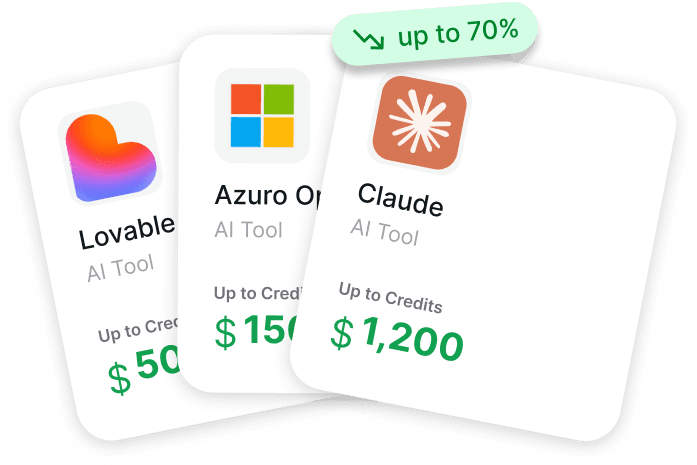
We created Get AI Perks because founders kept running into the same issue: AI tools are easy to try, but surprisingly expensive to keep using once they become part of real work. Our platform provides a structured catalog of startup perks focused mainly on AI and cloud tools that are commonly used by early-stage teams. Instead of founders searching across dozens of separate websites, our catalog brings these opportunities together in one place. We collect available credits, discounts, and grant programs from providers such as OpenAI, Anthropic, Cursor, Notion, and many others, and organize them in a way that makes the application process easier to understand.
Our catalog has more than 200 perks covering language models, developer tools, customer support platforms, collaboration software, and financial services. For each perk, we outline the conditions, eligibility criteria, and application steps. Some offers provide instant access, while others require interviews or approval. By centralizing this information and keeping it updated, we help startups reduce tool expenses and make more deliberate decisions about which infrastructure to adopt in 2026.
Top Effective Productivity Tools for Startups in 2026

1. Asana
Asana helps teams organize work across projects and departments in a single place. The platform allows connecting strategic goals to daily tasks, so each team member knows what to focus on and what’s expected. Work is tracked, updates are shared, and responsibilities are clear, which reduces confusion and duplicated effort.
Asana integrates with a wide range of tools, allowing teams to keep workflows connected without constantly switching apps. Templates can be used for common processes, deadlines are easy to manage, and both long-term initiatives and smaller projects can be tracked in one place. This creates a consistent structure for handling work at different scales.
Key Highlights:
- Organizes tasks, projects, and goals in one platform
- Connects work to strategic objectives
- Integrates with many other tools and apps
- Provides templates for common workflows
- Supports project tracking across teams
Who it’s best for:
- Teams managing multiple projects at once
- Startups needing visibility across workflows
- Organizations coordinating work between different departments
- Teams wanting a central place for tracking tasks and goals
Contact Information:
- Website: asana.com
- App Store: apps.apple.com/us/app/asana-work-management/id489969512
- Google Play: play.google.com/store/apps/details?id=com.asana.app
- Facebook: facebook.com/asana
- Twitter: x.com/asana
- LinkedIn: linkedin.com/company/asana
- Instagram: instagram.com/asana
- Address: 3 World Trade Center 175 Greenwich Street, Suite 4800, New York, NY 10007, United States

2. Linear
Linear helps teams plan and build products by keeping all projects, issues, and roadmaps in one place. The platform allows teams to organize tasks, milestones, and feature ideas so that everyone can see what’s happening and what to focus on next. Teams can collaborate on ideas in real time and track progress across multiple initiatives without losing context or slowing down.
Linear also offers tools for managing workflows and analyzing project performance. Teams can set up custom views, automate deadlines, and integrate with other apps they already use. This helps them maintain momentum, handle incoming work efficiently, and make informed decisions with insights on scope, velocity, and progress over time.
Key Highlights:
- Organizes projects, tasks, and product roadmaps in one system
- Supports real-time collaboration on feature specs and ideas
- Tracks progress with cycles, milestones, and analytics dashboards
- Offers customizable workflows and views
- Integrates with other tools for a connected workflow
Who it’s best for:
- Product teams managing multiple projects at once
- Startups planning and executing long-term initiatives
- Teams that need real-time collaboration on feature development
- Organizations looking to track project progress and performance efficiently
Contact Information:
- Website: linear.app
- E-mail: hello@linear.app
- App Store: apps.apple.com/us/app/linear-mobile/id1645587184
- Google Play: play.google.com/store/apps/details?id=app.linear
- Twitter: x.com/linear

3. Slack
Slack brings teams, apps, and AI agents together in one workspace to handle day-to-day communication and collaboration. It allows users to organize conversations in channels, share files, and manage tasks alongside discussions. Teams can coordinate across departments and with external partners without constantly switching tools, making work more visible and easier to track.
Slack also includes AI tools that help summarize discussions, highlight action items, and answer questions about schedules or approvals. Integrations with thousands of apps allow teams to automate repetitive tasks and pull information from other systems into Slack. This combination of chat, automation, and AI provides a structured way to manage work while keeping everyone in the loop.
Key Highlights:
- Centralizes team communication and collaboration
- Organizes conversations into channels and threads
- Offers AI assistance for summarizing and managing work
- Connects with thousands of apps and integrations
- Supports collaboration with external partners
Who it’s best for:
- Teams handling cross-department communication
- Startups needing a central hub for messaging and workflow
- Organizations coordinating with external partners or clients
- Teams looking to combine chat, task tracking, and automation
Contact Information:
- Website: slack.com
- App Store: apps.apple.com/us/app/slack/id618783545
- Google Play: play.google.com/store/apps/details?id=com.Slack
- Facebook: facebook.com/slackhq
- Twitter: x.com/slackhq
- LinkedIn: linkedin.com/company/tiny-spec-inc
- Instagram: instagram.com/slackhq

4. Loom
Loom allows teams to record and share videos quickly, making communication more visual and easier to follow. They focus on combining screen and camera recording so that explanations, updates, or tutorials can be delivered without requiring long email threads or synchronous meetings. Teams can capture work in real time, then share it with colleagues or clients across different devices.
They also provide tools for editing videos, adding captions, and embedding content directly into workflows. Integrations with apps like Slack, Google Workspace, and Jira help teams keep video communication connected to other systems. With asynchronous messaging, Loom helps reduce meeting overload while keeping everyone informed and aligned on tasks and projects.
Key Highlights:
- Record screen and camera on any device
- Edit, trim, and enhance videos with annotations
- Add captions, transcriptions, and translations
- Integrate with Slack, Google Workspace, Jira, and more
- Share videos easily across teams and external partners
Who it’s best for:
- Remote or distributed teams needing asynchronous communication
- Startups looking to reduce meeting time
- Teams creating tutorials, walkthroughs, or demos
- Departments coordinating visually on projects and feedback
Contact Information:
- Website: loom.com
- App Store: apps.apple.com/us/app/loom-screen-recorder/id1474480829
- Google Play: play.google.com/store/apps/details?id=com.loom.android
- Twitter: x.com/loom
- LinkedIn: linkedin.com/company/useloom
- Instagram: instagram.com/use_loom

5. Notion
Notion helps teams organize work in one central space, combining notes, tasks, and databases. They focus on making it easy to track projects, manage documents, and collaborate without switching between multiple apps. Teams can structure information the way that fits them best, whether that’s kanban boards, lists, or tables, and update content in real time together.
They also support templates for different workflows, which allows teams to start quickly without building processes from scratch. With integrations to other tools, Notion lets teams connect their work across systems and keep everything aligned. By using shared workspaces, teams can capture ideas, plan projects, and maintain a record of decisions that everyone can access easily.
Key Highlights:
- Central workspace for notes, tasks, and databases
- Multiple views: lists, boards, tables, calendars
- Real-time collaboration on documents and projects
- Templates for common workflows and processes
- Integrates with tools like Slack, Google Workspace, and Jira
Who it’s best for:
- Startups needing a single space for planning and documentation
- Teams managing projects across multiple functions
- Groups that value flexible layouts and templates
- Teams wanting to reduce tool-switching and keep work centralized
Contact Information:
- Website: notion.com
- App Store: apps.apple.com/us/app/notion-notes-tasks-ai/id1232780281
- Google Play: play.google.com/store/apps/details?id=notion.id
- Facebook: facebook.com/NotionHQ
- Twitter: x.com/NotionHQ
- LinkedIn: linkedin.com/company/notionhq
- Instagram: instagram.com/notionhq

6. Coda
Coda combines documents and apps into a single workspace where teams can organize projects, track work, and collaborate in one place. They let teams create flexible tables, build custom workflows, and centralize information so updates happen automatically across related documents. By blending the simplicity of a doc with interactive features, teams can move faster without juggling multiple tools.
They also include an AI assistant that can help generate content, summarize tables, or automate routine tasks. With hundreds of integrations, teams can connect calendars, design tools, and project management platforms to keep work flowing seamlessly. This setup allows teams to capture ideas, manage projects, and maintain a shared source of truth that adapts to their needs.
Key Highlights:
- Combines documents, tables, and apps in one workspace
- AI assistant for generating content and automating tasks
- Custom workflows with formulas, buttons, and automations
- Hundreds of integrations to connect other tools
- Templates for team hubs, OKRs, and project tracking
Who it’s best for:
- Teams needing a central hub for project management and documentation
- Startups looking to reduce tool clutter
- Groups that want flexible workflows and interactive tables
- Teams that collaborate across multiple departments or tools
Contact Information:
- Website: coda.io
- App Store: apps.apple.com/app/id1397968110
- Google Play: play.google.com/store/apps/details?id=io.coda.codaapp
- Facebook: facebook.com/codahq
- Twitter: x.com/coda_hq
- LinkedIn: linkedin.com/company/codainc

7. ClickUp
ClickUp brings tasks, projects, and communication into a single workspace so teams can coordinate without switching between dozens of tools. They let users track projects, set priorities, and manage workflows in a way that keeps everyone on the same page. The platform also supports a variety of views like Kanban, Gantt charts, and lists, giving teams flexibility in how they plan and execute work.
They integrate AI assistants to help with routine tasks like drafting content, assigning work, or pulling updates from past projects. By connecting with other software and automating repetitive steps, teams can focus more on strategic work rather than administrative tasks. This combination of task management, project tracking, and AI support makes it easier for teams to organize work and maintain continuity across different initiatives.
Key Highlights:
- Task, project, and workflow management in one platform
- Multiple views including Kanban, Gantt, and list
- AI assistants for task automation and content generation
- Integrates with over 50 other tools
- Customizable templates, automations, and workflows
Who it’s best for:
- Startups managing complex projects with small teams
- Teams looking to reduce tool clutter and centralize work
- Groups that need flexible task views and reporting
- Teams that want AI support for routine tasks and data tracking
Contact Information:
- Website: clickup.com
- App Store: apps.apple.com/us/app/clickup-tasks-chat-docs-ai/id1535098836
- Google Play: play.google.com/store/apps/details?id=co.mangotechnologies.clickup
- Facebook: facebook.com/clickupprojectmanagement
- Twitter: x.com/clickup
- Instagram: instagram.com/clickup

8. Jira
Jira organizes tasks, projects, and workflows so teams can move from ideas to delivery without losing context. They let users plan sprints, track progress, and connect work to larger goals, helping everyone understand how daily tasks contribute to bigger outcomes. The platform also supports integrations with tools like GitHub, Figma, and Zoom, so teams don’t need to jump between apps to keep things coordinated.
They include AI assistants that help break down projects, summarize discussions, and flag potential risks. These assistants reduce the repetitive work around planning and tracking, allowing teams to focus on the actual delivery of projects. By combining detailed tracking with automation and AI support, Jira helps teams stay aligned, spot trends early, and continuously improve how work gets done.
Key Highlights:
- Task and project management across teams
- AI assistants for planning, risk detection, and summarization
- Integration with popular tools like GitHub, Google Drive, and Figma
- Automation for repetitive tasks and status updates
- Alignment of work to company goals and objectives
Who it’s best for:
- Startups managing software development or technical projects
- Teams needing structured workflows and sprint planning
- Groups looking to connect work to strategic goals
- Teams that want automated tracking and AI-powered project insights
Contact Information:
- Website: atlassian.com/software/jira
- E-mail: legalfilings@atlassian.com
- App Store: apps.apple.com/ua/app/jira-cloud-by-atlassian/id1006972087
- Google Play: play.google.com/store/apps/details?id=com.atlassian.android.jira.core
- Address: 888 Broadway Floor 4 New York, NY 10003 United States
- Phone: +1 646 755 3259

9. Pipefy
Pipefy focuses on helping teams organize and automate workflows without needing to write code. They let users turn processes into structured, repeatable flows using simple clicks and AI-powered agents. By centralizing work in one place, teams can manage requests, approvals, and routine tasks while keeping visibility over all ongoing processes. This approach helps reduce errors, ensures consistency, and makes it easier to track progress across departments.
They also provide pre-built AI agents that handle common operational tasks, from onboarding and approvals to customer service requests. These agents can connect with external systems, manage communications, and adapt workflows as teams’ needs evolve. By combining automation, AI, and integration, Pipefy gives teams the flexibility to scale processes efficiently while keeping control over governance and data security.
Key Highlights:
- No-code workflow creation
- AI agents for automating routine tasks
- Integration with multiple systems and communication channels
- End-to-end process orchestration and monitoring
- Enterprise-grade security and compliance features
Who it’s best for:
- Startups needing to automate repetitive operational tasks
- Teams managing approvals, requests, or high-volume processes
- Organizations that want centralized workflow visibility
- Departments requiring flexible automation without heavy IT involvement
Contact Information:
- Website: pipefy.com
- App Store: apps.apple.com/us/app/pipefy-workflow-processes/id1207932218
- Google Play: play.google.com/store/apps/details?id=com.pipefy.app
- Facebook: facebook.com/pipefy
- Twitter: x.com/pipefy
- LinkedIn: linkedin.com/company/pipefy
- Instagram: instagram.com/pipefy

10. AYOA
AYOA combines mind mapping, task management, and whiteboards in a single workspace, helping teams and individuals see their ideas and projects visually. They focus on making it easier to organize thoughts, connect information, and break down complex tasks. By using visual layouts, people can structure work in a non-linear way, which can help them spot connections and plan more effectively. The platform also includes features to turn ideas into actionable tasks and keep deadlines in view.
It is designed to support different thinking styles and neurodiverse users, offering tools like AI prompts, idea banks, and templates to help get started quickly. The whiteboards and task boards can be used collaboratively, allowing teams to map out projects, track progress, and adapt workflows as needed. By combining visualization with task management, AYOA helps reduce overwhelm and provides a central place to plan, track, and execute work.
Key Highlights:
- Mind mapping for organizing ideas
- AI-assisted prompts and idea generation
- Task management with reminders and deadlines
- Whiteboards for visual collaboration
- Templates and customizable layouts for different workflows
Who it’s best for:
- Teams needing a visual approach to project planning
- Individuals who benefit from non-linear thinking tools
- Neurodiverse users seeking accessible productivity solutions
- Startups managing multiple projects or brainstorming sessions
Contact Information:
- Website: ayoa.com
- App Store: apps.apple.com/us/app/ayoa-mind-mapping/id770930267
- Google Play: play.google.com/store/apps/details?id=com.droptask.app
- Facebook: facebook.com/AyoaApp
- Twitter: x.com/Ayoa_Official
- LinkedIn: linkedin.com/company/ayoa-software
- Instagram: instagram.com/ayoa_official

11. Trello
Trello provides a visual way to organize projects, tasks, and ideas using boards, lists, and cards. They focus on helping teams and individuals keep track of what needs to be done and move work from planning to completion. The platform allows users to capture tasks from anywhere, turn messages into actionable items, and see progress at a glance. Its visual layout makes it easier to manage multiple projects at once and understand priorities without getting lost in long lists or scattered notes.
It also offers automation and integrations that reduce repetitive work and connect Trello to other tools people already use. From calendars to Slack or email, tasks can be synchronized and mirrored across boards, helping teams stay aligned even when work is spread out. Trello’s flexibility allows different teams to customize workflows for their needs while keeping everything centralized and accessible.
Key Highlights:
- Visual boards, lists, and cards for project organization
- Automation to reduce repetitive tasks
- Integration with email, Slack, and other apps
- Task mirroring across multiple boards
- Calendar view for scheduling and deadlines
Who it’s best for:
- Teams managing multiple projects at once
- Individuals who prefer a visual approach to task tracking
- Startups looking to centralize tasks from different sources
- Groups that rely on collaborative planning and real-time updates
Contact Information:
- Website: trello.com
- App Store: apps.apple.com/us/app/trello-organize-anything/id461504587
- Google Play: play.google.com/store/apps/details?id=com.trello
- Facebook: facebook.com/trelloapp
- Twitter: x.com/trello
- LinkedIn: linkedin.com/company/atlassian
- Instagram: instagram.com/trelloapp

12. Spendesk
Spendesk provides a centralized way for teams to manage company spending, from everyday expenses to subscriptions and business travel. They focus on giving finance teams visibility over operational spend while keeping processes simple and trackable. Users can set budgets, define spending rules, and manage procurement in one place, reducing the need for manual follow-ups and minimizing errors. The platform combines digital and physical payment options, allowing employees to use virtual cards or smartphones for purchases while keeping accounting up to date.
Automation and integrations are central to how they work, connecting Spendesk to accounting systems and other business tools to streamline reporting and expense tracking. Teams can monitor approvals, collect receipts automatically, and generate reports without chasing paperwork. This helps smaller teams and startups stay organized and maintain compliance while scaling spending processes without adding extra overhead.
Key Highlights:
- Centralized spend management for all business expenses
- Budgeting and spending rules for teams
- Virtual and physical payment options
- Automated receipt collection and reporting
- Integration with accounting and other business tools
Who it’s best for:
- Startups managing multiple expense types
- Finance teams needing real-time visibility into spend
- Companies wanting to reduce manual invoice and receipt tracking
- Teams looking to combine budgeting, approvals, and reporting in one platform
Contact Information:
- Website: spendesk.com
- App Store: apps.apple.com/gb/app/spendesk/id1189271166
- Google Play: play.google.com/store/apps/details?id=com.spendesk.spendesk
- Facebook: facebook.com/spendesk
- Twitter: x.com/Spendesk
- LinkedIn: linkedin.com/company/spendesk
- Instagram: instagram.com/spendesk
- Address: Bentima House Investment Co Ltd 168 Old St London, UK

13. BugBug
BugBug focuses on simplifying the testing process for web applications, letting teams automate end-to-end tests without heavy coding. Users can record tests directly in their browser, adjust and maintain them with a visual interface, and run them in the cloud on a schedule. This approach reduces the time spent on manual testing while still keeping coverage thorough, helping teams feel confident that new releases won’t break existing functionality. They can also get notifications if something fails, keeping everyone on the team informed without needing to constantly check manually.
The platform integrates with common development tools and CI/CD pipelines, making it easier to fit automated testing into existing workflows. Teams can reuse test components, execute tests in parallel, and track results in one place, which helps small engineering teams scale testing without adding extra personnel. By combining simplicity with automation, BugBug helps startups maintain software quality while freeing developers to focus on new features rather than repetitive test tasks.
Key Highlights:
- Low-code, browser-based test recording
- Cloud execution with scheduling and alerts
- Parallel test execution and reusable test components
- CI/CD integrations for seamless workflow
- Detailed reporting and maintainable test suites
Who it’s best for:
- Startups needing to automate web app testing quickly
- Small development teams looking to scale QA without hiring more testers
- Teams using CI/CD pipelines and wanting integrated testing
- Companies aiming to reduce manual regression testing while keeping coverage high
Contact Information:
- Website: bugbug.io
- E-mail: info@bugbug.io
- Facebook: facebook.com/bugbugio
- LinkedIn: linkedin.com/company/bugbugio
- Address: TestRevolution Sp. z o.o. ul. Gliwicka 35, 42-600 Tarnowskie Góry, Poland

14. Zapier
Zapier focuses on connecting different apps and services so teams can automate repetitive tasks without writing code. Users can set up workflows that handle data, manage leads, respond to support tickets, and even route information across multiple platforms. This helps startups keep operations smooth, especially when the same tasks appear across email, CRMs, or project management tools. Teams can also combine AI with these workflows, letting automation handle more complex decisions like lead qualification or report generation, which saves time and reduces errors.
The platform supports pre-built templates as well as custom automation, giving teams flexibility to scale as they grow. With tools for monitoring and managing automated processes, it provides visibility over who did what and when, keeping workflows organized and auditable. This makes it easier for small teams to operate like a larger organization without overloading employees with repetitive tasks, while still maintaining oversight and security.
Key Highlights:
- Connects thousands of apps for automated workflows
- Supports AI-driven task handling and decision-making
- Pre-built templates and custom workflow options
- Visibility and audit trails for all automation activity
- Integration with IT systems, CRM, email, and project management
Who it’s best for:
- Startups needing to automate repetitive tasks across multiple apps
- Small teams looking to handle more work without growing headcount
- Teams that want to integrate AI into their everyday workflows
- Companies that need oversight and traceability in automated processes
Contact Information:
- Website: zapier.com
- Facebook: facebook.com/ZapierApp
- Twitter: x.com/zapier
- LinkedIn: linkedin.com/company/zapier

15. Cal.com
Cal.com gives teams a way to handle meeting scheduling and appointments without the usual back‑and‑forth messages and emails. They set up booking pages that connect to one or more calendars so availability is checked automatically, and time zones are handled without extra effort. This means everyone involved can see open slots, pick a time that works, and get the details added to their calendar without confusion or manual adjustments. Cal.com also supports group and team scheduling when several people need to be involved, which can help reduce the hassle of planning discussions across multiple calendars.
In addition to basic booking, the platform lets teams automate parts of the process, like sending reminders or routing a request to the right team member based on answers to questions. It integrates with other tools and platforms they already use, bringing scheduling into the broader workflow instead of leaving it in a separate place. The open‑source nature of Cal.com means teams can customize aspects of the system or embed booking features directly into their own products or sites when deeper control is needed.
Key Highlights:
- Calendar and availability management across multiple calendars
- Customizable booking links and meeting types
- Automation for notifications and reminders
- Team scheduling with round‑robin or collective events
- Open‑source and customizable setup
Who It’s Best For:
- Startups coordinating meetings across distributed teams
- Teams that want to reduce manual scheduling back‑and‑forth
- Groups that need flexible booking options for clients or partners
- Organizations that want control over scheduling infrastructure and customization
Contact Information:
- Website: cal.com
- E-mail: support@cal.com
- App Store: apps.apple.com/us/app/cal-com/id6757157271
- Google Play: play.google.com/store/apps/details?id=com.calcom.companion

16. Rydoo
Rydoo provides teams with a way to manage business expenses more efficiently, keeping track of spending in real time and making approvals easier to handle. Employees can submit receipts, log mileage, and sync travel costs directly from apps they already use, which reduces the time spent on manual entry. Managers can review and approve expenses on the go, while finance teams can track overall spending, enforce compliance, and integrate the data with other financial systems.
The platform also offers tools to automate auditing and reporting, which helps reduce errors and ensures that all expenses align with company policies. Virtual and physical corporate cards, AI-powered receipt scanning, and customizable policies give teams control over purchases and reimbursements. By centralizing expense management, teams can free up time for strategic projects and get a clearer picture of where money is going across the organization.
Key Highlights:
- Capture expenses in real time from mobile or desktop
- Automate approvals with custom rules
- Integrate with ERP, HR, and travel systems
- AI-powered receipt scanning and smart audit
- Virtual and physical corporate card support
Who It’s Best For:
- Startups managing multiple employee expenses
- Teams seeking faster approvals and less manual work
- Finance teams that need compliance and reporting tools
- Companies looking to centralize expense management across platforms
Contact Information:
- Website: rydoo.com
- App Store: apps.apple.com/us/app/rydoo/id512207629
- Google Play: play.google.com/store/apps/details?id=com.cardwise.xpenditure
- Facebook: facebook.com/Rydooapp
- LinkedIn: linkedin.com/company/rydoo
- Instagram: instagram.com/rydoo
- Address: Rydoo Ltd 8 Northumberland Avenue London WC2N 5BY UNITED KINGDOM

17. I Done This
I Done This is a simple way to keep track of what you and your team are actually getting done each day – without endless meetings or Slack pings. Basically, you just log your daily accomplishments, get reminders to update your progress, and then you can look back over time to see what’s been done. It’s surprisingly satisfying to scroll through past entries and see how much you’ve actually accomplished!
It also plays nicely with tools like Slack, Trello, and Jira, so everything fits into your existing workflow. By focusing on small daily updates, it helps teams stay aligned, celebrate little wins, and keep track of priorities without anyone micromanaging. Managers can check progress at a glance, and individuals can reflect on their own work – which is nice for motivation and avoiding burnout.
Key Highlights:
- Log daily tasks and accomplishments
- Receive automatic email reminders to update progress
- Searchable history of past work and notes
- Integrates with Slack, Trello, Jira, and other tools
- Team-wide reporting and progress tracking
Who It’s Best For:
- Startups needing daily task tracking
- Teams looking to reduce status meetings
- Individuals who want to record and reflect on work
- Managers seeking simple visibility into team progress
- Teams aiming to celebrate small wins consistently
Contact Information:
- Website: idonethis.com
- E-mail: help@idonethis.com
- Facebook: facebook.com/iDoneThis
- Twitter: x.com/idonethis
- LinkedIn: linkedin.com/company/idonethis
Conclusion
When it comes to running a startup, finding tools that actually help rather than just add another layer of complexity can make a real difference. The productivity tools highlighted here each approach efficiency in their own way – whether it’s automating repetitive tasks, keeping expenses under control, or helping teams track what actually gets done each day. Using the right combination of these tools doesn’t just save time; it changes the way a team works, letting people focus on the work that matters most.
Of course, no tool is a magic fix. The key is picking the ones that fit the team’s workflow and habits, then giving them space to settle into daily routines. Some teams will gravitate toward automation-heavy solutions, while others may thrive with tools that track progress and keep everyone aligned. Either way, experimenting, adjusting, and learning from what works will always be part of the process. By choosing tools thoughtfully, startups can not only get more done but also create a rhythm that actually feels manageable – something every fast-moving team can appreciate.