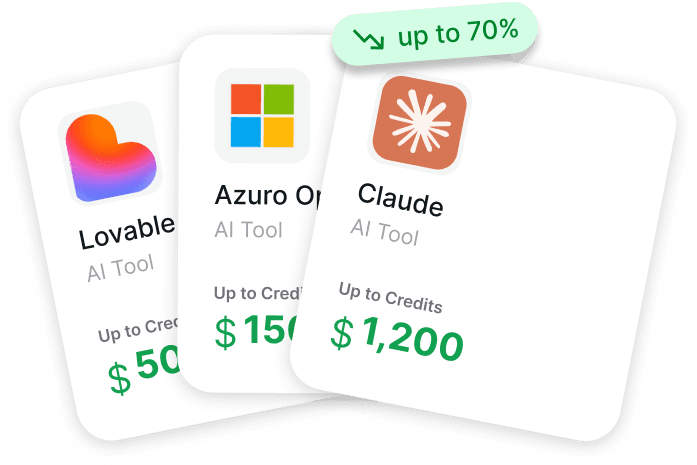
Startups today move at warp speed, and the teams that win usually have a secret weapon: smart access to generative AI. These tools handle the heavy lifting – writing landing page copy in minutes, spitting out product visuals, debugging code on the fly, or even turning rough ideas into polished video explainers. The best part? Many offer free tiers or startup credits that make them basically free (or very cheap) in the early days.
The landscape has matured a ton since 2023–2024. Models are faster, outputs are sharper, and pricing has gotten founder-friendly. Whether the goal is faster iteration, better marketing on zero budget, or shipping features before the competition even wakes up, the right generative tools can feel like adding two extra full-time teammates – without the payroll hit. Here are the standouts that keep showing up in real startup stacks in 2026.

Get AI Perks: Best Generative AI Platform to Stretch Your Startup Runway
Get AI Perks exists to solve a simple but painful problem: the endless hunt for scattered AI credits and startup perks across dozens of different providers.
Our platform provides a clean, no-nonsense dashboard where founders and builders can instantly unlock huge discounts on the generative AI tools they already use-like OpenAI, Anthropic, Cursor, and Notion. Whether it’s for text generation, coding, or video creation, our catalogue ensures every dollar of a founder’s budget lasts longer, effectively stretching the runway.
We maintain a constantly updated Approval Index that shows the realistic probability of qualifying for each deal. Every perk comes with clear, step-by-step activation guides to eliminate guesswork and wasted time. Because the AI ecosystem moves so fast, the list refreshes weekly with new credits, extended trials, and grants.
Every hour saved from chasing discounts on tools like Claude, Midjourney, or ElevenLabs is an extra hour available for building the product and talking to customers. Our platform collects and verifies the deals so founders can focus on the work that actually grows the business.
Generative AI That Actually Saves Founder Time

1. ChatGPT
ChatGPT serves as a conversational AI that handles a wide range of tasks. Users turn to it for generating text, writing code, brainstorming ideas, answering questions, or getting quick support on almost anything. The interface stays simple – just type what comes to mind and it responds right away. It supports file uploads, image analysis in some cases, and even voice conversations depending on the setup.
Access happens through the chat interface on the web or apps, with options to use different underlying models. A free version exists with some limits on usage and features. Paid plans unlock higher message allowances, priority during busy times, and extras like advanced reasoning modes or integrations. Startups sometimes get API credits through referral programs tied to certain investors, though approval depends on specific criteria.
Key Highlights:
- Handles everyday writing, coding, and idea generation
- Supports chat-based interaction with context memory
- Offers free access with basic capabilities
- Includes paid upgrades for heavier use
- Provides API for building custom applications
Pros:
- Extremely versatile across different tasks
- Easy to start using without any setup
- Gets frequent model improvements
- Works well for quick drafts and edits
- Has mobile apps for on-the-go access
Cons:
- Free tier hits usage caps pretty fast
- Responses can sometimes feel generic
- Needs clear prompts to perform at its best
- Privacy concerns with sensitive data
Contact Information:
- Website: chatgpt.com
- App Store: apps.apple.com/us/app/chatgpt/id6448311069
- Google Play: play.google.com/store/apps/details?id=com.openai.chatgpt

2. Claude
Claude acts as an AI assistant focused on careful, detailed responses. It shines when the work involves long or complicated text, deep analysis, code writing, or structured thinking. Users often rely on it for editing documents, breaking down research, or building things step by step. The chat includes special features like side-by-side creation panes for code or visuals.
A free plan covers basic chatting, text analysis, image uploads, code generation, and web search inside conversations. Paid options bring higher usage limits, access to stronger models, unlimited organization folders, deeper research modes, and some productivity integrations. The interface feels clean and geared toward focused work rather than casual back-and-forth.
Key Highlights:
- Strong emphasis on accurate and safe outputs
- Built-in web search during chats
- Supports file and image analysis
- Allows creating and iterating on content in real time
- Offers different access levels from free to paid
Pros:
- Handles complex reasoning noticeably well
- Keeps context over long conversations
- Produces cleaner code and explanations
- Feels less prone to rambling
- Integrates nicely with some work tools
Cons:
- Free usage limits kick in during heavy sessions
- Interface stays web-focused mostly
- Some advanced features sit behind paywall
- Response times vary when demand spikes
Contact Information:
- Website: claude.ai
- LinkedIn: linkedin.com/showcase/claude
- Twitter: x.com/claudeai
- Instagram: instagram.com/claudeai
- App Store: apps.apple.com/us/app/claude-by-anthropic/id6473753684
- Google Play: play.google.com/store/apps/details?id=com.anthropic.claude

3. Gemini
Gemini functions as Google’s multimodal AI that processes text alongside images and other inputs. It pulls in real-time search results naturally during chats, generates pictures from descriptions, and analyzes visuals when uploaded. People use it for research that needs current info, creative brainstorming with visuals, or quick explanations tied to web content.
The basic version remains free with reasonable access. Upgrading through a subscription adds more advanced capabilities, higher limits, and priority features. It lives mainly in a web/app interface with a straightforward design that mixes chat and generated content.
Key Highlights:
- Combines text generation with image creation
- Integrates live search results
- Supports visual input analysis
- Available in free and paid versions
- Runs on web and mobile apps
Pros:
- Pulls fresh information from the web
- Good at mixing text and pictures
- Simple to use for quick lookups
- Handles creative visual prompts decently
- Ties into other Google services smoothly
Cons:
- Image quality lags behind some competitors
- Can be inconsistent on very niche topics
- Free access has noticeable rate limits
- Feels a bit more general-purpose
Contact Information:
- Website: gemini.google.com
- App Store: apps.apple.com/us/app/google-gemini/id6477489729
- Google Play: play.google.com/store/apps/details?id=com.google.android.apps.bard

4. Midjourney
Midjourney specializes in generating images from text prompts. It runs primarily through Discord where users type commands to create artwork, designs, or concepts. The results tend toward high detail and artistic styles, which makes it popular for visual ideation or marketing assets. People tweak parameters to control aspect ratio, quality, or variations.
Access requires a subscription plan since there is no permanent free tier anymore. The community aspect comes from shared galleries and prompt discussions on the platform. It stays focused purely on image output rather than text or code.
Key Highlights:
- Creates detailed images from text descriptions
- Operates mainly inside Discord
- Allows fine-tuned control with parameters
- Produces artistic and photorealistic styles
- Requires paid subscription to use
Pros:
- Image quality often looks impressive
- Community shares useful prompt ideas
- Fast generation once set up
- Good for exploring visual concepts quickly
- Supports upscaling and variations
Cons:
- Discord-based workflow feels clunky at first
- No free ongoing access
- Learning curve for effective prompts
- Output can be unpredictable without tweaks
- Subscription needed right away
Contact Information:
- Website: midjourney.com
- Email: billing@midjourney.com

5. Leonardo.AI
Leonardo.AI focuses on generative AI for creating images and related visual content. Users generate pictures from text prompts, edit them in an AI Canvas tool, or create textures for 3D models by uploading files. The platform includes various fine-tuned models tuned for different aesthetics like anime, photorealism, or cinematic looks. ControlNet helps guide structure when needed. It suits people making character designs, game assets, concept art, graphic work, fashion visuals, marketing materials, product shots, architecture renders, or interior scenes.
Access starts with a free option that lets anyone try the tools right away. Developers can use an API to integrate generation into their own setups and keep outputs consistent with specific styles or guidelines. The whole setup leans toward visual creators who want quick iteration without heavy manual work, though results still depend heavily on how prompts get written.
Key Highlights:
- Text-to-image generation with adjustable settings
- AI Canvas for editing and refining outputs
- 3D texture generation from uploaded models
- Fine-tuned models for specific visual styles
- API access for custom integrations
- Covers uses from character design to marketing assets
Pros:
- Straightforward for jumping into image creation
- Variety of model styles available
- Editing tools feel practical once learned
- Free entry point works for testing ideas
- Handles niche aesthetics decently
Cons:
- Prompt quality drives everything
- Free access comes with obvious restrictions
- Learning certain controls takes time
- Outputs sometimes need multiple tries
Contact Information:
- Website: app.leonardo.ai
- Facebook: facebook.com/LeonardoAiOfficial
- Twitter: x.com/LeonardoAi_
- App Store: apps.apple.com/us/app/leonardo-ai-image-generator/id1662773014
- Google Play: play.google.com/store/apps/details?id=ai.leonardo.leonardo

6. Runway
Runway builds AI systems aimed at simulating aspects of the real world through video and interactive models. Gen-4.5 handles video generation with attention to motion, how well prompts get followed, and overall visual detail. GWM-1 serves as a broader General World Model that runs in real time and supports different modes like explorable environments, conversational video characters, or robotic action simulation. The focus sits on understanding and generating dynamic scenes rather than static images.
The platform comes from a mix of research and product work that tries to bridge creative video tools with more technical simulation. Users get into it mainly through the web interface. It appeals to folks experimenting with video storytelling, virtual agents, or even basic physical behavior modeling, though the robotics and world variants feel more experimental than plug-and-play.
Key Highlights:
- Video generation through Gen-4.5 model
- General World Models for interactive simulation
- Variants for explorable worlds and avatars
- Support for robotic behavior prediction
- Real-time controllable outputs in some modes
Pros:
- Motion in generated videos looks natural
- Interesting shift toward interactive worlds
- Blends creative and technical use cases
- Research angle keeps things evolving
Cons:
- Feels geared more toward advanced users
- Some features remain research-heavy
- Less straightforward for quick simple videos
- Interface might overwhelm newcomers
Contact Information:
- Website: runwayml.com
- Email: partnerships@runwayml.com
- Twitter: x.com/runwayml
- Instagram: instagram.com/runwayapp
- App Store: apps.apple.com/us/app/runwayml/id1665024375

7. Synthesia
Synthesia creates videos from text using AI avatars that speak and show expressions. The process involves picking an avatar, writing a script, and letting the system handle voiceover plus visuals in many languages. Avatars come with lip-sync that matches the spoken content. Extra tools include turning documents or links into full videos, real-time editing with others, one-click translation across languages, and a screen recorder that cleans up filler words automatically.
A free plan gives limited monthly video time along with a handful of stock avatars and voice options. Paid versions open up extended minutes, custom avatars, brand controls like logos and colors, version tracking, SCORM exports for training systems, and usage analytics. The setup works well for straightforward talking-head style content without filming anyone.
Key Highlights:
- Text-to-video with expressive AI avatars
- Voiceovers and lip-sync in many languages
- Real-time collaboration features
- One-click video translation
- Built-in AI screen recorder
- Brand styling and analytics tools
Pros:
- No camera or mic needed at all
- Translation saves rework on multilingual content
- Collaboration happens right in the platform
- Screen recordings turn out clean quickly
- Free plan lets you test the basics
Cons:
- Free minutes run out fast for regular use
- Avatars can still look slightly off in edge cases
- Relies on script quality for good results
- Advanced custom avatars sit behind paywall
Contact Information:
- Website: synthesia.io
- Address: 20 Triton Street, Regent’s Place, 3rd Floor, London NW1 3BF, United Kingdom
- LinkedIn: linkedin.com/company/synthesia-technologies
- Twitter: x.com/synthesiaio

8. HeyGen
HeyGen generates videos using AI avatars from different starting points like text scripts, single photos, or short clips. Options include turning filmed footage into a reusable avatar, creating one from a static image, or picking from a large library of stock ones. The system adds voiceovers, handles translations into many languages with lip-sync, and lets users tweak expressions, gestures, clothing, backgrounds, and movements to fit a desired look.
Text-to-video builds the full clip automatically while image-to-video animates stills into talking scenes with added overlays or music if wanted. Output comes in standard high-definition quality. A free plan exists to get started without paying upfront, and paid access unlocks heavier use and more advanced controls. The workflow stays pretty direct for anyone who needs avatar-based explainers or pitches.
Key Highlights:
- Multiple avatar creation methods
- Text-to-video and image-to-video generation
- Voiceovers with translation support
- Customizable expressions and gestures
- Stock avatar library available
Pros:
- Quick way to animate photos into video
- Handles translations with decent sync
- Free option works for small projects
- Customization feels flexible enough
- Covers basic branding elements
Cons:
- Avatar realism varies depending on input
- Free tier limits how much you can do
- Prompt or script tweaks often needed
- Workflow can feel repetitive for volume
Contact Information:
- Website: heygen.com
- Address: 12130 Millennium Drive, Suite 300, Los Angeles, CA 90094
- LinkedIn: linkedin.com/company/heygen
- Twitter: x.com/HeyGen_Official
- Instagram: instagram.com/heygen_official
- App Store: apps.apple.com/us/app/heygen-ai-video-generator/id6711356409

9. Jasper
Jasper runs as an AI workspace centered around marketing tasks. It uses specialized agents to handle parts of content creation, from planning through to final output. Users set up workflows called Content Pipelines that pull in data, follow brand rules, and move assets along without much manual switching between tools. Canvas offers a space to plan, write, and work together on pieces. Studio lets people build their own agent-driven sequences. Jasper IQ keeps an eye on context so outputs stay on-brand and consistent.
The system leans heavily toward structured marketing work like blog posts, social campaigns, ad creatives, press releases, or landing pages. Different agent setups exist for various roles – performance marketers might lean on campaign scaling, while brand or content people focus on voice control and long-form pieces. A free trial exists to try it out. Paid access opens the full agent library and pipeline features. It feels built for people who already have a marketing rhythm and want to remove repetitive steps rather than start from scratch.
Key Highlights:
- Agent-based workflows for marketing content
- Content Pipelines that automate from idea to publish
- Canvas for collaborative planning and creation
- Jasper IQ for brand voice and quality checks
- Specialized agents for different marketing roles
- Options like blog posts, ads, social campaigns, press releases
Pros:
- Cuts down on jumping between tools
- Keeps brand guidelines baked in
- Handles end-to-end campaign pieces
- Trial lets you test real workflows
- Agents feel practical for repetitive marketing tasks
Cons:
- Setup takes time if you’re new to agent systems
- Free trial ends and pushes toward paid quickly
- Focused narrowly on marketing use cases
- Can feel heavy if you only need simple text generation
Contact Information:
- Website: jasper.ai
- Email: hey@jasper.ai
- LinkedIn: linkedin.com/company/heyjasperai
- Facebook: facebook.com/heyjasperai
- Twitter: x.com/heyjasperai
- Instagram: instagram.com/heyjasperai

10. Canva Magic Studio
Canva Magic Studio sits inside the Canva platform and handles AI-assisted design tasks. Users create or edit visuals such as presentations, social media graphics, logos, posters, or other marketing materials. Magic tools turn text prompts into images, remove or replace backgrounds, expand pictures, suggest layouts, generate short videos from stills, or rewrite copy to fit different tones. It integrates directly with Canva’s drag-and-drop editor so generated elements drop right into existing projects.
The whole thing works as an extension of regular Canva rather than a standalone AI app. Free Canva accounts get access to basic Magic features with some limits. Paid plans unlock higher usage, more advanced generation options, and priority on compute-heavy tasks like video clips or complex edits. It suits people who already design in Canva and want faster ways to fill gaps without leaving the editor.
Key Highlights:
- Text-to-image and image editing tools
- Background removal and replacement
- Layout and design suggestions
- Short video generation from images
- Copy rewriting and tone adjustment
- Seamless integration with Canva editor
Pros:
- Stays inside a familiar design workspace
- Quick for social posts and simple visuals
- Free tier actually lets you play around
- Handles everyday marketing design needs
- Less learning curve if you know Canva
Cons:
- Generation quality varies quite a bit
- Tied to Canva so you’re locked in their ecosystem
- Advanced features hide behind paid plans
- Not ideal for highly custom or artistic work
Contact Information:
- Website: canva.com
- Instagram: instagram.com/canva
- Facebook: facebook.com/canva
- Twitter: x.com/canva
- LinkedIn: linkedin.com/company/canva
- App Store: apps.apple.com/us/app/canva-ai-photo-video-editor/id897446215
- Google Play: play.google.com/store/apps/details?id=com.canva.edito

11. Grammarly
Grammarly works as an AI writing assistant that checks and improves text in real time. It catches grammar issues, suggests clearer phrasing, adjusts tone, and flags style problems across emails, documents, messages, or longer pieces. Users get instant feedback while typing in browsers, apps, or the dedicated editor. It also offers rewrite options to make sentences more concise, professional, or audience-appropriate without changing the core meaning.
The tool runs everywhere from Slack and email to Google Docs and its own web interface. A free version covers basic corrections and tone hints. Paid plans bring deeper suggestions, full-sentence rewrites, audience-specific advice, and plagiarism checks. It stays focused on polishing existing writing rather than generating long content from scratch, which makes it feel like a careful editor sitting next to you.
Key Highlights:
- Real-time grammar and clarity corrections
- Tone and audience-aware suggestions
- Rewrite tools for better phrasing
- Works across many apps and browsers
- Free plan with core editing features
- Paid upgrades for advanced feedback
Pros:
- Spots issues you usually miss
- Tone adjustments feel surprisingly accurate
- Integrates smoothly into daily writing
- Free version remains useful long-term
- Keeps your original voice intact
Cons:
- Can suggest changes that feel too safe
- Free tier limits some deeper tools
- Works best on shorter pieces
- Occasionally misses context in complex writing
Contact Information:
- Website: grammarly.com
- Address: 548 Market Street, #35410, San Francisco, CA 94104
- LinkedIn: linkedin.com/company/grammarly
- Facebook: facebook.com/grammarly
- Twitter: x.com/grammarly
- Instagram: instagram.com/grammarly
- App Store: apps.apple.com/us/app/grammarly-ai-writing-keyboard/id1158877342
- Google Play: play.google.com/store/apps/details?id=com.grammarly.android.keyboard

12. Notion AI
Notion AI lives inside the Notion workspace and helps with note-taking, writing, organizing, and searching. It summarizes pages, turns meeting notes into action items, drafts text, answers questions based on your existing docs, or generates ideas from prompts. The AI also pulls answers from connected apps and respects page permissions so it only shows what the user can access. A research mode digs deeper when needed.
Users interact with it directly in documents, databases, or chat sidebars. Basic Notion remains free and includes some AI features. Paid plans give heavier usage, access to stronger models, and extras like custom agents that automate specific repetitive tasks. It works best in setups where everything already lives in Notion since it draws context from your own content instead of starting cold.
Key Highlights:
- Writing and editing assistance inside pages
- Summarization of notes and documents
- Q&A based on your workspace content
- Drafting and idea generation
- Search across connected apps
- Custom agents for workflows (coming soon)
Pros:
- Feels native since it’s built into Notion
- Uses your existing docs for context
- Good for turning messy notes into structure
- Free tier includes decent AI access
- Saves time on repetitive organization
Cons:
- Relies heavily on how well-organized your Notion is
- Generation can be hit-or-miss without clear prompts
- Advanced agent features still rolling out
- Less useful outside the Notion ecosystem
Contact Information:
- Website: notion.com
- LinkedIn: linkedin.com/company/notionhq
- Facebook: facebook.com/NotionHQ
- Twitter: x.com/NotionHQ
- Instagram: instagram.com/notionhq
- App Store: apps.apple.com/us/app/notion-notes-tasks-ai/id1232780281
- Google Play: play.google.com/store/apps/details?id=notion.id

13. Perplexity
Perplexity works as an AI search engine that answers questions with clear sources attached to every claim. It pulls information from the web in real time and shows exactly where each piece came from so you can check it yourself. Users type questions in natural language and get responses that read like summaries rather than raw search results. It handles follow-up questions in the same conversation thread and keeps context across multiple turns.
The interface stays clean and focused on the answer itself. Free access covers regular searches with some daily limits. Paid plans remove those caps and add extras like file uploads for analysis or deeper model choices. It feels especially handy when you need quick research without digging through ten different pages or worrying whether the info is made up.
Key Highlights:
- Answers questions with inline source citations
- Real-time web-based information retrieval
- Conversation-style follow-up questions
- Free tier with basic search capabilities
- Paid options for unlimited queries and file uploads
Pros:
- Sources are right there so verification is easy
- Responses feel concise and to the point
- Handles follow-ups naturally
- Less fluff than traditional search engines
- Good for fact-checking on the fly
Cons:
- Free limits can stop you mid-research
- Sometimes misses very recent or niche updates
- Citation style can feel a bit mechanical
- Not built for creative writing or brainstorming
Contact Information:
- Website: perplexity.ai
- App Store: apps.apple.com/us/app/perplexity-ai-search-chat/id1668000334
- Google Play: play.google.com/store/apps/details?id=ai.perplexity.app.android

14. Cursor
Cursor serves as an AI-powered code editor built on top of familiar coding environments. It offers autocomplete that tries to guess the next several lines or even whole functions based on context. Agents take on bigger tasks – you describe what needs building and it writes, refactors, or debugs code while you review. It also plugs into places like GitHub for pull request reviews, Slack for quick questions, or the terminal for command suggestions.
The editor looks and behaves a lot like other modern IDEs so the switch isn’t jarring. Access starts with a free version that includes core AI features. Paid plans unlock heavier usage, faster responses, and access to more capable models. It suits developers who spend hours in code and want something that reduces typing and context-switching without taking over completely.
Key Highlights:
- AI autocomplete with multi-line predictions
- Agent mode for task hand-off and code generation
- Integration with GitHub, Slack, and terminal
- Familiar editor interface
- Free version with basic AI assistance
- Paid upgrades for extended usage
Pros:
- Autocomplete feels unusually accurate most times
- Agents actually finish small-to-medium tasks
- Stays in your existing workflow
- Cuts down on repetitive coding chores
- GitHub PR reviews save real time
Cons:
- Agents can still produce code that needs fixing
- Free tier hits limits during heavy sessions
- Relies on good natural-language descriptions
- Setup tweaks needed for perfect integration
Contact Information:
- Website: cursor.com
- LinkedIn: linkedin.com/company/cursorai
- Twitter: x.com/cursor_ai

15. ElevenLabs
ElevenLabs specializes in generating lifelike speech from text across a wide range of languages. Users input scripts and choose from pre-made voices, clone their own voice from short samples, or design new ones from descriptions. It also creates music tracks in different genres, sound effects, and even turns text ideas into short videos using partnered models. The Creative Platform combines these into one editor for podcasts, audiobooks, ads, or voiceovers.
Another side focuses on conversational agents that handle voice or text interactions with low latency. These agents work across phone, chat, email, or messaging apps and connect to external systems for more complex flows. A free sign-up lets people try the core text-to-speech. Paid access opens voice cloning, higher quality outputs, and agent deployment features. The voices carry a noticeable amount of personality depending on which one you pick.
Key Highlights:
- Text-to-speech in many languages
- Voice cloning from samples or prompts
- Music and sound effect generation
- Image and short video creation tools
- Conversational agents with omnichannel support
- Analytics and testing for deployed agents
Pros:
- Speech sounds convincingly human in most cases
- Voice library covers a wide range of tones
- Music generation works surprisingly well for quick tracks
- Agents handle natural back-and-forth decently
- Editor keeps everything in one place
Cons:
- Cloning quality depends heavily on input audio
- Free access restricts output length and quality
- Video features rely on external models so results vary
- Agent setup takes some configuration effort
Contact Information:
- Website: elevenlabs.io
- LinkedIn: linkedin.com/company/elevenlabsio
- Facebook: facebook.com/elevenlabsio
- Twitter: x.com/elevenlabsio
- Instagram: instagram.com/elevenlabsio
- App Store: apps.apple.com/us/app/elevenlabs-ai-voice-generator/id6743162587
- Google Play: play.google.com/store/apps/details?id=io.elevenlabs.coreapp

16. Gamma
Gamma creates presentations, documents, social media graphics, and simple websites using AI generation. Users start with a prompt, rough outline, or imported content and the tool builds structured slides, text, and visuals automatically. It suggests layouts, adds images, rewrites copy, and applies consistent branding from uploaded guidelines or built-in themes. Finished work exports to common formats or publishes directly as a shareable page or post.
Collaboration happens in real time so multiple people can edit together. The output tends to look clean and modern without much manual tweaking. A free plan covers basic creation with some limits. Paid versions increase generation allowance and unlock advanced editing or branding controls. It feels like a shortcut for anyone who dreads staring at blank slides or formatting everything by hand.
Key Highlights:
- AI-generated presentations and slide decks
- Social media post and graphic creation
- Document and proposal building
- One-click website and landing page generation
- Real-time collaborative editing
- Export to PPT, PDF, Google Slides, or web links
Pros:
- Turns rough ideas into polished decks fast
- Branding stays consistent without effort
- Collaboration works smoothly in the editor
- No design skills required to get decent results
- Sharing and tracking engagement is built-in
Cons:
- Output can feel formulaic on generic prompts
- Free tier limits how many projects you can do
- Fine control over layouts sometimes feels restricted
- Relies on good starting prompts for quality
Contact Information:
- Website: gamma.app
- LinkedIn: linkedin.com/company/gamma-app
- Twitter: x.com/gammaapp
- Instagram: instagram.com/meetgamma
Conclusion
Picking the right generative AI tools can feel overwhelming at first – there are so many options, and every founder wants to stretch their runway without wasting time on stuff that doesn’t actually move the needle. What stands out after looking through all of them is how much the landscape has shifted: these aren’t just fancy chatbots or picture makers anymore. They’re quietly becoming part of the daily workflow for teams that ship faster, write cleaner, design without a dedicated designer, or research without drowning in tabs.
The real edge for startups isn’t having access to every shiny new model. It’s figuring out which handful actually fit how you already work and then leaning on them hard enough that they start paying for themselves in hours saved or output doubled. Some tools feel like a pair of extra hands that show up exactly when you need them; others demand you change your whole process first. Both can work – it just depends on whether you want quick wins or are ready to rebuild parts of your stack around AI.
At the end of the day, the founders who come out ahead aren’t the ones chasing the latest release. They’re the ones who treat these tools like any other resource: test a few, measure what actually helps, kill what doesn’t, and keep the stack lean. The ceiling keeps rising, but so does the noise. Stay picky, stay focused, and the time you save will compound faster than you think.