Krótkie podsumowanie: Supabase oferuje cztery poziomy cenowe: Darmowy (0 $/miesiąc z 500 MB bazy danych i 50 tys. MAU), Pro (25 $/miesiąc bazowo plus zużycie z 8 GB bazy danych (dotyczy aktualizacji zarządzania dyskiem) i 100 tys. MAU), Zespół (599 $/miesiąc plus zużycie z ulepszonym wsparciem) i niestandardowe plany Enterprise. Oprócz podstawowych kosztów subskrypcji, użytkownicy płacą za godziny obliczeniowe (10 $/miesiąc za dodatkową instancję mikro), przekroczenie limitu przechowywania (0,021 $/GB), ruch wychodzący poza limity (0,09 $/GB) i dodatkowych aktywnych użytkowników miesięcznie (0,00325 $ za MAU).
Obliczenie rzeczywistego kosztu uruchomienia projektu Supabase może być trudniejsze, niż początkowo się wydaje. Platforma reklamuje prosty plan Pro za 25 $, ale to tylko punkt wyjścia.
Według oficjalnej dokumentacji Supabase, model cenowy łączy poziomy subskrypcji z opłatami zależnymi od zużycia. Oznacza to, że Twój miesięczny rachunek zależy zarówno od wybranego planu, jak i od tego, ile faktycznie korzystasz z zasobów platformy.
Tylko że... wielu programistów odkrywa te koszty zużycia dopiero po uruchomieniu pierwszego projektu. Dyskusje w społeczności na platformach takich jak GitHub ujawniają pytania użytkowników o nieoczekiwane opłaty za moc obliczeniową, nawet w pozornie pustych projektach.
Plany Cenowe Supabase: Cztery Poziomy
Supabase dzieli ceny na cztery odrębne poziomy, każdy przeznaczony dla innego zakresu działania. Oficjalna strona z cenami jasno przedstawia te opcje.
Plan Darmowy: 0 $ Miesięcznie
Plan Darmowy oferuje dwa projekty z trwałą dostępnością – bez limitów czasowych i bez konieczności podawania karty kredytowej. Według oficjalnej dokumentacji, każdy darmowy projekt obejmuje:
- 500 MB przestrzeni dyskowej bazy danych
- 50 000 aktywnych użytkowników miesięcznie (MAU)
- 1 GB przestrzeni dyskowej na pliki
- 5 GB przepustowości ruchu wychodzącego
- Nielimitowane żądania API
Ale czekaj. Ten limit 500 MB bazy danych obejmuje nie tylko Twoje dane, ale także logowanie do zapisu (WAL) i narzut systemowy. Według dyskusji społeczności, bazy danych ze schematem i minimalnymi danymi mogą zajmować 0,22 GB lub więcej ze względu na WAL i narzut systemowy.
Projekty w Planie Darmowym są zawieszane po tygodniu braku aktywności, ale restartują się natychmiast po uzyskaniu dostępu.
Plan Pro: 25 $ Bazowo + Zużycie
Plan Pro służy jako opcja produkcyjna dla większości rozwijających się aplikacji. Podstawowa subskrypcja kosztuje 25 $ miesięcznie, plus opłaty za zużycie zasobów przekraczających zawarte limity.
Według oficjalnej dokumentacji Supabase, projekty w Planie Pro obejmują:
- 8 GB przestrzeni dyskowej bazy danych (wliczone)
- 100 000 MAU (wliczone)
- 100 GB przestrzeni dyskowej na pliki (wliczone)
- 250 GB przepustowości ruchu wychodzącego (wliczone)
- Codzienne kopie zapasowe przez 7 dni
- Wsparcie e-mail
Kluczowy szczegół: koszty mocy obliczeniowej są oddzielne dla więcej niż jednego projektu. Pierwsza instancja Micro Compute jest wliczona w cenę Pro. Każda kolejna wymaga dodatkowej instancji obliczeniowej, zaczynając od 10 $ miesięcznie.
Jak podano w oficjalnej dokumentacji rozliczeniowej: „Godziny obliczeniowe nie są objęte Limitem Wydatków”. Oznacza to, że opłaty za moc obliczeniową zawsze obowiązują, nawet jeśli włączysz limity wydatków dla innych zasobów.
Plan Zespół: 599 $ Bazowo + Zużycie
Plan Zespół jest przeznaczony dla organizacji wymagających ulepszonych funkcji współpracy i zgodności. Za 599 $ miesięcznie plus zużycie, obejmuje wszystko z planu Pro, plus:
- Raporty zgodności SOC2
- Priorytetowe wsparcie e-mail z SLA 2-dniowej odpowiedzi
- Codzienne kopie zapasowe przez 14 dni
- Dedykowany kanał Slack
Limity przechowywania i przepustowości są takie same jak w Planie Pro. Główna wartość wynika z dokumentacji zgodności i szybszych czasów odpowiedzi wsparcia.
Plan Enterprise: Niestandardowe Ceny
Plany Enterprise oferują niestandardowe ceny negocjowane bezpośrednio z Supabase. Obejmują one dedykowaną infrastrukturę, niestandardowe SLA, opcje wdrożenia lokalnego i przydzielonych inżynierów wsparcia.
Oficjalna dokumentacja wymienia funkcje Enterprise, takie jak niestandardowe ceny ruchu wychodzącego, dedykowane instancje baz danych i nielimitowane projekty – ale nie podaje publicznych punktów odniesienia cenowych.

Zrozumienie Kosztów Zależnych od Zużycia
Podstawowa subskrypcja opowiada tylko część historii. Supabase pobiera opłaty za zużycie zasobów przekraczające zawarte limity, a koszty te mogą szybko narastać w przypadku aplikacji o dużym natężeniu ruchu.
Koszty Mocy Obliczeniowej: Nieuniknione Opłaty
Każdy projekt Supabase działa na dedykowanej instancji Postgres. Według oficjalnej dokumentacji, moc obliczeniowa jest rozliczana godzinowo w zależności od rozmiaru instancji:
| Rozmiar Obliczeniowy | RAM | CPU | Koszt Godzinowy | Koszt Miesięczny |
|---|---|---|---|---|
| Mikro | 2 GB | Współdzielony | 0,01344 $ | ~10 $ |
| Mały | 4 GB | 2-rdzeniowy | 0,0206 $ | ~15 $ |
| Średni | 8 GB | 2-rdzeniowy | 0,0822 $ | ~61 $ |
| Duży | 16 GB | 4-rdzeniowy | 0,1517 $ | ~113 $ |
Opłaty te obowiązują 24/7, gdy projekt jest aktywny. Jak zaznaczono w oficjalnej dokumentacji: „Jeśli projekt działa przez część godziny, nadal jesteś obciążany za pełną godzinę.”
Projekty w Planie Darmowym działają na współdzielonej infrastrukturze obliczeniowej bezpłatnie, ale z ograniczeniami wydajności. Plany Pro i wyższe wymagają płatnych instancji obliczeniowych.
Przechowywanie Danych w Bazie Danych: Opłaty za GB
Przechowywanie danych w bazie danych jest rozliczane po 0,125 $ za GB miesięcznie za użycie przekraczające limity planu. Oficjalna dokumentacja wyjaśnia, że wykorzystuje ona model rozliczania GB-Godzin.
Plany Pro i Zespół zawierają 8 GB. Po przekroczeniu tego progu, opłaty naliczane są na podstawie faktycznego użycia przez cały cykl rozliczeniowy.
Rozmiar bazy danych obejmuje nie tylko dane użytkownika, ale także: Logowanie do zapisu (WAL), indeksy i tabele systemowe PostgreSQL zużywają miejsce w ramach Twojego limitu.
Przepustowość Ruchu Wychodzącego: 0,09 $ za GB
Ruch wychodzący z sieci – dane przesyłane z Supabase do zewnętrznych klientów – kosztuje 0,09 $ za GB po przekroczeniu limitów planu. Według oficjalnej dokumentacji, limity ruchu wychodzącego wynoszą:
- Plan Darmowy: 5 GB wliczone
- Plany Pro/Zespół: 250 GB wliczone
- Enterprise: Niestandardowe limity
Ruch wychodzący buforowany (serwowany przez CDN Supabase) kosztuje mniej, bo 0,03 $ za GB. Zapytania do bazy danych, pobieranie plików z magazynu, odpowiedzi z funkcji Edge i subskrypcje w czasie rzeczywistym generują ruch wychodzący.
Oficjalne przykłady pokazują projekt z 200 GB niebuforowanego ruchu wychodzącego i 230 GB buforowanego ruchu wychodzącego, który zmieściłby się w limitach Planu Pro i nie spowodowałby żadnych opłat za przekroczenie limitu.
Przechowywanie Plików: 0,021 $ za GB/Miesiąc
Przechowywanie plików w kubełkach Supabase Storage kosztuje 0,021 $ za GB miesięcznie (obliczane jako 0,00002919 $ za GB-godzinę). Według oficjalnej dokumentacji:
- Plan Darmowy: 1 GB wliczony
- Plany Pro/Zespół: 100 GB wliczone
- Enterprise: Niestandardowe limity
Opłata ta dotyczy tylko całkowitego rozmiaru plików, a nie kosztów transferu (które podlegają opłatom za ruch wychodzący).
Aktywni Użytkownicy Miesięcznie: 0,00325 $ za MAU
Koszty uwierzytelniania rosną wraz z liczbą aktywnych użytkowników miesięcznie przekraczającą limity planu. Oficjalna dokumentacja definiuje MAU jako unikalnych użytkowników, którzy uwierzytelniają się w ciągu miesiąca kalendarzowego.
Plany Pro i Zespół obejmują 100 000 MAU. Dodatkowi użytkownicy kosztują 0,00325 $ za sztukę. Zatem 150 000 MAU wygeneruje 50 000 × 0,00325 $ = 162,50 $ opłat za przekroczenie limitu.
Projekty w Planie Darmowym mają twardy limit 50 000 MAU bez opcji przekroczenia limitu – przekroczenie go wymaga przejścia na Plan Pro.

Ukryte Koszty i Pułapki
Oprócz udokumentowanej struktury cenowej, kilka mniej oczywistych kosztów może wpłynąć na Twój rachunek.
Wiele Projektów Mnoży Koszty
Każdy projekt wymaga własnej instancji obliczeniowej. Zgodnie z oficjalnym FAQ dotyczącym rozliczeń, jeśli organizacja prowadzi trzy projekty w Planie Pro z domyślną mocą obliczeniową: „Plan Pro za 25 $ + 20 $ za 3 projekty z domyślnym rozmiarem mocy obliczeniowej = 45 $/miesiąc” (przed opłatami za zużycie).
Użytkownicy Planu Darmowego otrzymują dwa projekty bez opłat za moc obliczeniową, ale przejście na Plan Pro oznacza ponoszenie kosztów mocy obliczeniowej dla każdego aktywnego projektu.
Dodatkowe Funkcje
Kilka funkcji wymaga dodatkowych opłat poza standardowymi cenami zużycia:
- Adres IPv4: 4 $ miesięcznie za projekt
- Niestandardowe domeny: Wliczone w plany Pro, Zespół i Enterprise
- Odtwarzanie w punkcie w czasie (PITR): Dodatkowa opłata w planach Pro i wyższych
- Drenaż dzienników (Log Drains): Dodatkowa opłata, rozliczana za projekt
Dodatek IPv4 jest niedostępny w Planie Darmowym, jak zaznaczono w oficjalnej dokumentacji.
Przykłady Kosztów w Rzeczywistości
Przyjrzyjmy się, ile kosztują różne scenariusze użycia, na podstawie oficjalnych przykładów rozliczeniowych.
Mała Aplikacja Produkcyjna
Prosta aplikacja produkcyjna może mieć:
- Podstawa Planu Pro: 25 $
- Mikro moc obliczeniowa (więcej niż jedna): 10 $
- 3 GB przestrzeni dyskowej bazy danych: Wliczone w limit 8 GB
- 75 000 MAU: Wliczone w limit 100 tys.
- 80 GB ruchu wychodzącego: Wliczone w limit 250 GB
Suma: 35 $ miesięcznie
Rosnąca Aplikacja SaaS
Skalująca się platforma SaaS może zużywać:
- Podstawa Planu Pro: 25 $
- Mała instancja obliczeniowa: 15 $
- 15 GB przestrzeni dyskowej bazy danych: (15 – 8) × 0,125 $ = 0,88 $
- 150 000 MAU: (150 tys. – 100 tys.) × 0,00325 $ = 162,50 $
- 300 GB ruchu wychodzącego: (300 – 250) × 0,09 $ = 4,50 $
- 120 GB przestrzeni dyskowej na pliki: (120 – 100) × 0,021 $ = 0,42 $
Suma: 208,30 $ miesięcznie
Aplikacja Konsumencka o Dużym Natężeniu Ruchu
Popularna aplikacja konsumencka może zobaczyć:
- Podstawa Planu Zespół: 599 $
- Średnia instancja obliczeniowa: 61 $
- 50 GB przestrzeni dyskowej bazy danych: (50 – 8) × 0,125 $ = 5,25 $
- 500 000 MAU: (500 tys. – 100 tys.) × 0,00325 $ = 1 300 $
- 800 GB ruchu wychodzącego: (800 – 250) × 0,09 $ = 49,50 $
Suma: 2 014,75 $ miesięcznie
Te przykłady pokazują, jak szybko koszty rosną wraz ze wzrostem liczby użytkowników, szczególnie opłaty związane z MAU.
Supabase vs Ceny Firebase
Porównanie Supabase z Firebase firmy Google ujawnia fundamentalnie różne filozofie cenowe.
Firebase stosuje czysto ceny zależne od zużycia. Według analiz porównawczych, Firebase pobiera opłaty za odczyt, zapis i usunięcie każdego dokumentu. Małe operacje szybko zwiększają koszty – 50 000 dziennych odczytów dokumentów może generować znaczące miesięczne opłaty.
Model subskrypcji Supabase z wliczonymi limitami zapewnia większą przewidywalność kosztów dla ustabilizowanych obciążeń. Aplikacja z 80 000 MAU kosztuje 35 $ miesięcznie w planie Supabase Pro (jeśli mieści się w innych limitach), podczas gdy Firebase pobierałby opłaty za każdą operację uwierzytelniania.
Jednakże darmowy plan Spark Firebase zawiera bardziej hojne dzienne limity dla operacji na dokumentach w porównaniu do limitów przechowywania Supabase. Małe projekty mogą dłużej pozostać darmowe na Firebase.
Decydujący czynnik: koszty Firebase rosną stopniowo z każdą operacją, podczas gdy koszty Supabase gwałtownie rosną po przekroczeniu progów limitów.
Strategie Optymalizacji Kosztów
Kilka podejść może pomóc zminimalizować wydatki na Supabase bez poświęcania funkcjonalności.
Pełne Wykorzystanie Planu Darmowego
Dwa darmowe projekty mogą służyć do rozwoju, testów i małych obciążeń produkcyjnych. Według oficjalnych limitów, 50 000 MAU obsługuje znaczący ruch dla nowych aplikacji.
Zawieś nieużywane projekty, aby zapobiec ich zużywaniu limitów, chociaż oficjalna dokumentacja zauważa, że zawieszone projekty i tak nie są zaliczane do limitów darmowych projektów.
Optymalizacja Przechowywania Danych w Bazie Danych
Rozmiar bazy danych bezpośrednio wpływa na koszty po przekroczeniu limitu 8 GB w Planie Pro. Strategie obejmują:
- Archiwizowanie starych danych do zewnętrznego przechowywania
- Implementacja polityki retencji danych
- Użycie partycjonowania tabel PostgreSQL
- Regularne odkurzanie i analizowanie tabel w celu odzyskania przestrzeni
Zmniejszenie Ruchu Wychodzącego
Ruch wychodzący kosztuje 0,09 $ za GB po przekroczeniu limitu. Minimalizuj transfery poprzez:
- Implementację agresywnych strategii buforowania
- Użycie CDN Supabase dla buforowanych treści (0,03 $/GB vs 0,09 $/GB)
- Paginację dużych zestawów wyników
- Kompresowanie odpowiedzi
- Serwowanie multimediów przez CDN poza Supabase
Dopasowanie Zasobów Obliczeniowych
Dodatkowa instancja mikro mocy obliczeniowej (10 $/miesiąc) wystarcza dla wielu aplikacji. Monitoruj użycie CPU i pamięci przed aktualizacją do większych instancji.
Oficjalna dokumentacja wskazuje, że rozmiar mocy obliczeniowej wpływa na wydajność, ale nie na pojemność przechowywania, więc nie przeciążaj nadmiernie zasobów bez potrzeby.
Monitorowanie Wzrostu MAU
Przy 0,00325 $ za dodatkowego MAU, koszty uwierzytelniania mogą gwałtownie wzrosnąć. Skok z 100 000 do 200 000 MAU dodaje 325 $ miesięcznie.
Rozważ wdrożenie limitów czasu sesji lub miesięcznych ograniczeń dostępu, aby kontrolować liczbę MAU, chociaż jest to kompromis między optymalizacją kosztów a doświadczeniem użytkownika.

Zdobądź Kredyty Supabase Zanim Skalujesz Swój Backend
Ceny Supabase zależą od zużycia, co oznacza, że koszty rosną wraz ze wzrostem użycia bazy danych, przechowywania i API. Gdy projekt przejdzie z fazy testów do produkcji, wydatki mogą szybko rosnąć, zwłaszcza w przypadku aplikacji obsługujących rzeczywisty ruch użytkowników. Wiele startupów płaci pełną cenę na tym etapie, nie sprawdzając, czy dostępne są kredyty.
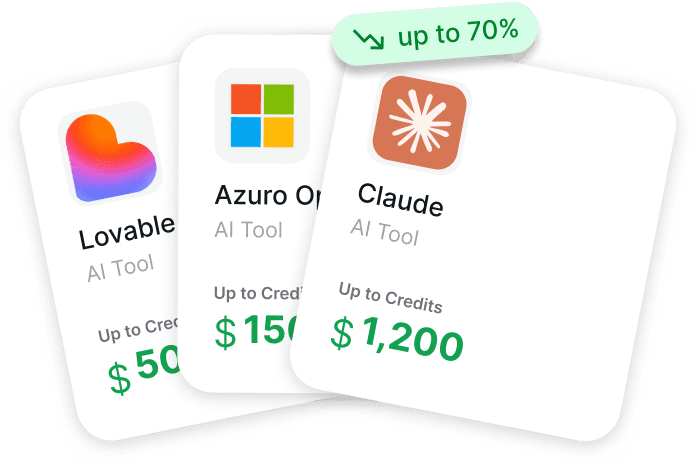
Get AI Perks zawiera listę kredytów i zniżek dla startupów na narzędzia AI i deweloperskie, w tym oferty Supabase, takie jak około 300 $ kredytów dla nowych kont i do 500 $ dla aktywnych projektów. Zamiast przeszukiwać indywidualnie programy dostawców, założyciele mogą przejrzeć dostępne korzyści w jednym miejscu i ocenić prawdopodobieństwo ich zatwierdzenia przed złożeniem wniosku.
Najpierw sprawdź Get AI Perks i odbierz dostępne kredyty Supabase, zanim zaczniesz skalować swoją infrastrukturę.
Kiedy Wybrać Każdy Plan
Różne poziomy pasują do różnych etapów i przypadków użycia.
Plan Darmowy Jest Najlepszy Dla:
- Projekty poboczne i prototypy
- Nauki i eksperymentowania
- MVP z mniej niż 50 tys. użytkowników
- Środowiska deweloperskie i testowe
Ograniczenia wydajności i limit 500 MB bazy danych sprawiają, że plan Darmowy nie nadaje się do obciążeń produkcyjnych z jakimkolwiek potencjałem wzrostu.
Plan Pro Jest Najlepszy Dla:
- Aplikacje produkcyjne poniżej 100 tys. MAU
- Aplikacje małych firm
- Projekty wymagające codziennych kopii zapasowych
- Zespoły wymagające wsparcia e-mail
Przy minimalnym miesięcznym koszcie 35 $, plan Pro zapewnia infrastrukturę klasy produkcyjnej w konkurencyjnej cenie w porównaniu do zarządzania PostgreSQL na AWS RDS lub DigitalOcean.
Plan Zespół Jest Najlepszy Dla:
- Organizacje wymagające zgodności SOC2
- Zespoły potrzebujące priorytetowego wsparcia
- Firmy gotowe zapłacić za szybsze czasy odpowiedzi
Premia w wysokości 564 $ ponad Plan Pro (599 $ vs 35 $) zapewnia dokumentację zgodności i SLA wsparcia – cenne dla sprzedaży korporacyjnej, ale niepotrzebne dla wielu aplikacji.
Plan Enterprise Jest Najlepszy Dla:
- Duże aplikacje z milionami użytkowników
- Organizacje wymagające dedykowanej infrastruktury
- Firmy potrzebujące niestandardowych SLA
- Projekty o specyficznych wymaganiach zgodności
Częste Skargi Dotyczące Cennika
Dyskusje w społeczności ujawniają powtarzające się punkty tarcia związane z modelem cenowym Supabase.
Opłaty za Moc Obliczeniową w Pustych Projektach
Dyskusje na GitHub dokumentują doświadczenia użytkowników z opłatami za moc obliczeniową w nowo utworzonych projektach. Jedna z częstych obserwacji: instancje obliczeniowe generują opłaty od momentu uruchomienia projektu, niezależnie od faktycznych danych lub ruchu.
Dzieje się tak, ponieważ instancje obliczeniowe działają stale po uruchomieniu projektu, niezależnie od faktycznej aktywności bazy danych. Opłaty są udokumentowane, ale wielu użytkowników oczekuje cen za zapytanie podobnych do baz danych serverless.
Jasność Strony Cenowej
Dyskusje na GitHub uwydatniły niejasności użytkowników dotyczące tego, co jest wliczone w podstawowe subskrypcje w porównaniu do opłat za zużycie, szczególnie w odniesieniu do kosztów instancji obliczeniowych, które są oddzielne od podstawowej opłaty planu.
Supabase od tego czasu zaktualizował dokumentację, aby bardziej widocznie podkreślić koszty mocy obliczeniowej, ale wieloskładnikowy model cenowy pozostaje bardziej złożony niż proste alternatywy per-user lub per-request.
Koszty MAU w Dużej Skali
Stawka za przekroczenie limitu 0,00325 $ za MAU staje się kosztowna dla aplikacji konsumenckich. Wzrost z 100 000 do 1 000 000 MAU dodaje 2 925 $ miesięcznie – potencjalnie więcej niż samo hostowanie bazy danych.
Niektórzy programiści zgłaszają rozważanie samodzielnego hostowania instancji Supabase, aby uniknąć opłat za MAU po osiągnięciu tej skali.
Często Zadawane Pytania
Czy Supabase jest darmowy na zawsze?
Tak, według oficjalnej dokumentacji. Plan Darmowy nie ma limitu czasowego i oferuje dwa projekty na stałe. Projekty są zawieszane po tygodniu braku aktywności, ale restartują się natychmiast po uzyskaniu dostępu. Nie ma okresów próbnych ani wymuszonych aktualizacji.
Co się stanie, gdy przekroczę limity darmowego planu?
W Planie Darmowym usługi przestają działać po przekroczeniu twardych limitów, takich jak limit 50 000 MAU lub limit 5 GB ruchu wychodzącego. Aby kontynuować usługę, musisz przejść na Plan Pro. Użytkownicy Planu Pro mogą włączyć Limit Wydatków, aby zapobiec przekroczeniu limitów, co ogranicza usługi po przekroczeniu limitów, lub wyłączyć go, aby zezwolić na automatyczne rozliczanie nadwyżek.
Ile kosztuje Supabase dla 100 000 użytkowników?
Jeśli masz dokładnie 100 000 aktywnych użytkowników miesięcznie, Plan Pro obejmuje Cię w ramach wliczonego limitu. Minimalny koszt wyniesie 25 $ miesięcznie za jeden projekt korzystający z mikro mocy obliczeniowej (25 $ bazowo plus 10 $ za moc obliczeniową dla kolejnego). Dodatkowe koszty zależą od rozmiaru bazy danych, przechowywania plików i zużycia przepustowości. Pierwszy GB po przekroczeniu limitów doda minimalne opłaty.
Czy Supabase pobiera opłaty za żądania API?
Nie. Supabase oferuje nielimitowane żądania API we wszystkich planach, w tym w planie Darmowym. Nie są pobierane opłaty za zapytanie, wywołanie funkcji lub żądanie uwierzytelnienia. Koszty pochodzą z zużycia zasobów (przechowywanie, przepustowość, moc obliczeniowa) i MAU, a nie z liczby żądań.
Jak Supabase wypada cenowo w porównaniu do AWS RDS?
Dla małych projektów Supabase jest zazwyczaj tańsze. Odpowiednia instancja PostgreSQL db.t3.micro w AWS RDS kosztuje około 16 $ miesięcznie tylko za moc obliczeniową, plus osobne opłaty za przechowywanie (0,115 $/GB), kopie zapasowe (0,095 $/GB) i transfer danych (0,09 $/GB). Plan Pro Supabase za 35 $ obejmuje moc obliczeniową, 8 GB przechowywania, kopie zapasowe i 250 GB transferu. Jednak AWS RDS staje się bardziej opłacalny w skali korporacyjnej dzięki instancjom zarezerwowanym.
Czy mogę samodzielnie hostować Supabase, aby zaoszczędzić pieniądze?
Tak. Supabase jest oprogramowaniem open-source i można je w pełni hostować samodzielnie. Uruchomienie własnej instancji na VPS eliminuje opłaty abonamentowe i za zużycie, ale wymaga wiedzy DevOps do zarządzania usługami PostgreSQL, PostgREST, GoTrue, Realtime i Storage. Samodzielne hostowanie ma sens dla aplikacji na dużą skalę, gdzie koszty chmury przekraczałyby koszty zarządzania infrastrukturą, ale większość zespołów uważa hosting zarządzany za bardziej ekonomiczny, biorąc pod uwagę czas inżynierów.
Podsumowując
Ceny Supabase łączą poziomy subskrypcji z opłatami zależnymi od zużycia, tworząc model, który jest przejrzysty w strukturze, ale złożony w praktyce.
Dla małych projektów z mniej niż 50 000 MAU, Plan Darmowy oferuje realną wartość – pełną platformę backendową za zero kosztów. Rosnące aplikacje znajdą plan Pro w konkurencyjnej cenie przy minimalnym miesięcznym koszcie 25 $, zwłaszcza w porównaniu do samodzielnego zarządzania infrastrukturą PostgreSQL.
Jednak koszty mogą szybko eskalować. Kombinacja opłat za MAU, opłat za ruch wychodzący i godzin obliczeniowych oznacza, że popularna aplikacja może łatwo osiągnąć kilkaset dolarów miesięcznie. Zrozumienie tych elementów przed uruchomieniem zapobiega późniejszym niespodziankom rachunkowym.
Kluczowe jest to, że Supabase najlepiej sprawdza się w aplikacjach o przewidywalnym zużyciu zasobów, które mieszczą się w limitach planu. Wysoce zmienne obciążenia lub ogromna baza użytkowników mogą napotkać nieoczekiwane koszty.
Gotowy na wypróbowanie Supabase? Zacznij od darmowego projektu, aby ocenić, czy model cenowy odpowiada trajektorii wzrostu Twojej aplikacji. Uważnie monitoruj zużycie podczas wczesnego wdrażania i strategicznie aktualizuj, gdy zrozumiesz rzeczywiste wzorce zużycia.