Rezumat rapid: Claude Code este un asistent de codare bazat pe inteligență artificială, care excelează la înțelegerea bazelor de cod întregi, la efectuarea de refactorizări mari și la reducerea sarcinii mentale în timpul dezvoltării. Deși este mai lent decât concurenții și uneori prea precaut, capacitatea sa de a citi autonom fișiere, de a executa comenzi și de a efectua editări pe mai multe fișiere cu intervenție minimă îl diferențiază ca un instrument practic pentru sarcinile de codare din lumea reală.
Comunitatea tehnologică nu încetează să vorbească despre Claude Code. Apare în canalele de Slack ale dezvoltatorilor, forumuri de produse și chiar în cercuri non-tehnice. Dar iată întrebarea care contează: livreză cu adevărat atunci când agitația dispare?
Pe baza feedback-ului comunității și a rapoartelor de testare din lumea reală, răspunsul este nuanțat. Claude Code gestionează unele sarcini excepțional de bine, în timp ce se împiedică la altele. Nu este vorba despre laudă oarbă sau respingere—este vorba despre înțelegerea unde strălucește cu adevărat acest instrument.
Ce face de fapt Claude Code
Conform documentației oficiale Claude Code, acest instrument funcționează ca un asistent de codare agențial care citește baze de cod, editează fișiere, rulează comenzi și se integrează cu mediile de dezvoltare. Este disponibil prin terminale, IDE-uri, aplicații desktop și browsere.
Termenul „agențial” este important aici. Claude Code nu doar completează linii sau sugerează fragmente. Acționează cu autonomie—citind mai multe fișiere, înțelegând contextul proiectului și executând modificări în baza de cod fără ghidare constantă.
Gândiți-vă la el mai puțin ca la un ajutor de sintaxă și mai mult ca la un dezvoltator junior care poate naviga întregul dvs. depozit. Aceasta este diferența fundamentală care îl separă de asistenții de codare tradiționali.

Găsiți beneficii Claude într-un singur loc
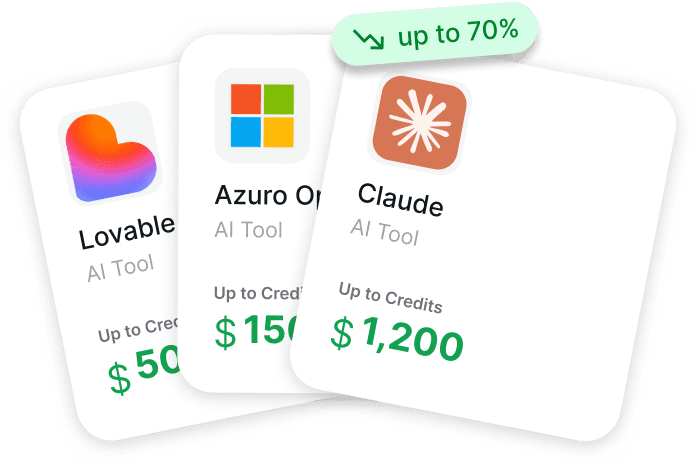
Atunci când judecați cât de bun este Claude Code, accesul și costul fac, de asemenea, parte din imagine. Get AI Perks îi ajută pe fondatori să găsească credite pentru startup-uri și reduceri la software pentru instrumente AI și cloud într-un singur loc. Platforma include peste 200 de beneficii, cu oferte pentru Claude, Anthropic, OpenAI, Gemini, ElevenLabs, Intercom și altele, plus ghiduri despre cum să le revendicați.
Căutați credite și beneficii pentru instrumente AI?
Verificați Get AI Perks pentru:
- comparați ofertele disponibile pentru instrumente AI
- vedeți condițiile beneficiilor înainte de a aplica
- găsiți credite pentru mai multe instrumente într-un singur loc
👉 Vizitați Get AI Perks pentru a explora beneficiile disponibile pentru Claude și software-ul AI.
Punctele forte distinctive
Conștientizare contextuală care funcționează cu adevărat
Discuțiile comunitare dezvăluie o temă constantă: Claude Code demonstrează o înțelegere reală a arhitecturii proiectului. Când este însărcinat cu refactorizarea, nu modifică doar fișierul țintă—urmărește dependențele, actualizează componentele conexe și ajustează testele în consecință.
Această conștientizare contextuală se extinde la codul moștenit. Dezvoltatorii raportează că Claude Code navighează baze de cod murdare și nedocumentate mai eficient decât instrumentele concurente. Identifică modele, sugerează practici de programare defensivă și structurează ieșirile cu o consistență surprinzătoare.
Refactorizările mari devin gestionabile
Refactorizarea implică de obicei muncă anevoioasă, predispusă la erori, pe mai multe fișiere. Claude Code gestionează aceste scenarii cu o eficiență deosebită. Experiențele utilizatorilor indică faptul că ceea ce ar putea dura ore de editare manuală—actualizarea semnăturilor funcțiilor, redenumirea variabilelor, restructurarea modulelor—devine o sarcină de automatizare supravegheată.
Instrumentul menține coerența între modificări. Când redenumește un component, urmărește fiecare referință, declarație de import și mențiune în documentație. Greșelile încă apar, dar calitatea de bază depășește adesea ceea ce rezultă din editări manuale pripite.

Depanarea se simte diferit
Depanarea cu Claude Code seamănă mai mult cu programarea în pereche decât cu depanarea individuală. Instrumentul examinează stack trace-urile, revizuiește secțiunile relevante de cod și propune remedieri cu explicații.
Ceea ce îl diferențiază este raționamentul. În loc să sugereze pur și simplu un patch, Claude Code identifică adesea motivul existenței erorii—indicând cazuri limită, condiții de cursă sau lacune logice pe care recenzenții umani le-ar putea rata în timpul sesiunilor de depanare pripite.
Unde se împiedică
Viteza nu este punctul său forte
Sincer să fiu: Claude Code funcționează vizibil mai lent decât alternativele precum GitHub Copilot. Timpii de răspuns se pot întinde pe secunde, nu pe milisecunde. Pentru dezvoltatorii care apreciază iterația rapidă, acest decalaj devine frustrant.
Compromisul de performanță se leagă direct de abordarea sa conștientă de context. Citirea și analiza bazelor de cod întregi durează timp. Dacă acest schimb—viteză pentru acuratețe—funcționează depinde în totalitate de sarcina în cauză.
Prea multă prudență poate încetini impulsul
Claude Code cere uneori confirmare pentru modificări care nu merită o întrerupere. Această abordare conservatoare previne dezastrele, dar perturbă stările de flux. Dezvoltatorii experimentați raportează ajustarea setărilor de permisiuni pentru a reduce solicitările inutile.
Documentația oficială oferă opțiuni de configurare pentru regulile de permisiune și sandboxing, permițând echipelor să calibreze cât de multă autonomie primește Claude Code. Găsirea echilibrului potrivit necesită experimentare.
| Aspect | Nivel de Putere | Potrivire pentru Cazuistică |
|---|---|---|
| Refactorizări mari | Excelent | Modificări pe mai multe fișiere, actualizări de arhitectură |
| Depanare | Foarte Bun | Erori complexe, cazuri limită |
| Conștientizare contextuală | Excelent | Cod moștenit, baze de cod mari |
| Viteza de răspuns | Corect | Nu ideal pentru prototipare rapidă |
| Framework-uri de nișă | Variabil | Mai bine cu stive populare |
Stivele de nișă văd rezultate mixte
Claude Code funcționează cel mai bine cu tehnologii mainstream. Dezvoltatorii care lucrează cu framework-uri mai puțin comune sau instrumente interne raportează rezultate inconsistente. Instrumentul oferă în continuare valoare, dar necesită mai multă corecție și ghidare.
Această limitare nu este surprinzătoare—modelele AI se antrenează în principal pe tehnologii larg utilizate, cu date de antrenament abundente. Limbajele obscure sau sistemele proprietare primesc în mod natural asistență mai puțin eficientă.
Realitatea practică
Iată ce dezvăluie feedback-ul comunității: Claude Code funcționează cel mai bine ca un instrument specializat, nu ca un înlocuitor universal.
Pentru decizii arhitecturale, refactorizări complexe și înțelegerea bazelor de cod necunoscute, oferă câștiguri reale de productivitate. Pentru completare rapidă, șabloane simple sau iterație rapidă, alternativele mai rapide ar putea fi mai bune.
Instrumentul se extinde dincolo de ingineria software pură—susținând cercetarea de produs, analiza datelor și automatizarea personalizată—adăugând versatilitate care îi extinde utilitatea către roluri non-dezvoltatori. Documentația oficială arată dezvoltarea continuă a unor caracteristici precum sarcini programate, echipe de agenți și integrări îmbunătățite.

Integrare și Disponibilitate
Claude Code funcționează pe mai multe medii. Documentația oficială enumeră disponibilitatea în terminale, Visual Studio Code, IDE-uri JetBrains, aplicații desktop, interfețe web și chiar o extensie Chrome aflată în prezent în beta.
Pentru echipele care lucrează pe mai multe dispozitive, funcțiile de Control de la Distanță permit continuarea sesiunilor de pe telefoane sau alte mașini. Integrările CI/CD suportă revizuiri automate ale PR-urilor prin GitHub Actions și pipeline-uri GitLab. Integrarea Slack direcționează rapoartele de erori direct către pull request-uri.
Pentru dezvoltatorii care comută frecvent între stații de lucru, instrumentul suportă continuitatea sesiunii prin funcțiile de Control de la Distanță, reducând pierderea de context la mutarea între medii.
Întrebări Frecvente
Înlocuiește Claude Code dezvoltatorii umani?
Nu. Claude Code funcționează ca un asistent care se ocupă de sarcini anevoioase și oferă sugestii. Necesită supraveghere umană pentru luarea deciziilor, revizuirea codului și alegeri strategice. Gândiți-vă la el ca la o augmentare, nu o înlocuire.
Cum se compară Claude Code cu GitHub Copilot?
Claude Code prioritizează conștientizarea contextuală și operațiunile pe mai multe fișiere în detrimentul vitezei, în timp ce Copilot excelează la completarea rapidă. Claude Code se potrivește pentru refactorizări mari și depanare; Copilot funcționează mai bine pentru sugestii rapide și generarea de șabloane.
Pot non-dezvoltatorii să folosească Claude Code eficient?
Da, în special pentru fluxurile de lucru de automatizare și analiza datelor. Managerii de produs și cercetătorii raportează succes în utilizarea stilurilor personalizate de ieșire pentru cercetare competitivă și sarcini de procesare. Înțelegerea tehnică de bază ajută, dar nu este întotdeauna necesară.
Ce limbaje de programare suportă Claude Code cel mai bine?
Claude Code funcționează cel mai bine cu limbaje populare precum Python, JavaScript, TypeScript, Java și Go. Suportul există pentru alte limbaje, dar eficiența variază în funcție de disponibilitatea datelor de antrenament și popularitatea framework-ului.
Merită Claude Code viteza mai mică?
Depinde de tipul sarcinii. Pentru refactorizări complexe, depanare și lucrul arhitectural, compromisul acuratețe-viteză favorizează Claude Code. Pentru iterație rapidă și completare simplă, alternativele mai rapide ar putea fi mai eficiente.
Cât de personalizabil este Claude Code?
Foarte personalizabil. Documentația oficială detaliază abilități personalizate, plugin-uri, reguli de permisiune, setări de sandbox și stiluri de ieșire. Echipele pot configura comportamentul la nivel de întreprindere, utilizator, proiect sau local pentru a se potrivi fluxurilor de lucru specifice.
Funcționează Claude Code offline?
Nu. Claude Code necesită conectivitate la internet pentru a funcționa, deoarece procesează cererile prin modele AI găzduite la distanță. Dezvoltarea locală fără acces la rețea nu va suporta operațiunile Claude Code.
Evaluare Finală
Deci, cât de bun este Claude Code? Răspunsul onest: foarte bun la anumite lucruri, mediocru la altele.
Pentru dezvoltatorii care se confruntă cu refactorizări complexe, lucrează cu baze de cod moștenite mari sau depană probleme complicate, Claude Code oferă îmbunătățiri măsurabile ale productivității. Conștientizarea contextuală și capabilitățile pe mai multe fișiere reduc cu adevărat sarcina mentală și ratele de eroare.
Pentru dezvoltatorii care prioritizează viteza, lucrează cu tehnologii de nișă sau au nevoie de completare simplă, alte instrumente ar putea fi mai bune. Punctele forte ale Claude Code vin cu compromisuri de performanță care nu se potrivesc fiecărui flux de lucru.
Instrumentul se extinde dincolo de codarea pură—suportând cercetarea de produs, analiza datelor și automatizarea personalizată—adăugând versatilitate care îi extinde utilitatea către roluri non-dezvoltatori. Documentația oficială arată dezvoltarea continuă a unor caracteristici precum sarcinile programate, echipele de agenți și integrările îmbunătățite.
Verificați documentația oficială Claude Code pentru caracteristicile actuale, disponibilitatea platformei și opțiunile de configurare. Instrumentul continuă să evolueze, capabilitățile extinzându-se dincolo de ceea ce exista chiar și cu luni în urmă. Testarea în lumea reală în fluxuri de lucru specifice rămâne singura modalitate fiabilă de a determina potrivirea.