AI coding assistants are no longer a novelty. For many developers, they’ve become part of the daily workflow, quietly shaping how code is written, reviewed, and refactored. Cursor and GitHub Copilot sit at the center of this shift, often compared because they solve similar problems in very different ways.
On the surface, both tools promise faster coding and fewer interruptions. In practice, the experience can feel quite different depending on how you work, the size of your projects, and how much control you want over the AI itself. This article looks at Cursor and GitHub Copilot side by side, focusing less on marketing claims and more on how they actually fit into real development work.

Get AI Perks: Using Cursor and Copilot With Free AI Credits
At Get AI Perks, we built the platform we wished existed when we were choosing our own AI tools. Cursor, GitHub Copilot, OpenAI, Anthropic, and dozens of others are powerful, but the costs add up fast once you move past trials. Our goal is simple: help founders, developers, and teams access these tools with free credits and real discounts, without spending weeks hunting for scattered programs.
The platform aggregates credits for popular AI tools, including Cursor, OpenAI, and Anthropic, and explains the conditions for each offer in plain terms. Instead of searching through individual startup programs or limited-time promotions, users can see what credits are available and activate them faster. This makes it easier to test AI coding tools under real workloads before committing to a paid plan.
For developers comparing Cursor and GitHub Copilot, access to free credits removes much of the financial guesswork. It allows teams to explore how each tool fits their workflow, usage patterns, and project size without immediately worrying about overages or monthly limits.
How AI Coding Assistants Actually Change the Workflow
Before comparing tools, it helps to be clear about what AI coding assistants do well and where they fall short.
At their best, they remove small but constant interruptions. Writing boilerplate, recalling syntax, jumping to documentation, or scanning a codebase for a function definition are all things that break focus. A good AI assistant smooths those edges so you can stay in the problem longer.
At their worst, they become noise. Poor suggestions, incorrect assumptions about context, or unpredictable limits can slow you down more than they help. This is where the design philosophy of a tool matters as much as the underlying model.
Cursor and GitHub Copilot approach this problem from opposite directions.

Cursor in One Sentence
Cursor is an AI-first code editor that tries to understand your entire project and act like a proactive development partner, not just an autocomplete engine. That ambition shapes everything about how Cursor works, from its interface to its pricing model.
In practice, Cursor is designed for developers who want the AI to do more than finish lines of code. It aims to reason about structure, intent, and changes across files, making it feel closer to a junior developer who can refactor, search, and suggest improvements across the whole codebase. This power comes with more interaction, more review, and a greater need to stay in control of what the AI is doing.

What Defines Cursor in Real Use
- AI is built into the editor itself, not added as an extension
- Project-wide context is used for suggestions, edits, and chat
- Multi-line and multi-file diffs are common, not just inline completions
- Strong focus on refactoring, code understanding, and large changes
- Requires more active prompting and review from the developer
- Pricing is usage-based, which can fluctuate during heavy work

GitHub Copilot in One Sentence
GitHub Copilot is a tightly integrated AI assistant that lives inside your existing editor and focuses on fast, reliable inline help without changing how you code. Its strength is consistency and predictability, especially for developers already deep in the GitHub ecosystem.
Copilot is built to feel familiar from the first minute. Instead of reshaping your workflow, it quietly enhances it by offering suggestions exactly where you are already typing. It favors speed, safety, and low cognitive overhead, making it easy to trust during long coding sessions and routine development work.
What Defines Github Copilot in Real Use
- Runs as an extension inside popular editors like VS Code and JetBrains
- Focuses on inline suggestions and short code blocks
- Strong at reducing repetitive typing and boilerplate
- Minimal learning curve with almost no workflow disruption
- Hybrid pricing with monthly allowances and optional overage charges
- Deep integration with GitHub repositories and tooling
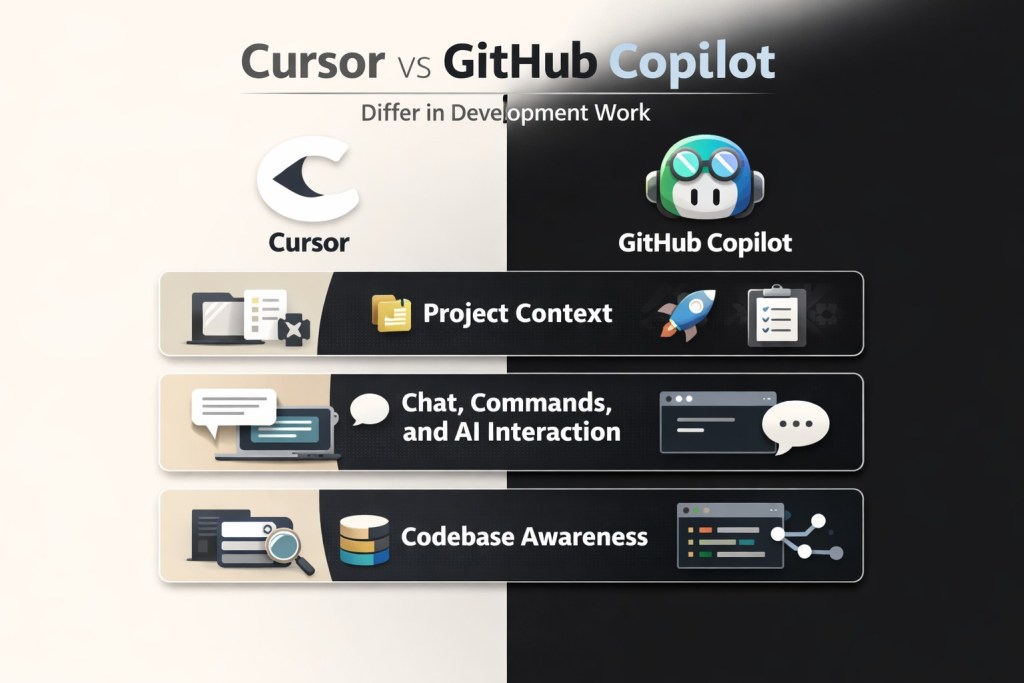
How Cursor and GitHub Copilot Differ in Real Development Work
While Cursor and GitHub Copilot are often grouped together as AI coding assistants, the similarities start to thin out once you look at how they actually behave in daily work. Both aim to speed up development, but they make different trade-offs around control, depth, and predictability.
This comparison focuses on how each tool handles the core parts of a developer’s workflow, from the editor itself to code suggestions, project awareness, performance, and pricing.
Editor Experience and Setup
One of the most immediate differences is where each tool lives and how deeply it integrates into your environment.
Cursor as an AI-First Editor
Cursor is a standalone editor built on top of Visual Studio Code, but heavily reworked around AI. Instead of adding intelligence to an existing setup, Cursor treats AI as the starting point.
AI actions are woven into everyday navigation rather than tucked away in side panels. Code changes often appear as diffs, encouraging review instead of instant acceptance. The editor expects frequent interaction with AI through prompts and shortcuts, which can feel natural once you adapt, but unfamiliar at first.
GitHub Copilot as an Embedded Assistant
GitHub Copilot runs as an extension inside editors many developers already use, including VS Code, JetBrains IDEs, and Neovim. Setup is quick, and the tool starts offering suggestions almost immediately.
There is no new editor to learn and no workflow to rethink. Copilot adjusts to existing habits rather than reshaping them. For developers who prefer stability and minimal disruption, this difference is noticeable from day one.
Code Completion and Inline Suggestions
This is where most developers spend the majority of their time interacting with AI.
Cursor’s Tab-Based Editing
Cursor’s Tab system goes beyond predicting the next line. It frequently proposes multi-line edits, refactors, or structural changes based on perceived intent.
When it works well, it reduces writing and shifts effort toward reviewing changes. When it misjudges intent, dismissing or correcting suggestions can take more attention than ignoring simple autocomplete. Cursor rewards active supervision and careful review.
Copilot’s Predictable Autocomplete
Copilot focuses on incremental suggestions, usually limited to a line, block, or function. It stays close to what is already being written, making its behavior easier to anticipate.
Even when suggestions are imperfect, they rarely interrupt flow. For repetitive or familiar tasks, Copilot often feels faster simply because it stays in the background.
Project Context and Codebase Awareness
Context handling is one of the clearest points of separation.
Cursor’s Project-Level Understanding
Cursor indexes the entire codebase and uses that information during suggestions and chat interactions. It can reason across files, refactor multiple modules, and search for patterns without leaving the editor.
This is particularly useful for large refactors, legacy systems, or projects with uneven documentation. Cursor is strongest when the problem extends beyond a single file.
Copilot’s File-Centric Context
Copilot has improved its awareness of nearby files and recent changes, but it remains most effective within the local scope of the current edit.
For everyday development, this is often enough. For broader architectural work, it can feel limited. This is why some developers reach for Copilot for routine tasks and something deeper for complex changes.
Chat, Commands, and AI Interaction
The way you communicate with the AI affects how much control you feel.
Cursor’s Integrated Commands
Cursor treats chat as part of the editing surface. Selected code can be modified directly through prompts, keeping conversation and changes tightly linked.
This reduces context switching but requires precise instructions. Ambiguous prompts can lead to confident but incorrect edits that need careful review.
Copilot Chat as a Companion Tool
Copilot Chat works more like a traditional assistant. It answers questions, explains code, and generates snippets without aggressively modifying files.
This softer approach feels calmer for learning, onboarding, and quick clarification. It emphasizes guidance rather than direct action.
Terminal and Performance Differences
Beyond the editor and code suggestions, practical differences between Cursor and GitHub Copilot also show up in how they handle the terminal, how they perform over long sessions, and how predictable their pricing feels. These factors often matter more over weeks of real work than during an initial trial.
Terminal and Command Line Support
Both tools assist with terminal commands, but they take different approaches. Cursor can generate and run commands tied closely to project context, which is useful for complex workflows that involve builds, scripts, or environment setup. At the same time, this level of automation can feel intrusive to developers who prefer full manual control over the terminal.
Copilot’s terminal assistance is more restrained. It focuses on translating plain language into commands without deeply altering terminal behavior. This keeps interaction simple, predictable, and closer to how most developers already work.
Performance and Responsiveness
Performance is not just about speed. It is about consistency during long coding sessions. Cursor performs well on large codebases and multi-file operations, especially when handling broader changes. However, responsiveness can vary depending on hardware and how heavily AI features are used, which can make it feel heavier overall.
Copilot is optimized for real-time suggestions and tends to remain responsive even on modest machines. Its lighter footprint makes it easier to trust during long sessions where stability matters more than deep analysis.

Community Feedback and Real-World Sentiment
Looking beyond official documentation, community discussions reveal consistent themes.
- Cursor is praised for deep context and refactoring power
- Copilot is praised for reliability and cost control
- Cursor is often described as better for complex tasks
- Copilot is often described as better for daily work
Interestingly, many experienced developers do not frame this as a strict competition. They see the tools as optimized for different modes of work.
When Each Tool Makes More Sense
| Situation | Cursor | GitHub Copilot |
| Working with large, complex codebases | Well suited due to project-wide context and multi-file reasoning | More limited, primarily focuses on local context |
| Frequent refactors or structural changes | Handles deep, cross-file edits more effectively | Better for small, localized updates |
| Level of AI involvement | Designed for detailed instructions and active supervision | Operates quietly with minimal input |
| Cost tolerance | Fits scenarios where variable usage costs are acceptable | Suited for predictable, fixed monthly costs |
| Impact on existing workflow | Requires adjustment to an AI-first environment | Fits into existing workflows with little change |
| Typical usage pattern | Exploratory, refactor-heavy, context-driven work | Incremental, routine, and speed-focused work |
| Overall emphasis | Depth and experimentation | Stability and consistency |
A Practical Way to Decide
If the choice is not obvious, the most useful approach is to look at how work actually happens rather than trying to declare a winner. The difference often comes down to whether the focus is on understanding entire projects or simply writing code faster, whether AI is expected to take action or just offer guidance, and how much unpredictability in cost and behavior feels acceptable.
When those questions are considered honestly, the preference between Cursor and GitHub Copilot usually becomes clear without overthinking the decision.
Final Thoughts
Cursor and GitHub Copilot represent two valid but different interpretations of what AI-assisted coding should be.
Cursor pushes forward, exploring what happens when AI is deeply embedded in the editor itself. Copilot refines what already works, quietly improving everyday development.
Neither is objectively better. Each reflects a trade-off between ambition and reliability.
The best tool is the one that disappears when you are focused and shows up when you need help. For some developers, that is Cursor. For others, it is Copilot.
And for many, the future likely includes both.
Frequently Asked Questions
What is the main difference between Cursor and GitHub Copilot?
The main difference lies in how deeply each tool integrates into the workflow. Cursor is an AI-first editor that tries to understand and act on entire projects, while GitHub Copilot works as an assistant inside existing editors, focusing on fast and reliable inline suggestions.
Is Cursor better than GitHub Copilot for large projects?
Cursor tends to perform better when work involves large codebases, multi-file refactors, or structural changes. Its project-wide awareness makes it more effective in these situations. GitHub Copilot works well for large projects too, but its strength is more apparent in localized, incremental changes.
Does GitHub Copilot require changing the way work is done?
No. GitHub Copilot is designed to fit into existing workflows with minimal disruption. It runs inside popular editors and behaves like an enhancement rather than a replacement, which makes adoption straightforward.
Why do some people find Cursor harder to use at first?
Cursor expects more active interaction. It often suggests larger changes and relies on detailed prompts, which can feel unfamiliar at first. The learning curve comes from supervising the AI rather than letting it quietly assist in the background.
Can both tools be used for learning or onboarding?
Yes, but in different ways. Cursor is useful for exploring and restructuring unfamiliar projects, while GitHub Copilot is often better for explanations, quick examples, and learning syntax or patterns without altering code aggressively.