AI tools are no longer just experiments or side projects. For many people, they sit right in the middle of how work gets done every day. Cursor and ChatGPT are often compared because they both use powerful language models, but using them side by side quickly shows they are built for very different moments in the workflow.
Cursor feels at home inside code. It lives where developers already spend their time and focuses on helping things move faster without breaking concentration. ChatGPT, by contrast, is more like a thinking partner you step away to consult. It’s great for reasoning, explaining, and exploring ideas, even when code is only part of the task. Understanding that difference is what actually makes the choice clear.

How Get AI Perks Helps Reduce the Cost of Using Cursor and ChatGPT
Tools like Cursor and ChatGPT are easy to adopt, but the costs can add up quickly once real work begins. Subscription tiers, usage limits, and add-ons often turn early experimentation into a noticeable monthly expense. Get AI Perks exists to make that phase less painful.
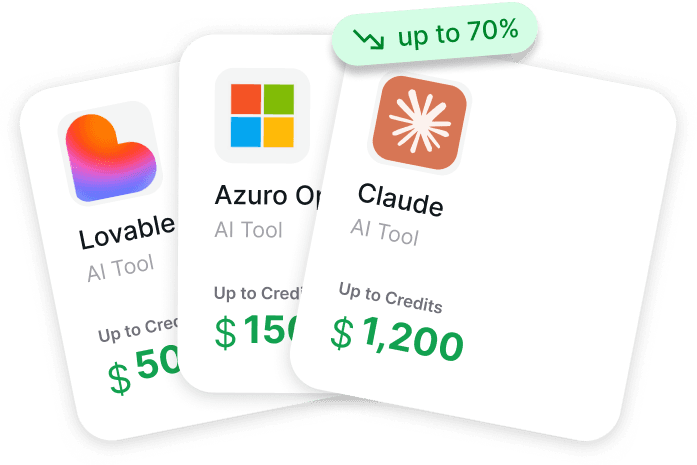
We created Get AI Perks because founders kept running into the same issue: AI tools are easy to try, but surprisingly expensive to keep using once they become part of real work. So we built a single place that brings together free AI credits and exclusive discounts for platforms like Cursor, ChatGPT, OpenAI, Anthropic, and 200+ other tools used by founders and teams. Instead of digging through scattered startup programs or short-lived offers, everything is centralized, with clear conditions and practical activation guides.
This makes it easier to try both Cursor and ChatGPT in real workflows before committing long-term budget. Whether someone is testing Cursor for daily coding or using ChatGPT for research, documentation, and planning, Get AI Perks lowers the financial barrier to figuring out which tools actually earn their place in the stack.

What is Cursor?
Cursor is an AI-powered code editor designed specifically for developers. Unlike traditional code editors, it’s not just about writing code – it’s about enhancing the coding process with AI. Cursor works seamlessly within the Integrated Development Environment (IDE), allowing developers to interact with their codebase more efficiently and effectively.

Key Features of Cursor
Context-Aware Coding Assistance
Cursor can read the context of your current project and suggest relevant code snippets, helping you complete tasks faster. If you need to write a function to fetch weather data, for instance, you can ask Cursor to generate that code, and it will tailor the suggestion based on your project’s requirements.
Integrated Refactoring
One of Cursor’s standout features is its ability to refactor code directly inside the editor. Whether you’re fixing bugs or reorganizing code, Cursor can automatically suggest improvements and even implement them in real-time.
Multiple Language Support
Cursor supports a variety of programming languages, including Python, JavaScript, TypeScript, and more. This makes it adaptable to a wide range of projects, regardless of the stack you’re working with.
Intuitive Project Integration
Unlike other AI tools that work externally from your codebase, Cursor embeds directly into your IDE, offering a more seamless experience. It learns from your project’s context and continually adapts to your specific needs.
When to Use Cursor
- Daily Development Tasks: If you are actively working on a project and need AI to help generate code, refactor, or debug in real-time, Cursor is built for this environment.
- Ongoing Coding Projects: Cursor is ideal for projects where constant coding is required, especially if you’re managing large codebases and need context-based support.
- Increased Coding Efficiency: If you find yourself frequently needing to update or fix code, Cursor’s ability to predict the next steps or suggest bug fixes can save time.

What is ChatGPT?
ChatGPT, developed by OpenAI, is a general-purpose conversational AI that excels in a wide range of tasks. While it can assist with coding, its capabilities extend far beyond the IDE. It’s a versatile AI that can help with brainstorming, documentation, explanations, and much more.
Key Features of ChatGPT
Natural Language Processing
ChatGPT’s strength lies in its ability to understand and respond to natural language. You can ask it to generate code snippets, explain a technical concept, or troubleshoot a piece of code. It works well outside of the coding environment, offering a more hands-on approach to learning and understanding.
Broad Use Cases
While it can assist with coding, ChatGPT excels in areas like writing documentation, generating reports, and offering troubleshooting tips. It’s not just for coders – it’s valuable for project managers, content creators, and anyone who needs AI assistance across a variety of tasks.
AI Tutoring and Debugging
ChatGPT is a powerful tutor. If you need an explanation for a piece of code or a walkthrough of a programming concept, ChatGPT can provide that. It’s especially helpful for beginners or anyone trying to learn new languages or frameworks.
Flexible Integration
Unlike Cursor, which integrates directly into the IDE, ChatGPT can be accessed via plugins, APIs, or standalone interfaces. This makes it easy to use in various contexts, whether you’re coding in an IDE or researching solutions outside the development environment.
When to Use ChatGPT
- Conceptual and Idea Exploration: ChatGPT is great when you need to brainstorm ideas, discuss high-level concepts, or explore new technologies.
- Learning and Documentation: If you need help learning a new framework or writing documentation, ChatGPT excels in providing guidance and support for these tasks.
- General Coding Assistance: While Cursor handles coding in the IDE, ChatGPT is useful for brainstorming code ideas, validating snippets, or answering high-level technical questions.
Core Differences: Cursor vs ChatGPT
While both tools are powered by advanced AI, the core difference lies in their focus and integration.
| Feature | Cursor | ChatGPT |
| Primary Role | AI-powered coding IDE | General-purpose AI assistant |
| IDE Integration | Direct, seamless in-editor support | Requires plugins or external tools |
| Context Awareness | Deep project context | Limited to provided information |
| Code Generation | Context-aware, real-time | Code generation via prompts |
| Refactoring Support | Automatic, project-based | Manual edits based on suggestions |
| Non-Coding Tasks | Minimal | Extensive (writing, learning, research) |
| Collaboration Support | Basic | Strong (can support teams) |
Workflow Integration and Learning Curve: Cursor vs ChatGPT
Workflow Integration
Cursor
If you’re coding every day, Cursor feels like an extension of your development environment. It’s built to be a productive part of your workflow, thriving in contexts where ongoing development and context-awareness matter. Whether you’re generating code, refactoring, or fixing bugs, you can interact with Cursor directly as part of your coding tasks. It integrates seamlessly into your IDE, making it a natural, continuous part of your work.
ChatGPT
ChatGPT, on the other hand, doesn’t live inside your IDE. It supports your work by acting as a side conversation partner. You can use it to think through coding challenges, explain errors, or generate code snippets, but you’ll need to manually incorporate its suggestions back into your project. It excels when you need brainstorming power, in-depth code explanations, or assistance with documentation, but it doesn’t integrate directly into the development environment like Cursor does.
The Learning Curve
Cursor
Cursor is easy for developers to adopt because it’s specifically designed for coding. Its seamless integration into the IDE means that developers can start using it immediately without much setup or confusion. It’s built for those already familiar with the coding process, offering AI assistance that complements your existing workflow and helps you work more efficiently.
ChatGPT
ChatGPT is user-friendly and versatile, but it can take a little time to learn to use effectively in a coding context. Since it doesn’t live inside the IDE, you’ll need to craft clear prompts and structure your questions to get the best results. However, its ability to explain concepts, offer suggestions, and support broader tasks makes it an excellent tool for developers at any level, from beginners to advanced. While the learning curve might be steeper for coding-related tasks, its flexibility in handling diverse requests can make it a valuable companion across many projects.
Pricing: How Cursor and ChatGPT Compare in Practice
Pricing is often where the real difference between Cursor and ChatGPT shows up. Not because one is cheaper across the board, but because they charge for different kinds of value.

ChatGPT Pricing: Broad Access, Tiered Capability
ChatGPT uses a tiered pricing model that scales with how deeply you rely on it.
- The Free plan is enough for light, occasional use. You get access to the core model with clear limits on messages, uploads, memory, and research depth. It works well for simple questions or quick help, but you will hit boundaries fast if you use it daily.
- The Go plan expands access and removes some of those friction points. You get more messages, larger uploads, and longer memory. For many casual users, this tier feels like the first version that does not interrupt your flow.
- The Plus plan is where ChatGPT becomes a serious work tool. Advanced reasoning models, deeper research, agent mode, projects, and custom GPTs all live here. This tier is popular with people who use ChatGPT daily for thinking, writing, planning, or technical exploration.
- The Pro plan is designed for heavy users. It removes most usage limits, unlocks the largest context windows, faster responses, and priority access to advanced features like Codex and Sora. This is the tier for people who treat ChatGPT as a core part of their workday.
- For teams, Business and Enterprise plans add shared workspaces, admin controls, compliance guarantees, and security features. These plans are less about raw AI power and more about governance, privacy, and scale.
In short, ChatGPT pricing rewards breadth. The more tasks you push through it, the more value you get from higher tiers.
Cursor Pricing: Paying for Speed Inside the Editor
Cursor’s pricing is structured around how intensively you use AI while coding.
- The Hobby plan is free and works well for testing. You get limited agent usage and tab completions, enough to understand how Cursor fits into your workflow without committing.
- The Pro plan is where Cursor becomes useful for daily development. Unlimited tab completions, extended agent limits, cloud agents, and larger context windows make it feel like a real productivity upgrade rather than a demo.
- The Pro+ plan increases usage across multiple models, including OpenAI, Claude, and Gemini. This tier is aimed at developers who rely heavily on AI assistance throughout the day and want fewer interruptions.
- The Ultra plan removes most remaining limits and adds priority access to new features. This is built for very high-volume usage, where AI is constantly involved in writing, refactoring, and reviewing code.
- For teams, Teams and Enterprise plans introduce shared chats, centralized billing, analytics, access controls, and compliance features like SSO and audit logs. These plans are designed for organizations where AI-assisted coding needs to be visible, manageable, and secure.
Cursor pricing rewards depth. The more you code inside the editor, the more sense higher tiers make.
Which Pricing Model Makes More Sense?
ChatGPT tends to feel more cost-effective when it is used across many different tasks. Writing, research, planning, learning, and occasional coding all stack value into a single subscription.
Cursor feels more cost-effective when coding is the main activity. If most of your AI usage happens inside the IDE, paying for deeper editor integration often saves more time than a general-purpose assistant.
This is why many developers and teams end up using both. ChatGPT handles thinking and exploration. Cursor handles execution inside the codebase. Pricing reflects that split.
Choosing the Right Tool: When to Use Cursor vs ChatGPT
Choosing between Cursor and ChatGPT depends largely on how you work and what tasks you need help with.
When to Choose Cursor
- You need AI assistance within your IDE.
- Your work requires constant updates, refactoring, and bug fixes.
- You’re working on a large project that demands context-aware coding assistance.
- You prefer a tool that integrates seamlessly into your workflow without distraction.
When to Choose ChatGPT
- You’re working on tasks outside the IDE, like writing documentation, brainstorming, or explaining technical concepts.
- You need a more flexible, general-purpose assistant that can handle everything from coding questions to project planning.
- You’re looking for a tutor or mentor to guide you through code and help you learn new languages or frameworks.
- You want a tool that can help with research, technical writing, or broader project management tasks.
Final Thoughts
Both Cursor and ChatGPT offer impressive AI capabilities, but they cater to different needs. If you need a tool that lives inside your IDE and helps with coding efficiency, Cursor is the way to go. It’s built specifically for developers and designed to integrate directly into the coding process.
However, if you need a more versatile assistant that can help you with everything from debugging code to drafting documents and learning new concepts, ChatGPT offers that flexibility. While it’s not integrated into your IDE, it can offer significant support in coding-related tasks and beyond.
Ultimately, the choice between Cursor and ChatGPT comes down to your workflow. Whether you prefer a tool built for deep integration into your project or a more broad-ranging assistant that supports learning, brainstorming, and documentation, you’ll find that both tools are valuable – each in its own way.
FAQ
Is Cursor a replacement for ChatGPT?
No. Cursor and ChatGPT are built for different moments in the workflow. Cursor is designed to work directly inside the code editor, while ChatGPT is better suited for reasoning, explanations, and tasks outside the IDE. Many people end up using both.
Can ChatGPT write production-ready code like Cursor?
ChatGPT can generate high-quality code snippets and explain logic, but it does not have direct access to a full codebase. Cursor is better suited for production work because it understands project context and applies changes directly inside the editor.
Do I need to be an experienced developer to use Cursor?
Cursor is easiest to use if you already understand how to work in an IDE, but it does not require advanced expertise. Developers who are comfortable with coding basics usually adapt quickly.
Is ChatGPT useful for developers beyond writing code?
Yes. ChatGPT is often used for learning new concepts, debugging explanations, documentation, planning architectures, and even non-technical tasks like writing or research.
Which tool is better for teams?
It depends on how the team works. Cursor is better for teams focused on daily development and shared codebases. ChatGPT is useful across roles, including engineering, product, and operations, because it supports a wider range of tasks.